
Livraison le jour même ou le lendemain

Qualité garantie

Débloquez vos offres de bienvenue: Livraison GRATUITE | Jusqu'à -80 % | 30 jours d'essai gratuits à JoyPlus
Téléchargez l'application
Choosing a new Xbox controller can be overwhelming. Between the official gamepad, pro versions, and more specialised alternatives, the market is flooded with options. Whether you're a casual player on Xbox Series X, a fierce competitor on PC, or a tech enthusiast, your controller is the direct link to your in-game actions. The wrong choice can compromise both comfort and performance.
This guide is here to cut through the noise. Our mission: to give you everything you need to identify the controller that truly matches your playstyle and budget.
Before diving into our top picks, let's review the essential criteria that will guide your decision.
A gaming session can last for hours, making comfort non-negotiable. Modern controllers, like the official Xbox Wireless Controller, feature textured surfaces on the grips, triggers, and bumpers. This detail ensures a better grip and reduces hand fatigue. The shape and weight of the gamepad should suit your hands to guarantee a comfortable experience, even over long periods.
For competitive players, certain features make all the difference. A pro Xbox controller or an esports controller takes customisation to another level:
Versatility is a major asset. Most Xbox controllers are just as at home on a console as they are on a computer, making them excellent PC controllers. Be sure to check the connection options:
Here are three models we recommend, each catering to specific needs, from everyday gaming to high-level competition.
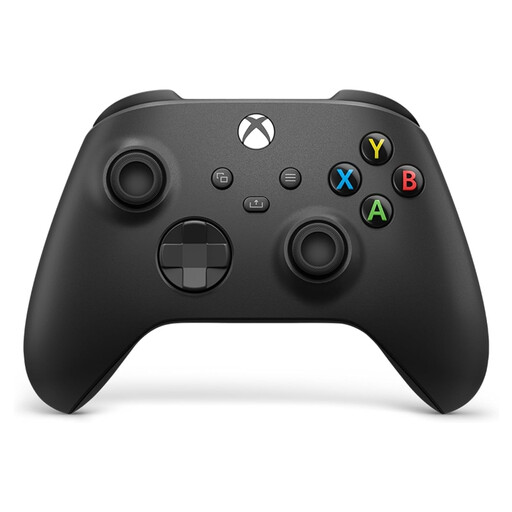
Why it stands out
This is, quite simply, Microsoft's official standard. It's a model acclaimed for its reliability, comfort, and versatility. Its design, modernised for the Xbox Series X and S, refines an already excellent ergonomic layout with a more precise hybrid D-pad and textured surfaces for a better grip.
Its strengths
Who is it for?
For any gamer looking for a safe bet that is reliable and comfortable on both console and PC, without necessarily needing pro features. It's the sensible choice, delivering solid performance in the vast majority of situations.
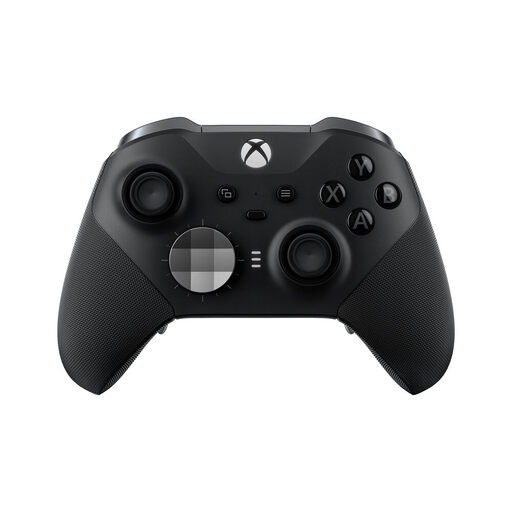
Why it stands out
The Xbox Elite Series 2 controller is aimed at demanding gamers for whom performance is not an option. It offers an unparalleled level of hardware and software customisation, allowing you to adapt the controller to any game or playstyle.
Its strengths
Who is it for?
For competitors and enthusiasts who want absolute control over their hardware. If you're looking to improve your responsiveness and precision, this pro Xbox controller is a worthwhile investment.
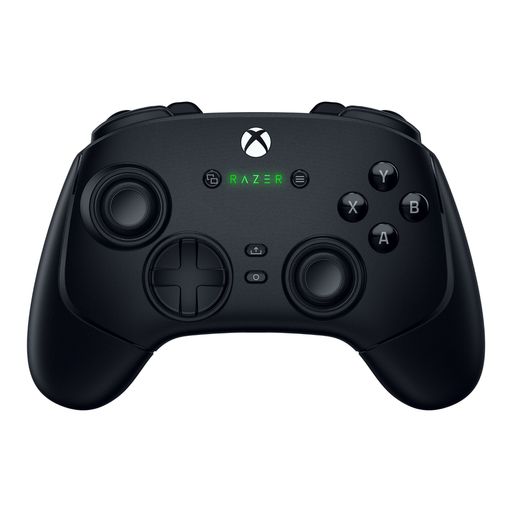
Why it stands out
The Razer Wolverine V3 Pro is a pure esports controller that focuses entirely on speed, precision, and durability. It incorporates cutting-edge technologies to meet the demands of competition, including thumbsticks designed to eliminate the infamous “stick drift.”
Its strengths
Who is it for?
For competitors and tech-savvy players looking for the latest innovations to gain an edge. It's the top choice for those who prioritise durability and responsiveness above all else.
Our selection highlights models that meet very specific needs. However, the market is full of alternatives, with a huge variety of colours, designs, and features. If you haven't found what you're looking for yet, other options might be the perfect fit for you.
Discover our complete collection of Black Game Controllers to explore more alternatives.
The standard controller aims for the best balance of comfort, reliability, and price. A pro Xbox controller, like the Elite Series 2, adds a layer of hardware customisation: rear paddles, adjustable-travel triggers, adjustable-tension thumbsticks, and interchangeable components. These options allow players to tailor the controller to their playstyle to optimise their performance.
Absolutely. The Xbox controller is one of the most popular options for PC gaming, thanks to its perfect native integration with Windows. You can connect it in three ways: via a USB-C cable for minimal latency, via Bluetooth if your PC supports it, or with the Xbox Wireless Adapter for an ultra-stable proprietary connection. Nearly all PC games recognise it instantly, with no configuration required.
“Stick drift” is the annoying phenomenon where a thumbstick registers movement even when it's in a neutral position. It's usually caused by the wear and tear of internal components (potentiometers). To combat this, some manufacturers are turning to alternative technologies. The Razer Wolverine V3 Pro, for example, uses Hall effect thumbsticks. These rely on magnets and sensors, which eliminates the physical contact and mechanical wear that causes drift.