
Livraison le jour même ou le lendemain

Qualité garantie

Débloquez vos offres de bienvenue: Livraison GRATUITE | Jusqu'à -80 % | 30 jours d'essai gratuits à JoyPlus
Téléchargez l'application
Choosing a wireless Xbox controller is about more than simply finding the cheapest model. An unstable connection, batteries dying halfway through a game or tiring ergonomics can quickly ruin the experience. From one model to another, the differences come down to connectivity, power, additional controls and game compatibility.
This selection is aimed at players on Xbox Series X|S, Xbox One and Windows PCs, as well as simulation enthusiasts, intensive users and collectors of special editions.
A wireless controller does not necessarily include a rechargeable battery. Several Xbox models run on 2 AA batteries, sometimes supplied with the product. This is convenient when you want to get straight back into the game with a fresh set of batteries, but running costs will depend on how often you play and whether you choose disposable batteries or a compatible battery pack.
By contrast, a rechargeable Xbox controller with a dock or USB-C cable makes everyday use easier. However, remember to check that the dock, cable and mains adapter are all included.
Bluetooth connectivity does not guarantee that every function will be available on every device. If you are looking for an Xbox controller for PC, check exactly what each option supports:
On Xbox, some third-party controllers can work wirelessly, while others are limited to wired mode. Checking the specifications before ordering will help you avoid any unwelcome surprises.
Lighting, an integrated screen, rear buttons or interchangeable modules can be useful, provided you will genuinely use them. An Xbox controller with paddles or rear buttons can make action games easier to play, but it may also add weight and require some configuration.
For flight simulation games, a standard controller cannot always replace a true Xbox flight controller. A dedicated joystick offers more axes and controls, but it also takes up considerably more space on your desk.
The official Xbox models featured here are compatible with Xbox Series X|S and Xbox One. On PC, check which version of Windows is supported: this is generally Windows 10 or Windows 11, depending on the product listing.
For mobile gaming or cloud gaming, Bluetooth is a real advantage. On console, Xbox Wireless remains the preferred option when the model supports it.
A quoted battery life of ‘up to’ a certain figure is a maximum value that varies according to usage, vibration and connected accessories. The official Xbox Wireless Controller Carbon Black and Shock Blue version run on 2 included AA batteries, with a quoted battery life of up to 40 hours.
An Xbox controller charging station can recharge two controllers simultaneously. However, check whether it works with proprietary batteries or removable battery packs. FIXED stations supply packs with contacts and suitably fitted covers, but their USB mains adapter is not included.
Textured surfaces on the triggers, grips and rear of the controller improve handling, especially during long sessions. A dedicated Share button also makes it easier to capture screenshots and record gameplay clips.
For simulation, focus instead on the number of axes, programmable controls, desk-mounting system and weight. An Xbox simulation joystick or a set with a flight stick and throttle requires a stable setup and sufficient space.
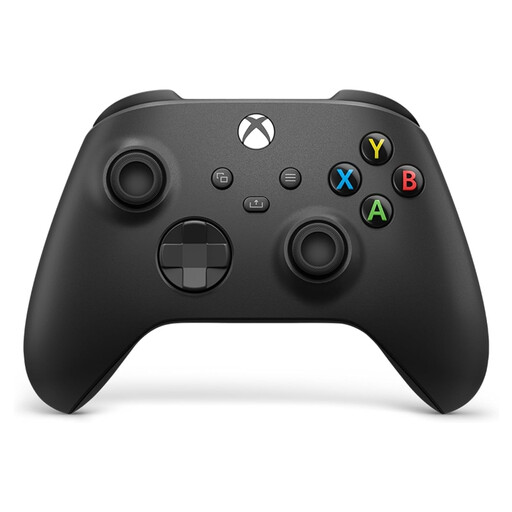
Why this choice suits this type of player : A versatile setup for getting started on Xbox or PC, with Bluetooth, Xbox Wireless and USB-C.
AA batteries are included, and the USB-C cable lets you continue playing in wired mode even when the batteries are flat.
Quoted battery life of up to 40 hours, 3.5 mm headset socket, Share button and settings through the Xbox Accessories app.
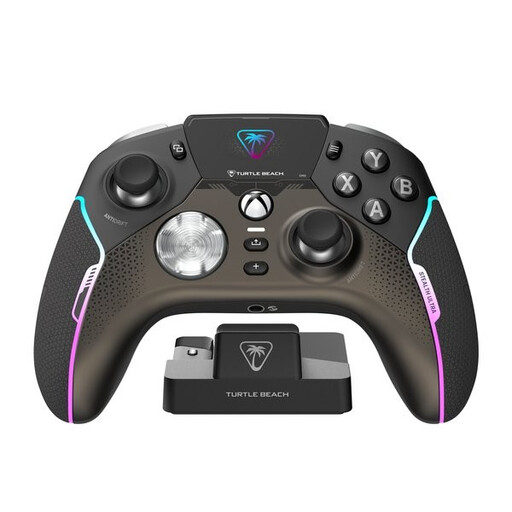
Why this choice suits this type of player : An advanced model for players who want to customise controls and game profiles.
The product listing clearly states a battery life of around 8 to 10 hours, helping you distinguish advanced features from long-lasting battery life.
Hall effect sticks, four programmable rear buttons, adjustable triggers and charging dock included.
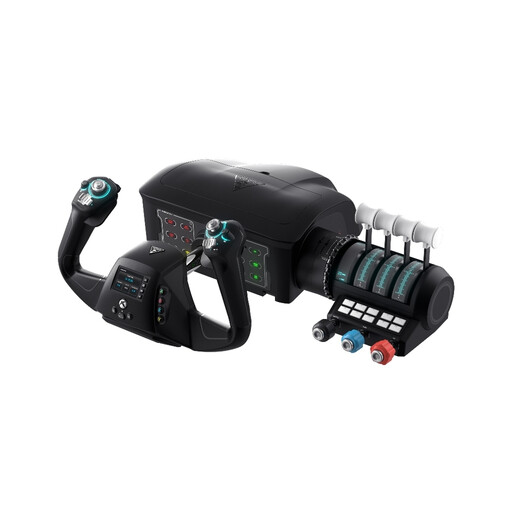
Why this choice suits this type of player : An Xbox flight controller designed for flight simulations on both console and PC.
The connection is wired, via USB-C to USB-A: there is no uncertainty about range or wireless charging.
Flight stick with 180° rotation, integrated rudder controls, modular throttle and flight management display.
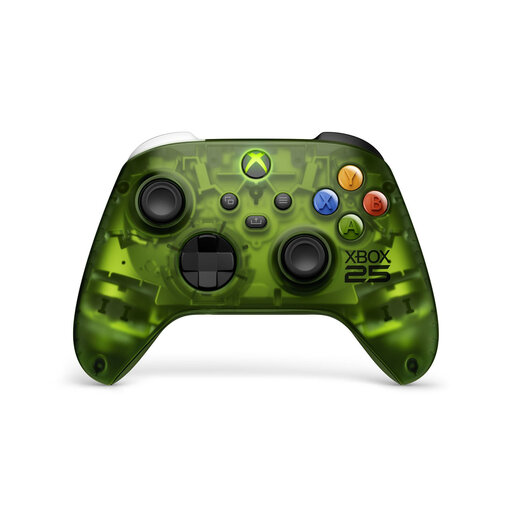
Why this choice suits this type of player : A translucent design edition with details inspired by Xbox history, without compromising on essential features.
The product listing clearly distinguishes operation with AA batteries from charging via an official pack sold separately.
Translucent rear casing, classic-colour ABXY buttons, textured grips and triggers, compatible with Xbox and PC.
We have put together a complete, real-time updated selection of products that meet these demanding criteria and European safety standards.
Turn on Bluetooth in Windows settings, then press and hold the controller’s pairing button until the light flashes. Next, select ‘Xbox Wireless Controller’ from the list of available devices. On compatible models, a USB-C connection is also possible.
Official Xbox controllers advertised as compatible with Xbox Series X|S and Xbox One work with both console generations. For third-party models, check the product listing carefully: certain functions or modes may be limited to a single platform.
It can be useful if you play frequently or use two controllers. A dual charging station means you do not have to keep looking for spare batteries and helps keep your controllers ready to hand. Before buying, however, check that the rechargeable battery packs, cable and mains adapter are included.