
Livraison le jour même ou le lendemain

Qualité garantie

Débloquez vos offres de bienvenue: Livraison GRATUITE | Jusqu'à -80 % | 30 jours d'essai gratuits à JoyPlus
Téléchargez l'application
By the Joybuy Team | Published July 28, 2026
On the PlayStation 5, audio immersion is paramount. However, choosing the right wireless PS5 gaming headset can be a daunting task. Latency that ruins the action, discomfort after a few hours, a subpar microphone... the pitfalls are numerous.
This guide is here to help you make an informed decision. We'll break down the criteria that truly matter and present a selection of models for every type of player, from the hardcore competitor to the gamer looking for an escape.
Before diving into our selection, let's review the technologies that make a real difference in a good gaming headset.
Be careful, as this is a classic pitfall: the PlayStation 5 does not support game audio via a standard Bluetooth connection. For a low-latency wireless experience, a headset using a 2.4 GHz connection via a USB dongle is essential. This technology ensures a near-instantaneous sync between video and audio.
Some models offer enhanced versatility with dual connectivity: in addition to the 2.4 GHz connection for the console, they include Bluetooth for use with other devices like a smartphone. A versatile wireless PC and PS5 headset is often equipped with this dual functionality, allowing you to easily switch between platforms.
The PS5 features Tempest 3D AudioTech, which creates ultra-precise virtual surround sound, making it feel like audio is coming from all around you. To take full advantage of it, a quality PS5 3D audio headset is essential. Large-diameter speakers (or drivers), often 50mm, reproduce a wider frequency range with greater precision. From deep bass to crystal-clear highs, every detail counts, especially when pinpointing an enemy by their footsteps.
No one wants their battery to die mid-game. The battery life of a gaming headset is therefore a crucial factor. Aim for models that offer at least 20 to 30 hours of use to avoid having to recharge during a session. Comfort is just as vital: a lightweight design (ideally under 350g), memory foam ear cushions, and a well-balanced headband guarantee you can play for hours without any discomfort.
Let's get to the specifics. We've selected three models from the Razer BlackShark lineup, each tailored for a specific type of gamer.
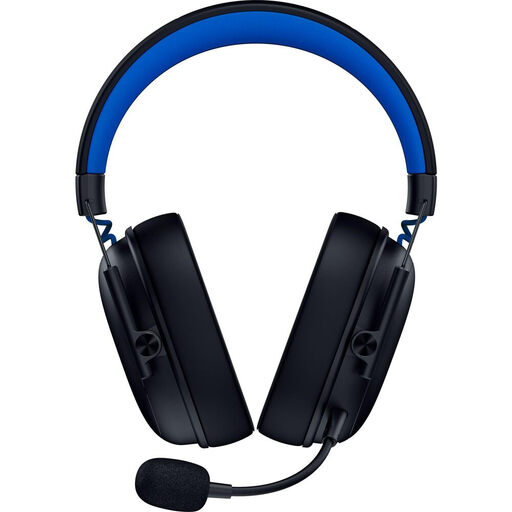
Why It Stands Out: This is the ideal entry point into Razer's world of high-performance wireless audio. It focuses on the essentials: a lightweight design, versatility, and an ultra-stable connection for gaming.
Key Features:
Who is it for? Gamers looking for their first versatile, high-performance wireless headset for PS5 and PC, without necessarily wanting to invest in more advanced features like active noise cancellation.
See the Razer BlackShark V3 X HyperSpeed
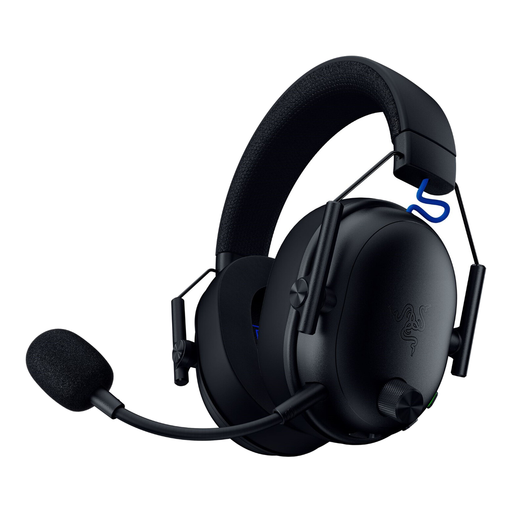
Why It Stands Out: The Razer BlackShark V3 is a step up, featuring cutting-edge audio components. It's aimed directly at competitive gamers who demand flawless sound precision and impeccable voice communication.
Key Features:
Who is it for? Regular and competitive gamers who prioritise audio quality and mic clarity to gain an edge in-game, all within a design that remains lightweight and comfortable.
Discover the Razer BlackShark V3
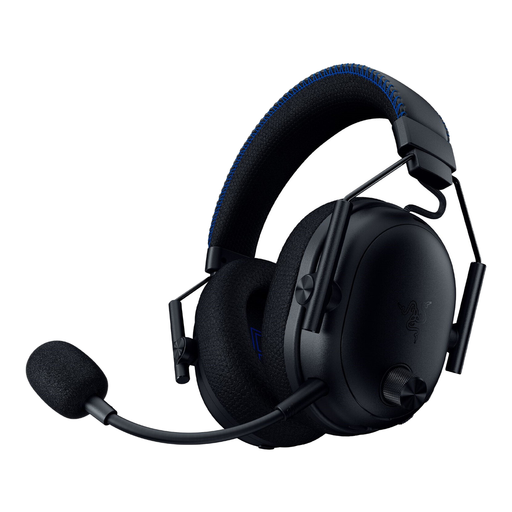
Why It Stands Out: This is the flagship of the lineup. The BlackShark V3 Pro integrates active noise cancellation technology for absolute immersion. Reviews for the Razer BlackShark V3 Pro are unanimous about its ability to shut out the outside world.
Key Features:
Who is it for? Streamers, esports players, and demanding audiophiles seeking maximum isolation and uncompromising audio quality for their PS5 and PC sessions.
Explore the Razer BlackShark V3 Pro
If the models featured don't check all your boxes, or if you want to explore other designs, feel free to browse our full catalogue of audio peripherals.
Browse our Selection of Black and White Headsets
No, and this is a crucial point. The PS5 console does not support game audio via a standard Bluetooth connection, mainly due to high latency that would detract from the experience. To play wirelessly, you must use a headset with a dedicated USB dongle that operates on the 2.4 GHz frequency band. Bluetooth is often a bonus feature, useful for connecting the headset to a phone or tablet simultaneously.
Yes, the PS5's Tempest 3D AudioTech is designed to work with most stereo headsets, whether they are connected via USB or to the DualSense controller's jack. However, the immersive effect will be far more striking and precise with a quality gaming headset whose drivers are specifically optimised for sound spatialisation.
For a gaming headset, latency is critical. High latency creates an audible delay between the on-screen action and the sound in your ears, which is a deal-breaker in fast-paced games. 2.4 GHz wireless technologies, like Razer HyperSpeed, are specifically designed to reduce this latency to an imperceptible level and ensure perfect synchronisation.