
Livraison le jour même ou le lendemain

Qualité garantie

Débloquez vos offres de bienvenue: Livraison GRATUITE | Jusqu'à -80 % | 30 jours d'essai gratuits à JoyPlus
Téléchargez l'application
Your wireless office mouse is in your hand for hours on end. Yet, choosing one is too often an afterthought, leading to very real frustrations: discomfort, unreliable connections, disappointing battery life... To help you avoid buyer's remorse, we've broken down the common pitfalls and the essential criteria to consider before you pull out your credit card.
Marketing often highlights secondary features, masking flaws that only become apparent with use. Here are the red flags you should never ignore.
Many models claim to be "ergonomic" without truly living up to the name. A simple curved shape is no guarantee of long-term comfort. Poor hand and wrist posture can lead to strain and even musculoskeletal disorders (MSDs). True ergonomics is a personal matter: it depends on the mouse's shape (classic, vertical), its size, and your own hand size and grip style.
Opting for a mouse limited to a 2.4 GHz USB dongle can quickly become a headache. On a laptop where every USB port is precious, or when using a tablet, Bluetooth is no longer an option—it's a necessity. Conversely, a 100% Bluetooth mouse can sometimes suffer from slight latency or interference in an environment saturated with wireless signals.
Models that use disposable batteries may seem convenient at first, but they represent a recurring cost and are environmentally unsound. A rechargeable mouse with a USB-C port has become the most economical and sustainable solution. The key is to ensure its battery offers a comfortable lifespan of several days, or even weeks, so you don't find yourself stranded at the worst possible moment.
To make an informed decision, you need to understand the technical jargon. Here are the three fundamental parameters to scrutinize.
The connection method is a crucial factor that affects your daily workflow and flexibility.
Comfort is subjective, but certain shapes are known to be better at preventing fatigue.
Beyond the shape, certain details can transform your daily experience.
To help you make the right choice, here is our selection of models that check all the right boxes, designed for different user profiles.
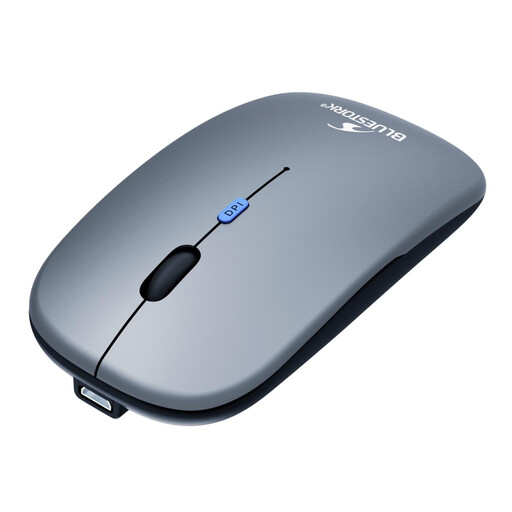
Why we recommend it: Ideal for those who switch between a desktop computer and a laptop or tablet. Its dual connectivity lets you easily switch from one device to another without juggling cables and dongles.
It solves the single-connectivity dilemma with its 2.4G + Bluetooth mode. Its built-in battery, rechargeable via USB-C, frees you from the chore of replacing batteries.
Maximum flexibility thanks to dual connectivity. Practical and cost-effective with its rechargeable battery.
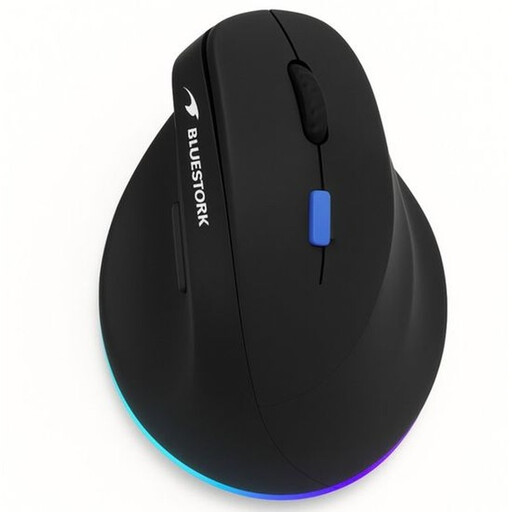
Why we recommend it: Designed for right-handed users who spend long hours at their desk. Its vertical shape helps keep the wrist and forearm in a neutral position, reducing fatigue and muscle strain.
It directly tackles the "fake ergonomics" trap by offering a true vertical mouse. Here, postural comfort is the top priority.
Optimized postural comfort thanks to the vertical design. The winning combination: dual connectivity and a rechargeable battery.
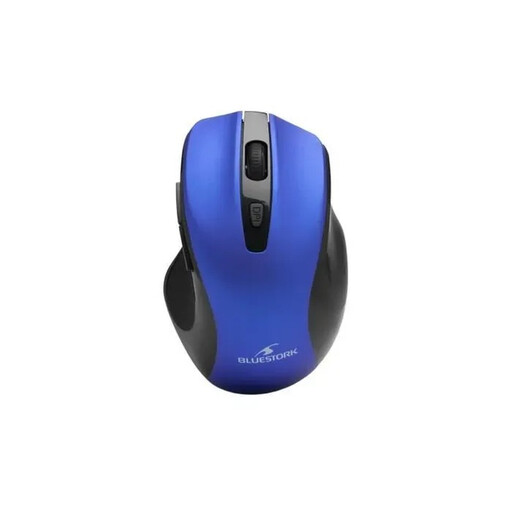
Why we recommend it: Perfect for those who work on the go or in shared spaces. Its compact size makes it easy to carry, and its silent clicks ensure total discretion.
It combines dual connectivity (Bluetooth + 2.4 GHz) and a rechargeable battery in a compact form factor, while adding the feature of silent clicks, which is often overlooked on spec sheets.
Silent clicks for working in peace. Mobile productivity with multi-device connection.
We've curated a full range of products that meet our quality charter and current standards.
The lifespan of a rechargeable mouse depends on two factors: mechanical durability (buttons, scroll wheel) and battery longevity. A high-quality model can function perfectly for several years. The integrated lithium-ion battery can typically withstand several hundred full charge cycles before its capacity begins to noticeably decrease, which corresponds to several years of normal use.
Generally, a Bluetooth mouse is compatible with most modern devices equipped with Bluetooth technology: Windows PCs, Mac mice, Android tablets, and iPadOS devices. However, it's always wise to check the Bluetooth version required by the mouse and ensure your device supports it. Some older operating systems may have compatibility issues.
For office tasks (web browsing, word processing, spreadsheets), a sensitivity between 800 and 1600 DPI is ideal. Most mice offer a button to adjust this setting on the fly. A lower DPI (800) provides more precision for small movements, while a higher DPI (1600) allows you to cover a large screen more quickly with less hand movement. There's no need to look for stratospheric DPI figures, which are primarily a marketing gimmick outside of the gaming world.