
Livraison le jour même ou le lendemain

Qualité garantie

Débloquez vos offres de bienvenue: Livraison GRATUITE | Jusqu'à -80 % | 30 jours d'essai gratuits à JoyPlus
Téléchargez l'application
A wireless mouse can free up space on a home-working desk, complement a laptop or give you more freedom during a gaming session. However, the features highlighted on a product page do not always make it easy to choose the right model. Connectivity, power, ergonomics and precision all need to be considered together.
The DPI count corresponds to cursor sensitivity: it indicates the distance travelled on screen for the same mouse movement. A 4800 DPI mouse offers responsive navigation and precise adjustments, but such a resolution is not essential for everyday office work.
Models advertised at 26,000 or 36,000 DPI are mainly aimed at gamers who want to fine-tune their sensitivity with pinpoint accuracy. Also check whether the DPI levels can be adjusted, along with the polling rate and compatibility of the customisation software. An impressive figure alone is not enough to decide between two mice.
A Bluetooth mouse connects without a USB receiver. This is convenient with a laptop, tablet or device without USB-A ports. However, the pairing process can vary depending on the operating system.
A 2.4 GHz wireless USB mouse generally works with a receiver that plugs into the computer. Set-up is often immediate, but the receiver takes up a port and may require a USB-C adapter. Models combining Bluetooth and 2.4 GHz offer greater flexibility when switching between devices.
A rechargeable mouse means you do not need to keep buying batteries, but you do need to remember to recharge it. A model powered by an AA or AAA battery can remain operational for a very long time without a cable, provided you have a spare battery to hand. Also consider the weight and dimensions: a compact mouse slips easily into a bag, while a larger model may be more comfortable after several hours of use.
For everyday use, check which systems are supported: Windows, macOS, ChromeOS, Linux, Android or consoles, depending on the product. Bluetooth models are particularly well suited to compatible computers and tablets. 2.4 GHz mice with a receiver are convenient for immediate set-up, particularly on a shared family computer.
If you switch between PC and Mac, also check whether the customisation software is compatible with both systems. Essential functions — clicking, scrolling and moving — are generally available without a driver.
An optical sensor is found in most office and gaming mice. For browsing the web, working on documents or using everyday software, sensitivity between 800 and 1600 DPI is generally sufficient. A high-precision mouse designed for graphic design or gaming may offer a wider adjustment range.
In gaming, a 1000 Hz polling rate, when specified, corresponds to frequent communication between the mouse and the computer. To take full advantage of it, however, you need compatible equipment and games. The surface used, connection stability and grip also have a direct impact on comfort.
An ergonomic mouse should suit the size of your hand and the way you hold it. An ambidextrous mouse with a symmetrical design works equally well for right- and left-handed users, but it does not always offer the same support as a contoured model.
The number of buttons should match the way you use the mouse: three buttons are enough for everyday navigation, while four to six buttons can make shortcuts and gaming controls easier to access. In a library, shared office or bedroom, a silent mouse helps reduce clicking noise. However, bear in mind that this description does not guarantee that the scroll wheel or side buttons are silent too.
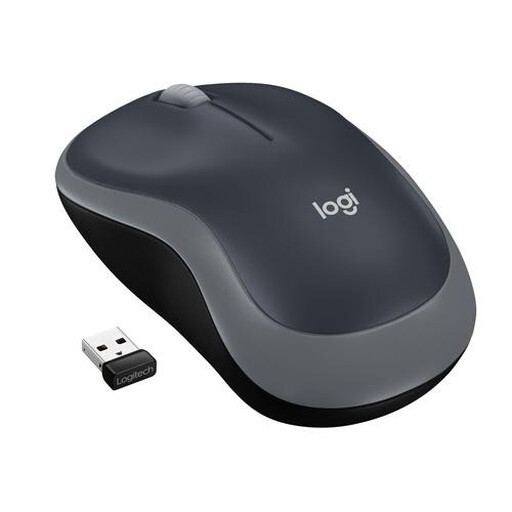
Why this choice suits this user profile : With its 2.4 GHz connection, USB receiver and ambidextrous shape, this model covers the essential needs of a student or first-time user.
The product page states that no driver is required and that the range extends up to 10 metres, so set-up is kept to the essentials when you first connect it.
1000 DPI optical sensor, three buttons and advertised battery life of up to 12 months with one AA battery.
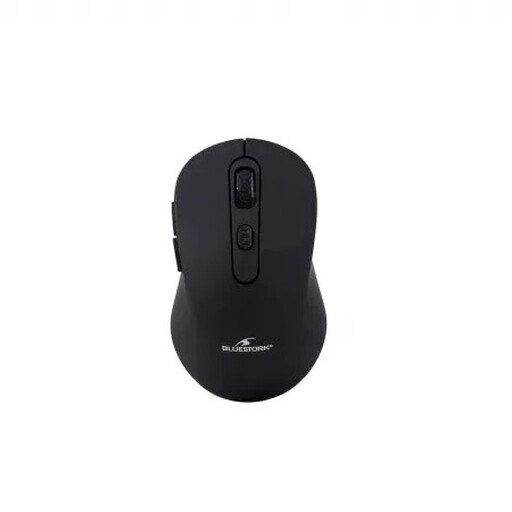
Why this choice suits this user profile : Its dual connectivity means you can use it with a Bluetooth laptop or a computer equipped with a USB receiver.
Being able to choose between Bluetooth and 2.4 GHz means you are not dependent on a single type of port or pairing method.
Optical sensor up to 4800 DPI, six buttons, ambidextrous shape and advertised weight of 79 g.
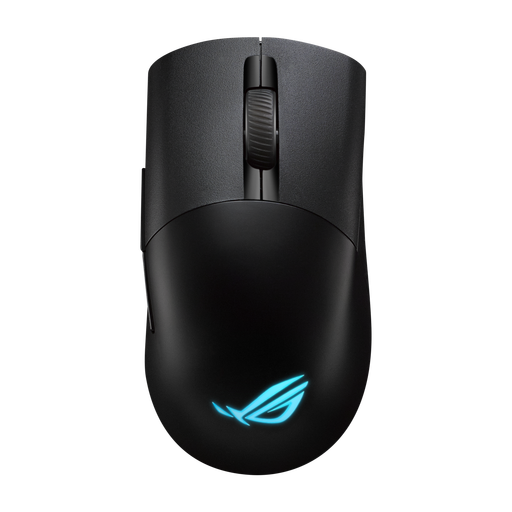
Why this choice suits this user profile : This model is aimed at gamers who want multiple connection modes and advanced settings for their PC gaming sessions.
The product page clearly details the three modes — 2.4 GHz, Bluetooth and wired USB — rather than limiting the mouse to a single wireless connection.
Advertised resolution of up to 36,000 DPI, five programmable buttons, 75 g weight and a rechargeable battery.
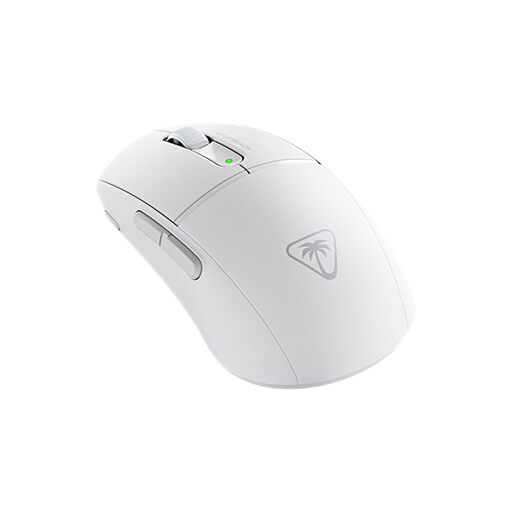
Why this choice suits this user profile : Weighing just 47 g, with six buttons and dual connectivity, this mouse is designed for gamers who prioritise fast movements.
The product page clearly distinguishes between 2.4 GHz, Bluetooth and wired modes. A USB-C cable is included, so you can continue using the mouse while it charges.
Sensor rated at 26,000 DPI, battery life of up to 120 hours and six programmable buttons.
We have put together a comprehensive, real-time updated selection of products that meet these demanding criteria and European safety requirements.
Yes, provided the model states that it is compatible with Windows and macOS. For a Bluetooth connection, the computer must naturally support this technology. With a USB receiver, check which type of port is available or plan to use an adapter.
A rechargeable mouse reduces the use of disposable batteries, but it needs to be plugged in regularly. A battery-powered model can be used immediately after the battery has been replaced. The choice therefore depends on your habits, how often you travel, whether you have a cable close at hand and how frequently you use the mouse.
For documents, browsing and home working, an adjustable range of around 800 to 1600 DPI is generally sufficient. In games, higher values offer more scope for adjustment, but do not guarantee a better experience on their own. Shape, weight, buttons and connection stability are just as important.