
Livraison le jour même ou le lendemain

Qualité garantie

Débloquez vos offres de bienvenue: Livraison GRATUITE | Jusqu'à -80 % | 30 jours d'essai gratuits à JoyPlus
Téléchargez l'application
A wireless mouse can declutter your workspace, accompany a laptop, or free up the desk around a screen. But you need to choose the right model. A Bluetooth mouse doesn't meet the same requirements as one with a USB receiver, while a gaming model offers far more advanced settings than an office mouse.
Before you place an order, three common mistakes keep cropping up:
A Bluetooth mouse connects directly to a compatible computer without taking up a USB port. This is particularly handy with a modern laptop or tablet, especially when you're on the move. However, you do need to check Bluetooth compatibility and follow the pairing procedure.
A wireless mouse with a USB receiver uses a small adaptor that usually comes with the device. It's a simple solution for a desktop PC, a laptop with a USB-A port, or a workstation used by several people. The range can reach up to 10 metres depending on the model and environment, but metal surfaces and certain electronic devices can interfere with the signal.
A wired USB mouse, like the Logitech M90, saves you from dealing with batteries or charging. Its 1.5-metre cable allows for instant setup, with no pairing or software required. So it remains a good choice if you prioritise availability and simplicity over freedom of movement.
Most of the models featured here come with an optical sensor, suitable for use on many flat surfaces. The resolution is expressed in DPI, which is the number of dots the cursor moves for a given movement.
So it's better to evaluate the whole package: sensor stability, DPI button placement, number of controls and compatibility with the software on offer.
A compact mouse is easy to carry around, but it can feel too narrow during extended use. A contoured or vertical shape changes the position of your hand: the choice should take into account the width of your palm and your dominant hand.
When it comes to power, there are several options:
The term "silent" generally refers to a reduction in click noise, as per the manufacturer's specifications. It doesn't guarantee completely inaudible operation.
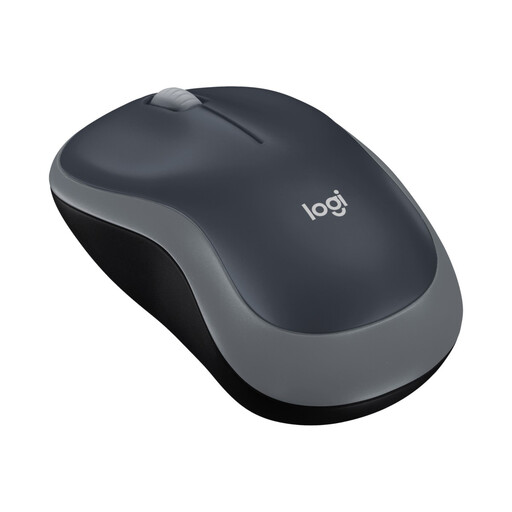
Why this choice suits this profile: This Logitech mouse offers a 2.4 GHz connection with a Nano USB receiver, three buttons and an optical sensor at 1,000 DPI. Its ambidextrous shape is suitable for everyday use on a PC, Mac or laptop.
Plug-and-play operation avoids complicated settings. Power from a single AA battery and automatic sleep mode save you from daily charging, though you'll need to keep a spare battery handy.
1,000 DPI resolution, advertised range of up to 10 metres and battery life of up to 12 months with one AA battery.
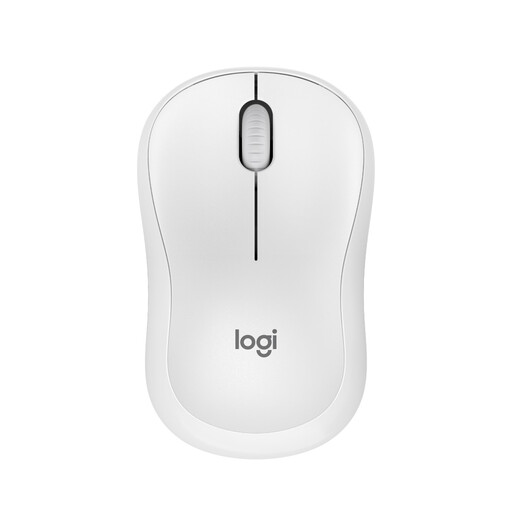
Why this choice suits this profile: The Bluetooth connection avoids the need for a dongle and frees up a USB port. Its compact size works well for remote work, the office or travelling with a laptop.
It focuses on discretion with clicks that the manufacturer claims are 90% quieter. This figure describes a stated feature, not a complete absence of noise.
Bluetooth, 1,000 DPI optical sensor and advertised battery life of up to 18 months with one battery.
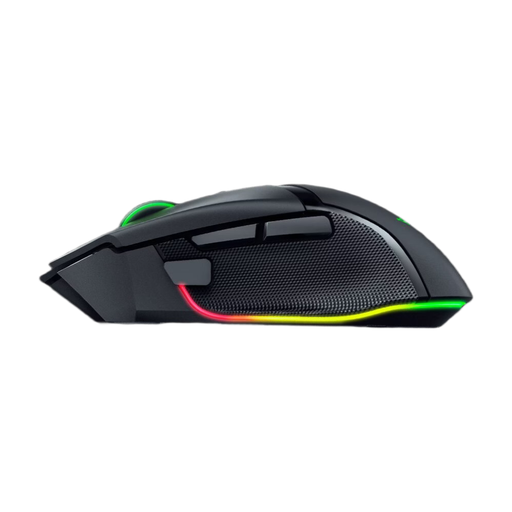
Why this choice suits this profile: This model is aimed at gamers and creators who want to customise the sensitivity, controls and scroll wheel, with a wireless, Bluetooth or USB-C connection.
The settings go beyond just DPI: eleven programmable controls, multiple connection modes and a four-way scroll wheel offer real scope for personalisation.
Sensor advertised at up to 30,000 DPI, advertised battery life of 90 hours in HyperSpeed and up to 150 hours in Bluetooth.
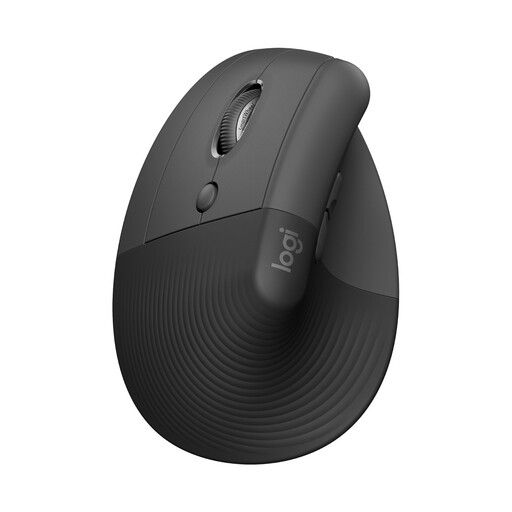
Why this choice suits this profile: Designed for left-handed users with small to medium hands, this ergonomic mouse adopts a 57° vertical tilt and offers a Bluetooth connection or Logi Bolt receiver.
The term "ergonomic" here is backed by concrete features: left-handed orientation, thumb rest, four programmable buttons and adjustment up to 4,000 DPI.
Silent clicks, pairing with up to three devices and advertised battery life of up to 24 months with one AA battery.
We've put together a comprehensive, real-time updated selection of products that meet these demanding criteria, while complying with European safety regulations.
Yes, as long as the computer has a compatible Bluetooth function. Turn on Bluetooth in the settings, put the mouse into pairing mode, then select its name from the list of available devices. If the computer doesn't have built-in Bluetooth, a mouse with a USB receiver will generally be simpler to use.
The lifespan depends on build quality, frequency of use, clicks, travel and the type of power supply. Manufacturers sometimes claim several months or several years of battery life, but these figures vary depending on usage conditions. A rechargeable mouse needs a USB-C cable or a compatible charging dock, while a battery-powered model can be back in service immediately after replacing the battery.
It can be perfectly suited to a shared space, a library or a home office. However, do check the technical details and the wording used by the brand. A reduction in click noise doesn't necessarily eliminate the sound of the scroll wheel, side buttons or the mouse moving across the desk.