
Livraison le jour même ou le lendemain

Qualité garantie

Débloquez vos offres de bienvenue: Livraison GRATUITE | Jusqu'à -80 % | 30 jours d'essai gratuits à JoyPlus
Téléchargez l'application
A wireless mouse can make your home-working setup more comfortable, lighten a student’s bag or give you greater freedom when gaming. The key is choosing a model that suits the way you use it. Between Bluetooth, a 2.4 GHz mouse receiver, rechargeable batteries and sometimes dizzyingly high DPI figures, it is easy to get lost.
A mouse described as a high-precision mouse or a 36,000 DPI mouse may appear particularly powerful. However, the sensor’s maximum resolution is not enough to assess the overall user experience. For office work, moderate sensitivity is more than sufficient for browsing, working on documents or using spreadsheets. Very high figures mainly appeal to gamers who like to fine-tune their sensitivity with millimetre precision.
Also check whether the sensitivity can be adjusted, how many levels are available and whether the supplied software works with your computer.
Bluetooth frees up a USB port and is particularly convenient with a laptop, tablet or certain mobile devices. Pairing can sometimes require an extra step, however. By contrast, a 2.4 GHz connection with a USB receiver generally works on a ‘plug and play’ basis, but requires a free USB-A port.
Dual-connection models, such as some Bluestork mice, let you switch between modes depending on the device being used. Before ordering, however, check how many devices are compatible and how you switch between the connections.
An ergonomic mouse will not necessarily suit every hand. Its width, height, weight and button layout all play a decisive role in how it feels to use. A compact mouse is easy to carry, but may not be comfortable for a larger hand. Likewise, a shape designed for right-handed users may not be suitable for left-handed users.
For shared use, an ambidextrous mouse with a symmetrical shell offers greater versatility. On a permanent desk setup, also consider the position of the side buttons and the amount of space available on the desk.
If you use a work computer that is already short of ports, Bluetooth may be the most practical choice. On a desktop computer, or for gaming with reduced latency, a 2.4 GHz receiver is often preferable.
A rechargeable mouse saves you from having to buy batteries regularly. However, its built-in battery is generally not designed to be replaced by the user. Check the type of port used, the cable supplied and whether you can continue using the mouse while it is charging.
Battery-powered models, such as some Logitech products, can offer up to 12 months of battery life from a single AA battery. This estimate depends on how sleep mode works, how frequently the mouse is used and the conditions of use. To avoid any surprises, check whether the battery is included and whether the receiver can be stored inside the mouse.
DPI indicates the sensor’s sensitivity, not the mouse’s overall quality. For office work, a range of 1,000 to 4,800 DPI already covers many uses. For gaming, you should also look at the polling rate, tracking speed, maximum acceleration and connection stability.
Weight also deserves some attention: models weighing 47 to 75 g are suited to fast movements, while a heavier mouse often feels more stable. Finally, check the number of buttons, their programmability and whether the software is compatible with your system.
Why this choice suits this profile : This office mouse uses a 2.4 GHz USB nano receiver and a 1,000 DPI optical sensor. Its ambidextrous shape and driver-free setup make it easy to use every day on PC, Mac, Chromebook or Linux.
The product listing specifies a ready-to-use connection, automatic sleep mode and up to 12 months of battery life from a single AA battery.
Compact receiver, stated weight of 75 g, range of up to 10 metres and ambidextrous shape.
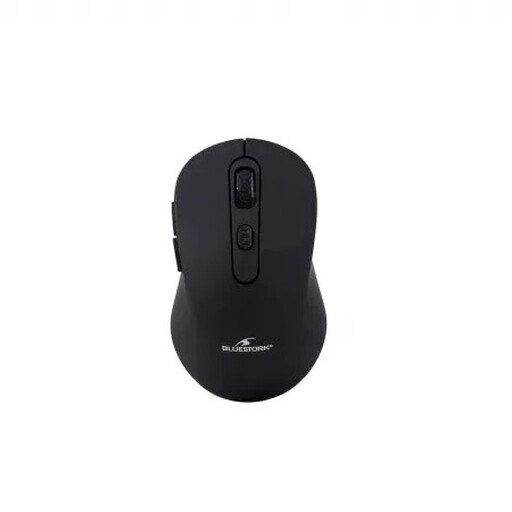
Why this choice suits this profile : Its dual connection mode lets you switch between Bluetooth and the USB receiver depending on the device being used. Measuring 111 × 65 × 39 mm and weighing 79 g, it is easy to carry between home and the office.
The product listing combines Bluetooth and 2.4 GHz, so you are not dependent on a single connection mode. Even so, check the box contents and charging requirements before buying.
Optical sensor rated at 4,800 DPI, six buttons, ambidextrous shape and compact design.
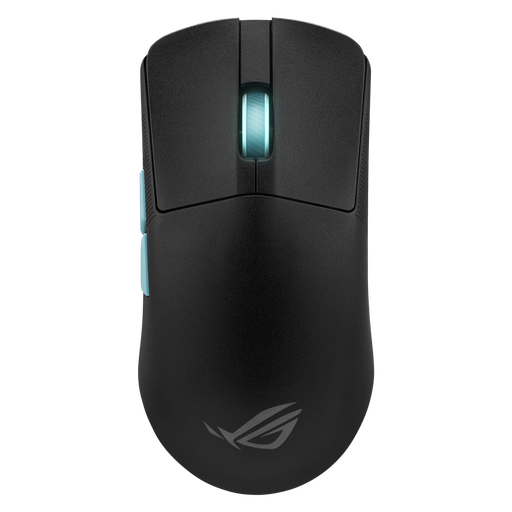
Why this choice suits this profile : This model is aimed at gamers looking for a lightweight, customisable wireless gaming mouse with 2.4 GHz, Bluetooth and wired USB-C connectivity.
The stated 36,000 DPI resolution is not the whole story: the listing also details the tracking speed, acceleration and 1,000 Hz polling rate.
Stated weight of 54 g, five programmable buttons and up to 119 hours of battery life in 2.4 GHz mode.
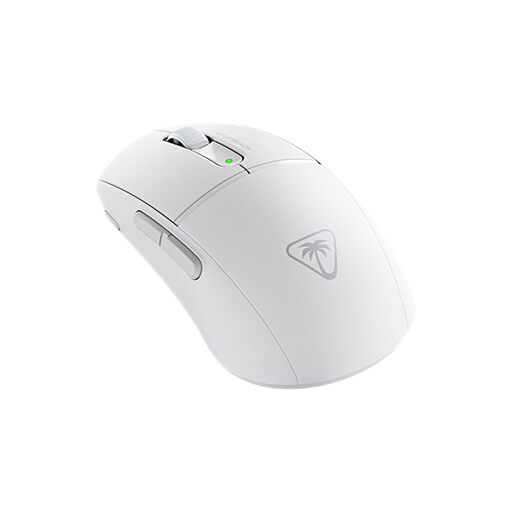
Why this choice suits this profile : It combines 2.4 GHz, Bluetooth and wired USB connectivity with six programmable buttons. Weighing 47 g and featuring a 26,000 DPI sensor, it is designed for gamers who prioritise fast movements.
The listing does not stop at DPI: it also specifies a 1,000 Hz polling rate, 650 IPS tracking speed and up to 120 hours of battery life.
Six buttons, rechargeable battery, optical switches rated for 100 million clicks and USB-C cable included.
We have put together a complete, real-time updated selection of products that meet these demanding criteria, as well as European safety standards.
Yes, provided that the computer or tablet has Bluetooth. Activate the mouse’s pairing mode, then select it in the device settings. On a desktop computer without Bluetooth, however, this type of mouse will be less practical.
It all depends on the quality of the components, how intensively it is used, knocks and impacts, and the condition of the battery or batteries. A statement such as ‘12 months of battery life’ generally refers to the power supply, not the mouse’s total lifespan. Clean the sensor with a dry cloth, avoid liquids and store the receiver somewhere safe where it will not get lost.
Yes, buttons with quiet clicks reduce noise while browsing and typing. However, remember to check the power supply, number of buttons and shell shape. A silent mouse improves acoustic comfort, but you should still check how it feels in your hand and whether it is compatible with your equipment.