
Livraison le jour même ou le lendemain

Qualité garantie

Débloquez vos offres de bienvenue: Livraison GRATUITE | Jusqu'à -80 % | 30 jours d'essai gratuits à JoyPlus
Téléchargez l'application
A wireless mouse can declutter your desk, accompany your laptop or make long gaming sessions more comfortable. But the features highlighted in product listings are not always the ones that really matter. A sky-high DPI resolution, RGB LEDs or battery life advertised in months do not, on their own, guarantee an experience that suits you.
Before placing your order, focus instead on the connection, shape, power supply and compatibility with your equipment. Here are the criteria to consider when separating genuinely useful features from gadgets you will probably never use.
DPI measures cursor sensitivity—in other words, the distance travelled on screen for the same movement of the mouse. An adjustable-DPI mouse lets you adapt this behaviour to different tasks, but the maximum figure is not a guarantee of precision.
For office work, web browsing and studying, a range of 800 to 1,600 DPI is enough for most users. Gaming models can reach 7,200 or even 24,000 DPI, mainly to offer more adjustment options. So check for a dedicated button or configuration software rather than being impressed by the figure displayed on the box.
A Bluetooth mouse connects directly to a computer, tablet or certain compatible mobile devices. It does not take up a USB port, but the first pairing may require a few steps depending on the operating system.
By contrast, a mouse with a USB receiver generally follows a plug-and-play approach. It is a practical solution for computers without Bluetooth or for anyone who would rather avoid the pairing process. However, you will need a free USB-A port or the appropriate adapter.
Some models combine Bluetooth and 2.4 GHz. This dual connection makes it easy to switch between a laptop and a desktop PC, provided you check how many devices can be stored and how to switch from one to the other.
Battery life varies according to the type of power supply, frequency of use, sleep mode and, in the case of an RGB rechargeable mouse, whether the lighting is switched on. A battery-powered mouse can run for a very long time without recharging, but you will need to replace the battery. A rechargeable model avoids disposable consumables, at the cost of regular recharging.
To avoid unpleasant surprises, check whether the charging cable is included, whether the mouse can still be used while charging and whether the battery is built in. In France, batteries and rechargeable batteries must be taken to designated collection points.
For work or studying, a 2.4 GHz connection with a USB nano receiver offers quick setup on both PC and Mac. Bluetooth is particularly useful with laptops, tablets and setups with limited port availability.
Check the list of compatible operating systems: Windows, macOS, ChromeOS and Linux are not always all supported. If you plan to use the mouse with a console, also check exact compatibility with your PlayStation or Xbox model.
An ambidextrous mouse has a symmetrical shape that works equally well for right- and left-handed users. It can also be practical in a shared workspace. Compact models, which generally weigh between 55 and 80 grams, slip easily into a bag alongside a laptop.
An ergonomic mouse may have a taller shell, a thumb rest or a vertical grip. These features change the position of your hand, but comfort is highly personal. Compare the dimensions with the size of your hand and the space available on your desk. A mouse designed exclusively for right-handed users will obviously not suit every left-hander.
Three buttons are enough for everyday navigation. Five or six buttons can speed up certain actions in a browser, creative software or a game. In a shared office, a silent mouse reduces the clicking noise highlighted by the manufacturer, although it does not guarantee complete silence.
RGB lighting is mainly an aesthetic feature. On a wireless gaming mouse, it can also reduce battery life. If you regularly work while travelling, prioritise weight, connection quality and ease of recharging.
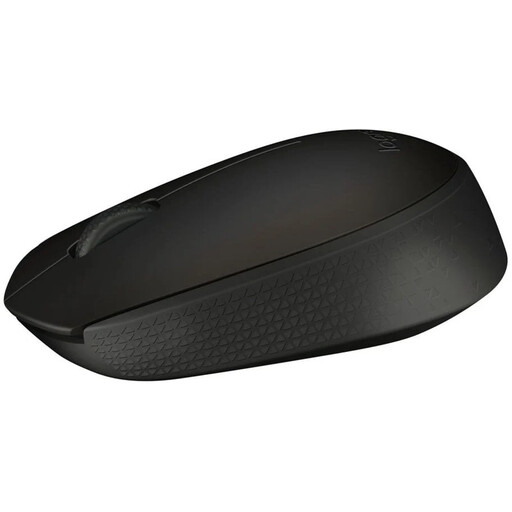
Why it suits this profile : A straightforward solution for working, studying and browsing, with a 2.4 GHz connection and a USB nano receiver.
The listing promises up to 12 months of battery life from one AA battery, with a range of up to 10 metres, helping you avoid constant recharging.
An ambidextrous shape, an optical sensor and stated compatibility with Windows, macOS, ChromeOS and Linux.
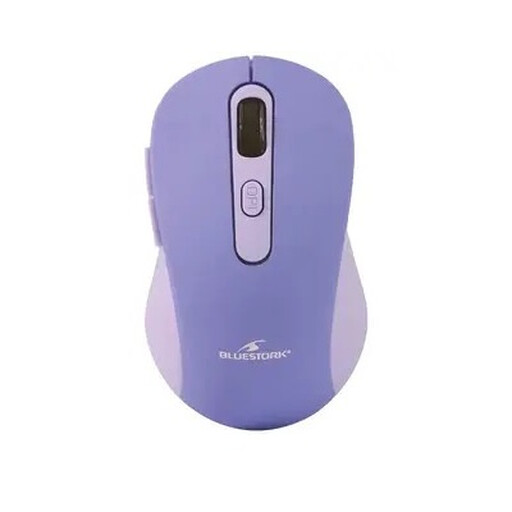
Why it suits this profile : Its dual connection makes it easy to use with several devices, while its compact design is ideal for travelling between home and the office.
Choosing between Bluetooth and the USB receiver means you are not dependent on a single type of port or connection.
An optical sensor rated at up to 4,800 DPI, six buttons, a weight of 79 g and an ambidextrous shape.
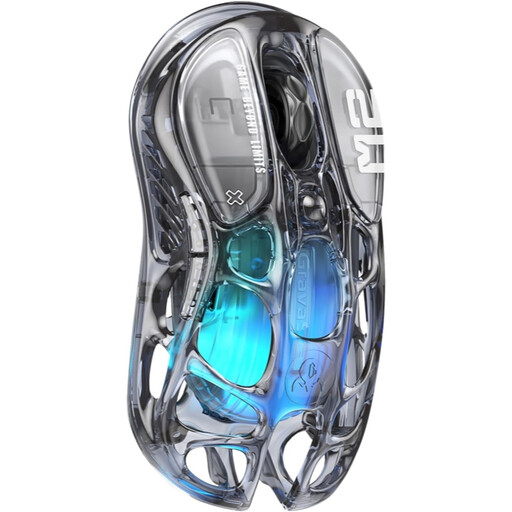
Why it suits this profile : This model is aimed at users looking for a customisable wireless gaming mouse with several connection modes and a design that stands out.
Three-in-one connectivity lets you switch between Bluetooth, 2.4 GHz and a USB-C cable depending on the device and how you use it.
A PAW3395 sensor rated at up to 26,000 DPI, five programmable buttons, a 1,000 Hz polling rate and five RGB modes.
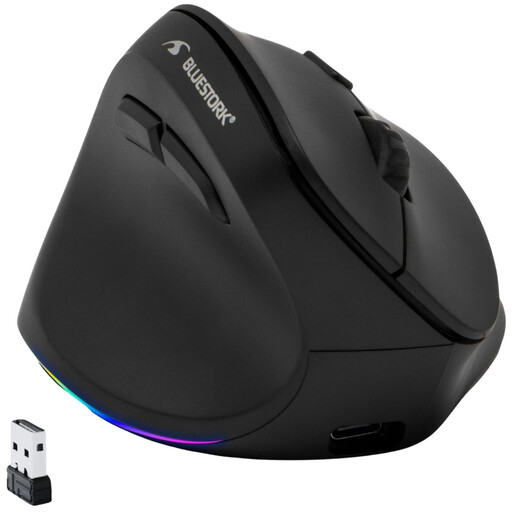
Why it suits this profile : Its vertical left-handed design meets a specific need that is still rarely addressed by conventional symmetrical models.
The left-handed design is clearly stated, helping you avoid accidentally choosing an ergonomic mouse intended for right-handed use.
A built-in lithium battery, USB-C charging, adjustable sensitivity up to 4,800 DPI and RGB backlighting.
We have put together a complete, real-time updated selection of products that meet these demanding criteria while complying with European safety regulations.
No. The computer must have a compatible Bluetooth chip built in. If it does not, choose a model with a USB receiver or add a Bluetooth adapter.
It depends on its design, frequency of use, knocks and impacts, and the condition of its battery or rechargeable battery. To help it last longer, carry it in a case, protect it from moisture and clean it with a soft, dry cloth.
It can reduce the need to buy batteries, but its value depends on the initial price, battery capacity and how often it needs recharging. Also check whether the cable is included, whether the mouse can be used while charging and how to recycle it at the end of its life.