
Livraison le jour même ou le lendemain

Qualité garantie

Débloquez vos offres de bienvenue: Livraison GRATUITE | Jusqu'à -80 % | 30 jours d'essai gratuits à JoyPlus
Téléchargez l'application
A wireless mouse promises a clutter-free desk and unrestricted freedom of movement. The problem? The market is saturated with models featuring specifications that are often obscure or even misleading. Between marketing jargon and endless spec sheets, it's easy to make a mistake, resulting in lost productivity, discomfort, or unforeseen expenses.
To make the right choice, let's start by avoiding the most common pitfalls.
To ensure you make the right choice, focus on the features that truly matter for daily use.
The shape of the mouse is a critical factor, especially if you spend several hours a day in front of your screen.
Here, it all comes down to your setup and your need for versatility.
To help you make sense of it all, here’s how these criteria translate into real-world examples tailored to specific needs.
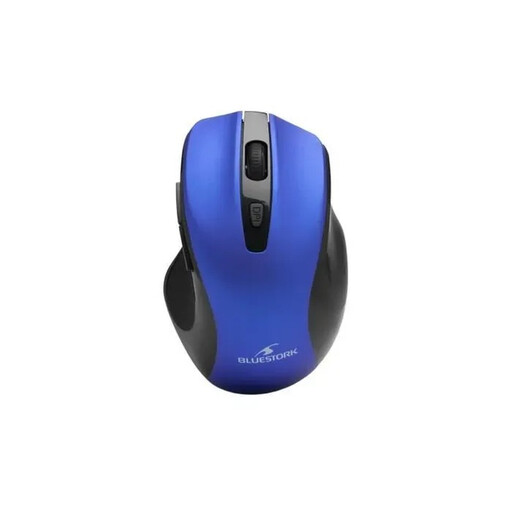
Why this model? Perfect for those who juggle a desktop PC, a laptop, and a tablet. The ability to switch between 3 devices streamlines multi-screen workflows.
Its dual connectivity (Bluetooth + 2.4 GHz) solves the USB port dilemma, while its rechargeable battery eliminates the ongoing cost of batteries.
Easy switching between 3 devices; silent clicks, perfect for open-plan offices or the library; ambidextrous design.
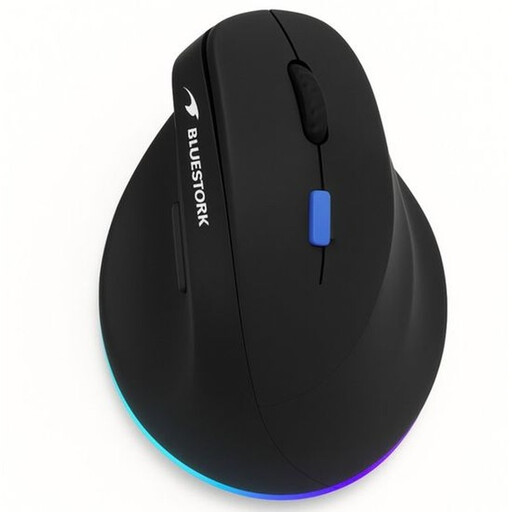
Why this model? Designed for those who spend long hours at their screen and are starting to feel wrist strain. The natural posture it encourages helps prevent discomfort.
Its vertical design tackles muscle fatigue head-on, an often-underestimated ergonomic pitfall of classic mice.
Reduces wrist and forearm strain; dual connectivity (2.4 GHz + Bluetooth); rechargeable via USB-C.
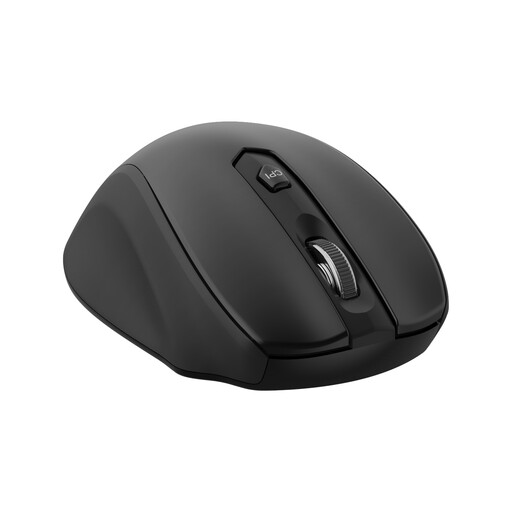
Why this model? Perfect for students or professionals looking for a simple, reliable, and affordable solution for daily use, without unnecessary frills.
This model gets straight to the point: a stable 2.4 GHz connection and a comfortable shape. It avoids the trap of excessive DPI by offering adjustable levels relevant for office work.
Instant Plug and Play setup; ergonomic design with a thumb rest; 5 adjustable DPI levels to adapt to any task.
We have curated a complete selection of products that meet our selection criteria and current safety standards.
A 2.4?GHz mouse connects via a small USB receiver (the dongle) that you plug into your computer. The connection is generally very stable and responsive. A Bluetooth mouse, on the other hand, connects directly to the computer without a dongle, freeing up a USB port. It's the most convenient option for mobile devices and for using the same mouse across multiple terminals.
Battery life varies greatly depending on the model and your usage, ranging from a few weeks to several months on a single charge. Most modern rechargeable mice charge via a standard USB-C port, allowing you to use the same cable as your smartphone or laptop. Good to know: many models can still be used while charging.
For many users, especially those who spend long hours at their desk, the answer is a resounding yes. A vertical mouse places the arm in a more neutral position, which reduces the twisting of forearm muscles. This helps decrease fatigue and prevent pain related to musculoskeletal disorders (MSDs). However, you should expect a short adjustment period of a few days to get used to the new grip.