
Livraison le jour même ou le lendemain

Qualité garantie

Débloquez vos offres de bienvenue: Livraison GRATUITE | Jusqu'à -80 % | 30 jours d'essai gratuits à JoyPlus
Téléchargez l'application
A wireless microphone can make recording audio with a smartphone, camera or computer much simpler. But your purchase can quickly turn into disappointment if you haven't checked compatibility, battery life or how it handles background noise.
Before you place your order, keep three common pitfalls in mind:
To choose a microphone for iPhone and Android, start by checking the type of adapter included. Recent smartphones often use USB-C, while some devices still need a specific adapter. A camera usually has a dedicated audio input, and a computer may favour a direct USB connection.
The product listing should state whether the receiver is compatible with:
A wireless system isn't automatically universal. Before ordering, check what's in the box and what type of receiver is included.
Battery life varies depending on recording volume, the distance between transmitter and receiver, which features are activated and the temperature. For a short video, a few hours may be enough. However, for a microphone for streaming, a podcast or a full day of interviews, a kit with a charging case will be far more convenient.
Claims like "up to 9 hours" or "up to 28 hours" are based on the manufacturer's test conditions. They don't guarantee the same duration in every situation. Fast charging, a battery indicator and a storage case are also useful features to compare.
Some models have built-in memory that records audio directly. This acts as a backup if the wireless transmission is interrupted, and can be invaluable for mobile journalism, a microphone for podcast or outdoor interviews.
Think of noise reduction as a helping hand, not a guarantee of complete silence. On a busy street, in strong wind or in a very echoey room, microphone placement is still key. For a microphone with noise reduction, also check whether several levels are available and whether the feature can be turned off.
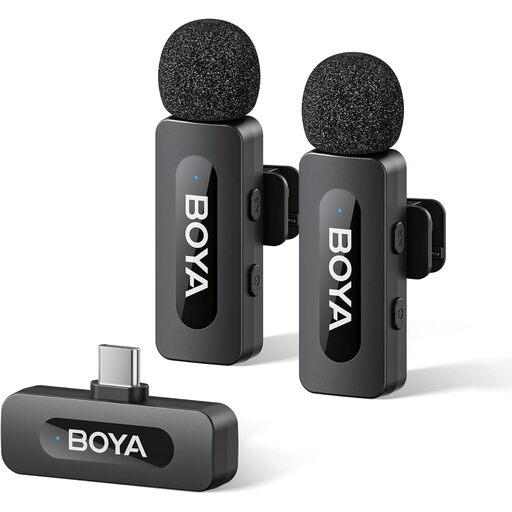
Why this model fits: This 2 TX + 1 RX kit is ideal for creators starting out with a USB-C smartphone who want the flexibility to record alone or with someone else.
The number of transmitters is clearly stated, and noise reduction is activated with a single press, according to the product listing.
USB-C connection, two transmitters, one-press noise reduction and a stated battery life of up to 9 hours.
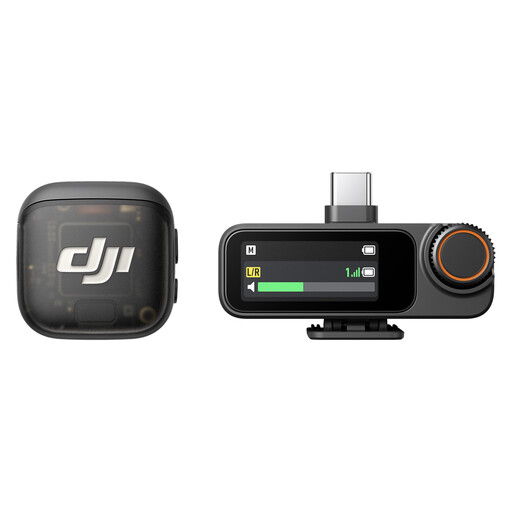
Why this model fits: This system is designed for creators who move between vlogging, interviews, streaming or filming with multiple speakers.
The two transmitters, dual-channel receiver and charging case reduce the risk of forgetting an accessory when you head out to film.
Two transmitters, built-in audio recording on the receiver and a charging case included.
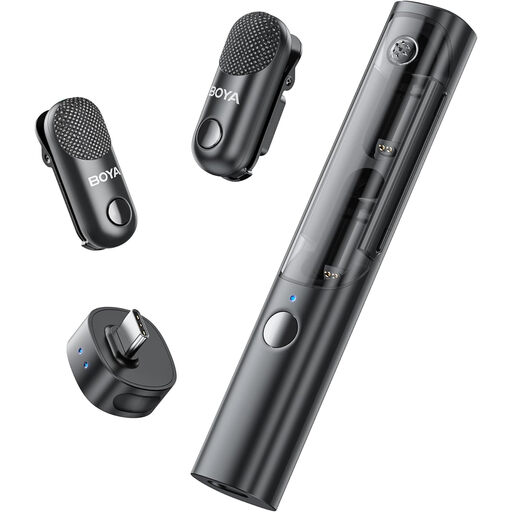
Why this model fits: Its 2 TX + 1 RX format is well suited to interviews, mobile filming and creators who regularly use two vocal sources.
The listing states that noise reduction can be turned off in the studio, so you can adapt the processing to your recording environment.
Two transmitters, USB-C connection, charging case and software-assisted noise reduction.

Why this model fits: Compact and aimed at vloggers and mobile journalists who mainly record one person at a time.
The kit includes a USB-C adapter for phones and supports several stated uses, from smartphone to camera.
Up to 28 hours of stated use, three vocal modes, two levels of noise reduction and internal 32-bit float recording.
Before you start filming, do a short test recording. Check that the microphone is selected in your app, that the receiver is properly attached and that the audio level isn't clipping.
With a microphone for camera, also check the audio input setting directly on the camera. For a microphone for streaming or a USB-C model, select the correct source in your broadcasting software. Also, avoid tucking the transmitter under a thick layer of clothing that could rub against the capsule.
Finally, be aware of UK laws regarding recording conversations. Where required, let people know they are being recorded and get their consent.
We've put together a comprehensive, real-time updated list of products that meet these demanding criteria as well as European safety standards.
No. You need to check the connector type, the receiver's compatibility and whether your phone's system supports it. A USB-C model will work with many recent devices, but take the time to check the accessories included before you buy.
For a short session, a few hours may be enough. For a full day of filming, it's better to choose a kit with a charging case and check the battery level before each take. The stated battery life is only an indication and depends on your usage conditions.
It's particularly handy for a podcast recorded with multiple people or on the move, especially with two transmitters. For a fixed setup on a computer, a wired USB microphone like the Elgato Wave:3 MK.2 can also work well: it plugs directly into a USB port and doesn't rely on a battery.