
Livraison le jour même ou le lendemain

Qualité garantie

Débloquez vos offres de bienvenue: Livraison GRATUITE | Jusqu'à -80 % | 30 jours d'essai gratuits à JoyPlus
Téléchargez l'application
A wireless mechanical keyboard helps you clear your desk, switch easily between devices and customise your typing experience. But with RGB backlighting, record battery life and ‘ultra-fast’ connectivity, product listings can sometimes promise a lot… without always explaining the compromises involved.
Before placing your order, three common pitfalls are worth keeping in mind:
A tri-mode mechanical keyboard generally combines wired USB-C, Bluetooth and 2.4 GHz. This combination offers genuine flexibility for everyday use: Bluetooth is well suited to a laptop, tablet or smartphone, while 2.4 GHz is better suited to a desktop setup or PC gaming.
Remember to check how many devices can be stored, whether a USB receiver is included and the stated charging time. Battery capacities can vary from one to five times as much: some models have 1,600 mAh, while others offer 4,000 mAh or 8,000 mAh. Actual battery life depends on brightness, connection type and how frequently you use the keyboard. A rechargeable battery is convenient, provided you can charge it with a compatible cable and power source.
These are the most common formats:
The US QWERTY layout positions certain keys differently from French AZERTY. Check that it is compatible with your system language and the shortcuts you use most often. A mechanical keyboard advertised as compatible with Mac and Windows should work in both environments, but the legends printed on the keys will remain those of the selected layout.
Linear switches provide smooth, consistent actuation without a pronounced click. Tactile switches add noticeable feedback beneath your fingers, while clicky switches produce a sharper sound. In a shared office, bedroom or library, this detail can quickly become decisive.
The hot-swap function lets you replace switches without soldering, provided they are compatible with the keyboard’s circuit board. Some models accept 3-pin or 5-pin switches. The mounting style — such as gasket mount — sound-dampening foam and keycap material also affect the typing feel. However, none of these elements universally guarantees comfort: it all depends on your personal preferences.

Why this model is a good match: Its 68-key format reduces the amount of space it takes up while retaining the essential controls for office work and gaming.
The listing clearly specifies the US QWERTY layout, Bluetooth 5.1 and USB-C mode. You therefore know exactly what to expect in terms of layout and connectivity.
68 keys, Jellyfish linear switches, a 2,000 mAh battery and white backlighting with 7 modes.
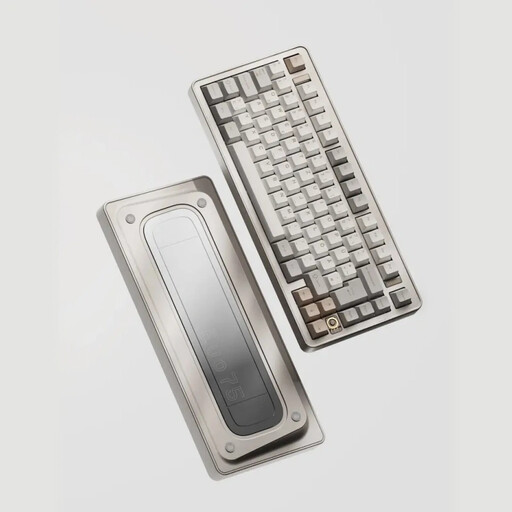
Why this model is a good match: Its aluminium construction, Leaf Spring mount and VIA compatibility are clearly aimed at enthusiasts who enjoy customising their keyboard.
Hot-swap functionality and VIA compatibility make its upgrade potential far more tangible than that of a keyboard with no customisation options.
Tri-mode connection, aluminium chassis, replaceable switches and a stated battery capacity of 8,000 mAh.
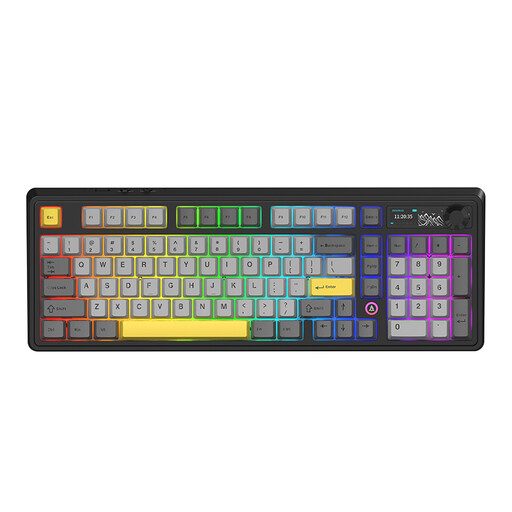
Why this model is a good match: With 97 keys, a rotary dial and three connection modes, it suits gamers and creators who work with numerous shortcuts.
The listing distinguishes between versions with and without a screen and states the battery capacity associated with each. This is an important detail to check before confirming your order.
98% layout, metal rotary dial, TFT screen, gasket structure and hot-swap-compatible circuit board.
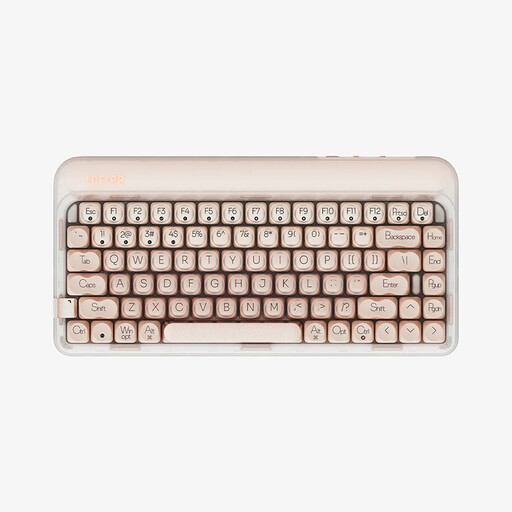
Why this model is a good match: Its 84-key format, compatibility with multiple systems and subtle backlighting fit easily into a shared workspace.
With USB-C, Bluetooth 5.3 and 2.4 GHz connectivity, you are not dependent on a single device or one connection method.
84 keys, hot-swap functionality, a 4,000 mAh battery, warm-toned backlighting and a stated polling rate of 1,000 Hz.
We have brought together a complete, real-time updated selection of products that meet these selection criteria and European safety requirements.
Yes. Some models are compatible with macOS and Windows, but the US QWERTY layout and shortcuts may differ between systems. Also check that the customisation software works properly with your setup.
A 2.4 GHz connection with a USB receiver is often best for a dedicated link to a PC. Wired USB-C mode takes over when the battery is low. Bluetooth remains particularly convenient with a tablet, smartphone or laptop.
It depends on the battery capacity, backlighting and connection mode used. Manufacturers’ stated figures are mainly intended as general estimates. To go longer between charges, lower the brightness and switch off lighting effects when you do not need them.