
Livraison le jour même ou le lendemain

Qualité garantie

Débloquez vos offres de bienvenue: Livraison GRATUITE | Jusqu'à -80 % | 30 jours d'essai gratuits à JoyPlus
Téléchargez l'application
A minimalist desk, free from the inevitable tangle of cables? It's a dream for many of us, and the wireless keyboard is its cornerstone. The problem: the market is flooded with models making misleading claims, and it's easy to end up with one that falls short. To prevent your purchase from ending in disappointment, here are the mistakes to avoid.
As a product expert at Joybuy, I'm here to help you navigate the options. Let's review the three classic mistakes to avoid and the essential criteria for making the right choice.
To ensure you make the right choice, here are the technical points that are real game-changers in daily use.
The choice of wireless technology is crucial for your user experience.
No more replacing batteries at the most inconvenient times. A rechargeable keyboard with a USB-C port has become the most practical and eco-friendly solution. Before buying, check the advertised battery life, making sure to distinguish between figures with and without the backlighting activated. A good keyboard should last several weeks of intensive use on a single charge.
For optimal typing comfort, a standard QWERTY layout is essential. Also, consider your specific needs:
Rather than an endless list, we've selected three products for three specific user profiles. One of them is bound to be the perfect fit for you.
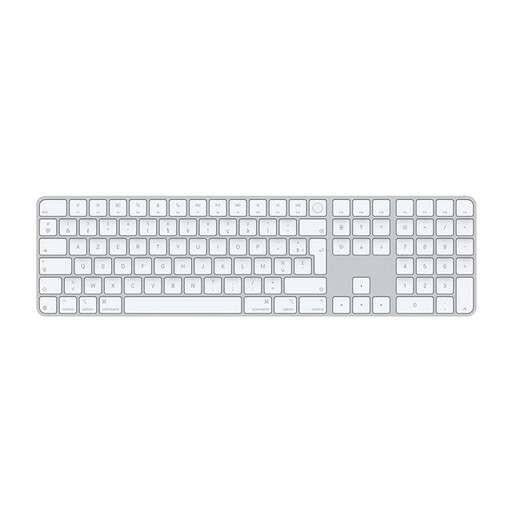
Why we chose it: For those in the Apple ecosystem, this keyboard offers seamless integration. Its sleek design and build quality make it a natural extension of your MacBook or iMac.
It shatters the incompatibility trap. As an official Mac keyboard, all function keys and Touch ID integration are guaranteed to work. The Bluetooth connection is optimised for macOS, ensuring flawless stability.
The integration of Touch ID for fast, secure authentication. Its battery life of about a month and USB-C charging make it a reliable and practical daily companion.
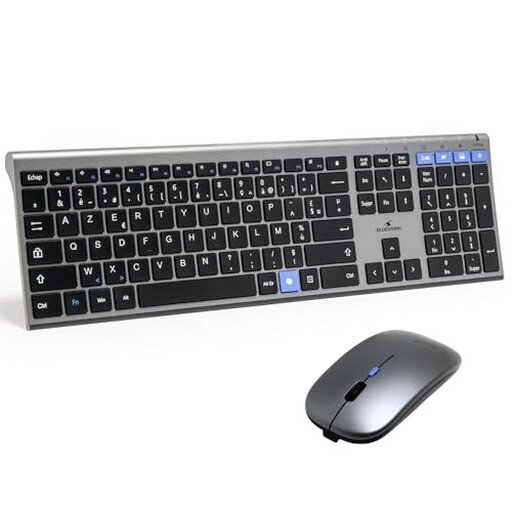
Why we chose it: This wireless keyboard and mouse combo is an all-in-one solution with unbeatable value, perfect for setting up a complete workstation and decluttering your desk without breaking the bank.
It avoids the unstable connectivity trap with its dual connection: Bluetooth and 2.4 GHz via a USB dongle. The user can choose the most reliable technology for their environment, minimising the risk of latency.
Versatility and value for money. The fact that it's a rechargeable keyboard and includes a mouse makes it a very practical turnkey solution for standard office use.
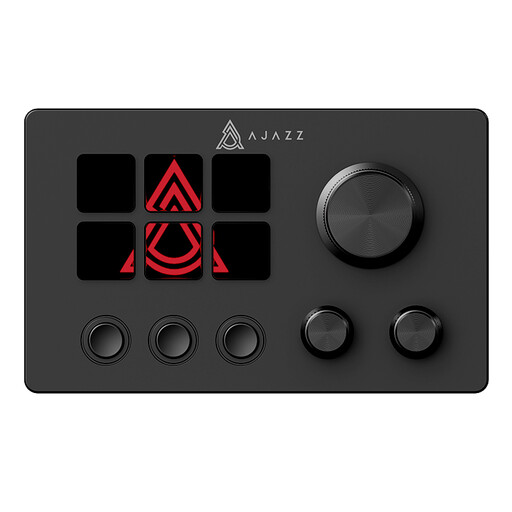
Why we chose it: More than just a keyboard, this is a multimedia controller designed to optimise workflows. It's ideal for streamers, video editors, or graphic designers who need to execute complex macros and shortcuts with a single touch.
It avoids the "gimmick" trap by meeting a niche need with formidable efficiency. Rather than doing several things poorly, it excels at one task: automation and quick control for creators, with broad compatibility with streaming software.
Its six programmable macro keys with an LCD screen and three physical knobs offer limitless customisation. It's a true command centre for your desk.
Discover our full selection of keyboards that meet our criteria for quality and reliability.
The lifespan of a rechargeable keyboard primarily depends on its lithium-ion battery. Generally, it's designed to withstand several hundred full charge cycles (typically between 300 and 500) before its capacity begins to significantly decrease. For daily use, this translates to several years of operation. To extend its life, avoid letting it fully discharge too often and do not expose it to extreme temperatures.
For casual gaming, a high-quality Bluetooth keyboard can be perfectly adequate. However, for demanding gamers or e-sports enthusiasts, even the slightest latency is a deal-breaker. In this case, a wireless keyboard using a 2.4?GHz connection via a USB dongle is preferable, as it offers responsiveness nearly identical to that of a wired keyboard.
If your keyboard has a multi-device feature (usually via Bluetooth), the process is simple. You first need to pair the keyboard with each device (your computer, tablet, etc.) by following the manufacturer's instructions. Once the devices are registered, the keyboard typically has a dedicated key or key combination to instantly switch from one device to another. It's a real plus for juggling different devices throughout the day.