
Livraison le jour même ou le lendemain

Qualité garantie

Débloquez vos offres de bienvenue: Livraison GRATUITE | Jusqu'à -80 % | 30 jours d'essai gratuits à JoyPlus
Téléchargez l'application
A wireless gaming mouse frees up desk space and can deliver excellent responsiveness. But specifications do not always tell the whole story. A high DPI figure, an 8 000 Hz polling rate or record battery life alone cannot guarantee an enjoyable experience with your computer, your grip and your games.
Before placing your order, there are three pitfalls to avoid:
For competitive first-person shooters, an ultralight gaming mouse weighing less than 50 g reduces the inertia you feel during large movements. Models weighing between 60 and 80 g often offer a good balance of agility, battery life and stability. A heavier mouse is not necessarily a drawback: it may suit players who prefer a more controlled glide.
Also remember to check the length, width and shape of the body. A symmetrical mouse suits several grip styles, but it may provide less palm support than an ergonomic mouse for PC. If you are left-handed, carefully check the position of the side buttons before ordering.
A sensor such as the PAW3395 or PAW3950 generally comes with a wide sensitivity range. To choose a genuinely precise mouse, also examine the settings available in the software, tracking consistency and maximum speed, expressed in IPS.
A range between 800 and 4 000 DPI is already sufficient for most uses. Higher values are mainly useful with a high-resolution display or when making very fine sensitivity adjustments. There is therefore no need to set your mouse to its maximum DPI by default.
A tri-mode gaming mouse generally combines a wired USB connection, a 2.4 GHz mouse connection via a receiver and Bluetooth. 2.4 GHz is often the preferred choice for gaming thanks to its low latency, while Bluetooth makes it easier to connect to a laptop, tablet or another device.
Check the following points:
A rechargeable gaming mouse means you do not have to buy batteries regularly, but its battery is still a component that wears out over time. Stated battery life can also vary depending on the polling rate, RGB lighting and connection mode.
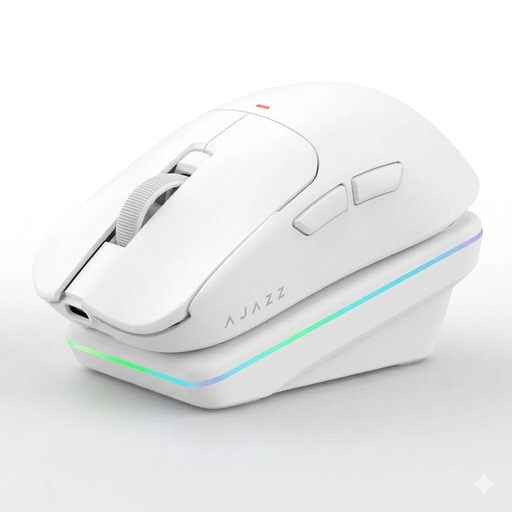
Why it suits this profile: its tri-mode operation makes it a versatile first mouse for gaming, working and switching easily between a PC and a mobile device.
Bluetooth, 2.4 GHz and USB-C reduce the risk of ending up with a mouse limited to just one device.
PAW3311 sensor with up to 24 000 DPI, 300 mAh battery, six buttons and a magnetic charging dock.
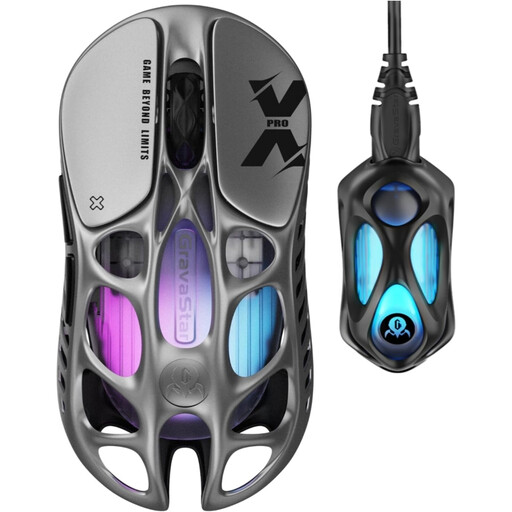
Why it suits this profile: its open magnesium-alloy body and 8K receiver are aimed at players who want to reduce the weight of their setup and fine-tune responsiveness.
The 8 000 Hz mode relies on a dedicated dongle and can be enabled depending on your PC’s capabilities and how you use the mouse.
49 g, PAW3950 sensor with up to 32 000 DPI, tri-mode connection and stated battery life of up to 110 hours.
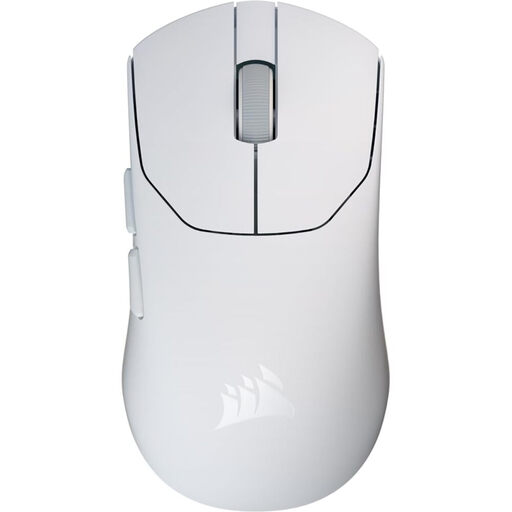
Why it suits this profile: players who prioritise low weight, 2.4 GHz and the option to play while wired get a mouse designed for fast movements.
The specifications clearly distinguish 8 000 Hz in wired mode from the 2.4 GHz wireless connection. This means you cannot automatically assume that both modes use the same polling rate.
36 g, sensor with up to 33 000 DPI, five programmable buttons and stated battery life of up to 70 hours.
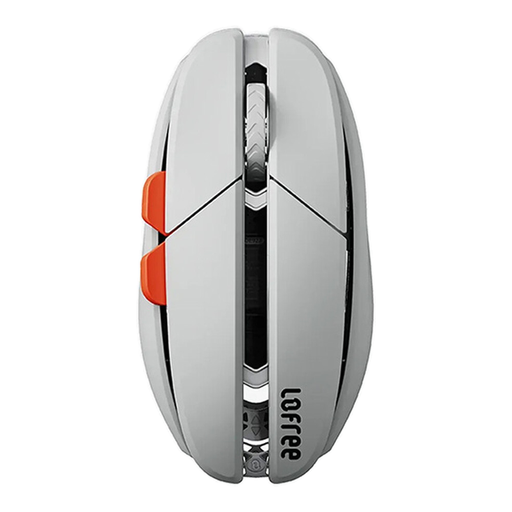
Why it suits this profile: its 47 g weight and three connection modes meet the needs of people who switch between working from home, travelling and gaming across several devices.
Bluetooth, 2.4 GHz and wired USB-C provide a backup if the battery is low or you switch devices.
47 g, PAW3950 sensor adjustable up to 40 000 DPI, stated battery life of up to 100 hours in Bluetooth mode and indicated CE/RoHS certification.
We have put together a complete, up-to-date selection of products that meet these demanding criteria while also taking European safety regulations into account.
Yes, provided you prioritise the 2.4 GHz connection with its dedicated receiver and check the stated latency. Bluetooth is better suited to work, travelling and mobile devices. When comparing two models, make sure you check which mode each polling-rate figure applies to.
Battery life per charge depends on the polling rate, lighting and connection type. The models featured here state between 70 and 120 hours, depending on the mode used. Overall lifespan then depends on the condition of the battery, switches and general care. Clean the shell with a dry cloth and protect the mouse from moisture and knocks.
If you regularly switch between operating systems, check compatibility with the configuration software, not just with the USB or Bluetooth connection. Basic functions may work without a driver, but macros, profiles and DPI settings may require an application compatible with your operating system.