
Livraison le jour même ou le lendemain

Qualité garantie

Débloquez vos offres de bienvenue: Livraison GRATUITE | Jusqu'à -80 % | 30 jours d'essai gratuits à JoyPlus
Téléchargez l'application
Choosing a wireless gaming mouse can sometimes be a real headache. Between the fear of latency, the anxiety of the battery dying mid-clutch, and the overwhelming number of models on the market, it's easy to get lost. This guide is here to separate fact from fiction and help you find the perfect mouse for your playstyle, hand, and budget—without being tied down by a cable.
By the Joybuy editorial team, July 23, 2026.
Before diving into our selection, here are the key criteria to keep in mind to make the right choice.
The sensor is the heart of the mouse. Its sensitivity is measured in DPI (Dots Per Inch): the higher this number, the faster the cursor moves on screen for the same hand movement. But don't be blinded by the numbers: a stratospheric maximum DPI isn't necessarily a guarantee of performance. What really matters is having a wide adjustment range and, most importantly, the ability to change sensitivity on the fly. This is essential for switching from a surgical precision shot in an FPS to swift camera movements in a MOBA.
Comfort is king, especially during long gaming sessions. An ergonomic gaming mouse should perfectly conform to the shape of your hand to reduce fatigue. Weight is an equally crucial factor:
Don't forget to consider the shape (for right-handed, left-handed, or ambidextrous users) and your grip type (the famous palm, claw, or fingertip grip).
For a wireless PC mouse, battery life is crucial. Keep an eye on the duration advertised by the manufacturer, both with and without the often power-hungry RGB backlighting. Most current models offer dual connectivity:
Finally, a programmable gaming mouse can be a real game-changer, especially for MMO or MOBA fans. The number of buttons and the simplicity of their configuration via dedicated software can make all the difference.
Here is our selection of models that caught our eye, catering to different player profiles and all budgets.
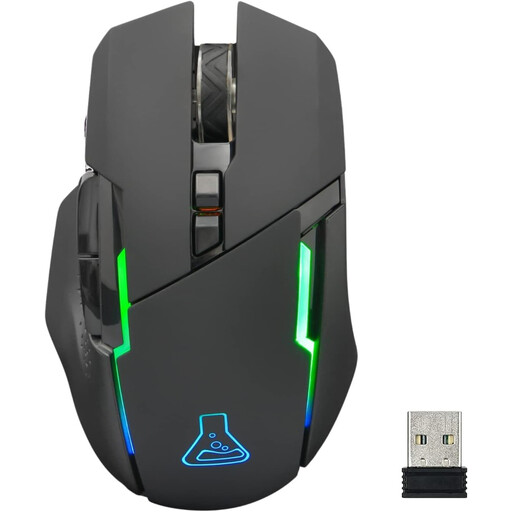
Why it stands out: The Kult Caesium from THE G-LAB is an excellent entry point into the world of wireless gaming mice. It checks all the essential boxes (adjustable sensitivity, RGB) at a very accessible price point.
Advantages:
Who is it for? This is the smart choice for casual gamers or those looking to get their first high-performance wireless mouse without breaking the bank. Its versatility and look make it a solid foundation for a stylish and effective gaming setup.
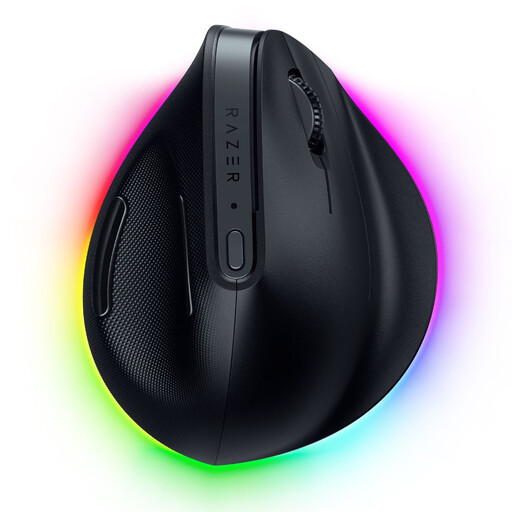
Why it stands out: The Razer Pro Click V2 stands out with its vertical design. This unique shape positions the wrist and forearm at a more natural angle, which helps reduce fatigue and strain during both gaming and work.
Advantages:
Who is it for? This ergonomic gaming mouse is ideal for those who spend long hours in front of their screen and make comfort their top priority. Its hybrid positioning between gaming and productivity makes it a perfect tool for those who juggle both worlds on their wireless PC mouse.
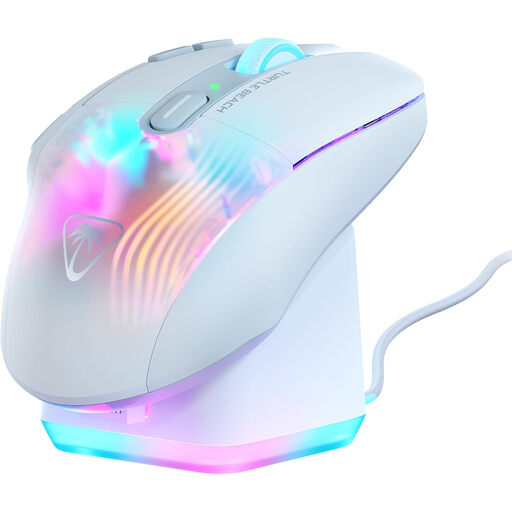
Why it stands out: The Kone XP Air is a true command centre for MMO and MOBA players. Its Easy-Shift[+] technology multiplies the number of accessible commands, all complemented by an elegant RGB charging dock.
Advantages:
Who is it for? This is the ultimate wireless MMO mouse. Players who need immediate access to a myriad of spells, abilities, or macros will find a powerful ally here to optimise their gameplay.
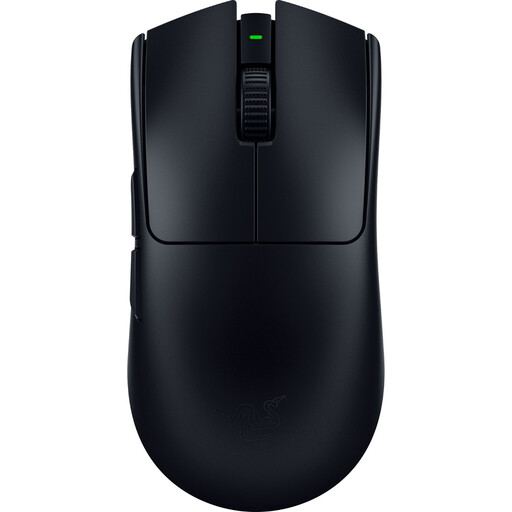
Why it stands out: Developed with esports pros, the Viper V3 Pro is a competitive beast built for pure performance. Its feather-light weight and cutting-edge technology make it a formidable precision weapon in competition.
Advantages:
Who is it for? This lightweight gaming mouse is aimed at born competitors and esports enthusiasts for whom every gram and every millisecond counts. If speed, precision, and responsiveness are your absolute priorities, this model is for you.
Button layout is a matter of taste and habit. If your playstyle requires a specific configuration, like the best gaming mouse with three side buttons, check out our dedicated selection to discover other models that might suit you.
Absolutely. With modern 2.4 GHz wireless technologies, the difference in latency has become completely imperceptible to the vast majority of players. Today's gaming models offer responsiveness identical to that of wired mice, with the added freedom of being wireless.
DPI measures the mouse's sensitivity. There's no magic, one-size-fits-all setting. Generally, a value between 800 and 1600 DPI is a good starting point. The best approach is to experiment to find the setting that matches your preferences, your screen resolution, and your favourite games. FPS games often require a lower DPI for precision, while strategy games benefit from a higher DPI to quickly scan the map.
Yes, most wireless gaming mice are compatible with the latest generation of consoles. Be aware, however, that advanced features like button programming or RGB lighting management depend on software that is only available on PC. So, be sure to check the product specifications and compatibility level before you buy.