
Livraison le jour même ou le lendemain

Qualité garantie

Débloquez vos offres de bienvenue: Livraison GRATUITE | Jusqu'à -80 % | 30 jours d'essai gratuits à JoyPlus
Téléchargez l'application
Going wireless is the dream for many PC gamers looking to declutter their desk and gain more freedom of movement. But be warned: the wireless gaming mouse market is a veritable marketing minefield. Between the frantic race for higher DPI, the quest for featherlight designs, and the jungle of connectivity options, it's easy to make a purchase you'll bitterly regret just a few months later.
Before you pull out your credit card, let's break down the most common pitfalls. Some models sacrifice durability on the altar of lightness, while others flaunt astronomical DPI figures that, in practice, add nothing to your gaming experience. To make the right choice, you need to know how to identify the few criteria that truly make a difference.
To avoid getting lost in the jungle of spec sheets, focus on the three pillars of an excellent gaming mouse?: ergonomics, sensor precision, and connection reliability.
An ergonomic gaming mouse must first and foremost fit the shape of your hand and your grip style (the famous palm, claw, or fingertip grip). Weight is another crucial factor. A lightweight wireless mouse, often under 80 grams, is favoured for fast-paced shooters (FPS) as it facilitates wide, sweeping movements and reduces fatigue. Conversely, for strategy games (MMO/MOBA), a slightly heavier model can provide a better sense of control. The key is to find the right balance without sacrificing the shell's durability.
DPI (Dots Per Inch) measures the sensor's sensitivity. While a high-DPI optical mouse is the standard today, let's be clear?: in practice, few gamers ever use settings above 3200 DPI. An astronomical figure (over 20,000 DPI) is more of a marketing gimmick than a genuine need. What really matters is the intrinsic quality of the optical sensor?: its ability to handle fast accelerations without spinning out (measured in IPS, Inches Per Second) and its overall accuracy. Reputable sensors, like the Owl-Eye models, are a hallmark of reliability and ensure your movements are tracked perfectly.
Most high-performance models have become dual-connectivity 2.4GHz + Bluetooth mice. Here's what you need to know?:
A good rechargeable gaming mouse should last for dozens of hours in 2.4GHz mode and, if possible, offer fast charging so you never run out of power mid-game.
Rather than an endless list, we've selected three models that excel for distinct player profiles, based on the performance and reliability criteria we've just covered.
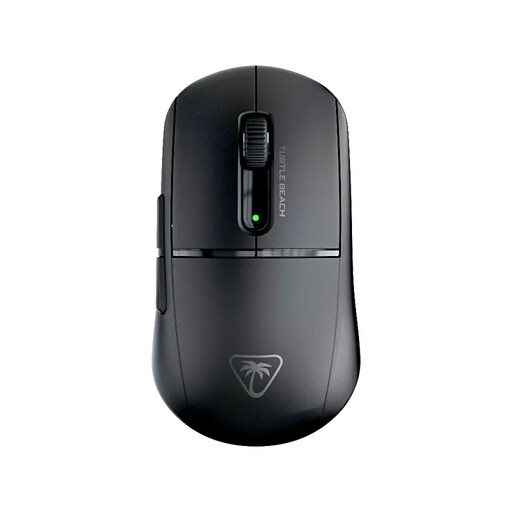
Why this one? For FPS players where every millisecond and every gram counts, this model is a key asset. Its featherlight weight of 47 grams allows for lightning-fast sweeps and micro-adjustments with zero inertia.
It avoids the trap of fragile lightness. Its symmetrical design remains perfectly sturdy, and its TITAN optical switches guarantee a 100-million-click lifespan.
Its 26,000 DPI Owl-Eye optical sensor provides surgical tracking, while its dual 2.4GHz and Bluetooth connectivity offers welcome versatility.
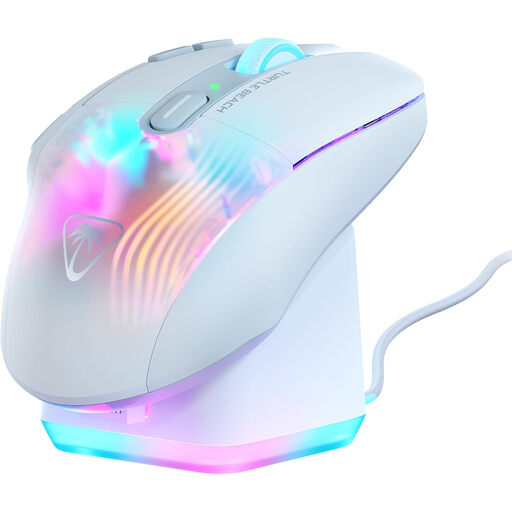
Why this one? Perfect for MMO or MOBA players who juggle a multitude of spells and abilities. Its 10 buttons, combined with Easy-Shift[+] technology, unlock up to 29 programmable functions. Its ergonomic shape is designed for comfort during extra-long sessions.
Rather than just piling on more buttons, it offers a smart approach with a function duplicator and a 4D wheel, making every command intuitive and easy to access.
Its level of customisation is simply stunning. The included RGB rapid charging dock is a bonus that's as practical as it is beautiful on any setup.
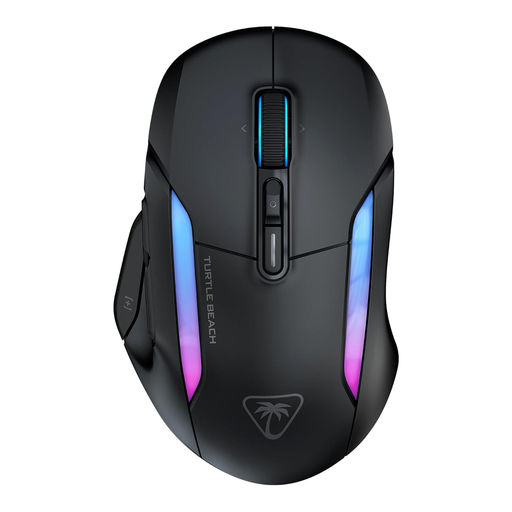
Why this one? For those who use their wireless PC mouse for gaming as well as for work or creative tasks. It combines a high-performance sensor (26,000 DPI) with record-breaking battery life, reaching up to 350 hours on Bluetooth. Perfect for mixed usage without having to worry about recharging.
It solves the connectivity dilemma by offering a no-compromise, low-latency 2.4GHz connection for gaming and an ultra-long-lasting Bluetooth mode for productivity.
Its exceptional battery life and 4D wheel (vertical, horizontal, and click scrolling) make it a formidable tool for efficiency, whether for gaming or work.
We've compiled a complete list of products that meet our strict selection criteria.
Its longevity depends on two key factors?: the battery and the switches. A modern lithium-ion battery can easily handle several hundred charge cycles, which translates to several years of normal use. As for the switches, their durability is measured in millions of clicks. Quality models, especially those with optical switches, promise a lifespan of 50 to 100 million clicks, ensuring years of reliable gaming.
Yes, without a shadow of a doubt. For competitive gaming, a 2.4GHz connection reigns supreme. It uses a dedicated USB dongle to create a direct link to the PC, reducing latency (lag) to an imperceptible level, often 1?ms. Bluetooth, while very convenient for everyday use, introduces a slight delay that can make all the difference in fast-paced games. This is precisely the advantage of a dual-connectivity 2.4GHz + Bluetooth mouse?: you get the best of both worlds.
A few simple steps are all it takes to extend the lifespan and performance of your mouse.