
Livraison le jour même ou le lendemain

Qualité garantie

Débloquez vos offres de bienvenue: Livraison GRATUITE | Jusqu'à -80 % | 30 jours d'essai gratuits à JoyPlus
Téléchargez l'application
Ditching the cables without sacrificing performance: that's the holy grail for any self-respecting PC gamer. Long considered a compromise, the wireless gaming mouse is now a must-have for amateurs and esports pros alike. But with a sea of models to choose from, how do you find the right one?
This guide is here to shed some light. We'll break down the key criteria to help you find THE wireless gaming mouse that perfectly matches your hand, playstyle, and standards, featuring a selection of the most relevant models for 2026.
Before you fall for a specific model, let's review the technical criteria that make all the difference. There are three key points to watch closely.
The weight and shape of your mouse are crucial for your comfort and in-game precision.
This technical jargon actually defines the raw performance of your mouse.
Wireless is no longer synonymous with latency—far from it. The 2.4 GHz connection via a USB dongle has established itself as the gaming standard. It offers imperceptible latency, fully comparable to a wired model. Bluetooth, while convenient for office work, has too much latency and should be avoided for competitive gaming.
Battery life is, of course, a crucial factor. Most current models last for dozens of hours of gameplay on a single charge. That's enough to power through back-to-back sessions without fearing you'll run out of juice mid-game.
We've selected three flagship models, each catering to a specific player profile.
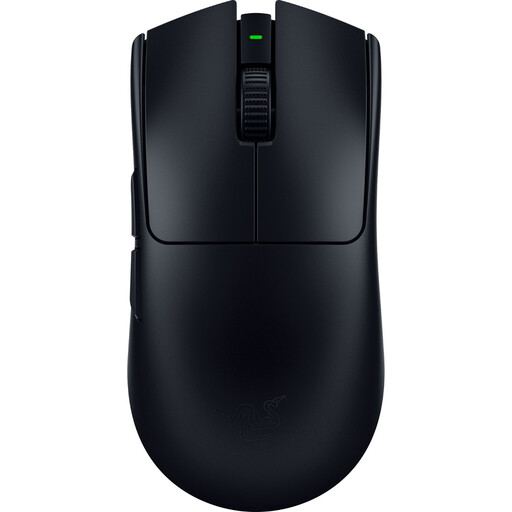
Why it stands out: The Viper V3 Pro is THE benchmark for gamers obsessed with low weight and responsiveness. Developed with esports pros, it gets straight to the point: raw performance.
Highlights:
Who is it for? For FPS competitors who swear by speed, precision, and a minimalist design. Its featherlight weight is a formidable weapon for quick flicks and micro-adjustments.
See the Razer Viper V3 Pro on Joybuy.fr
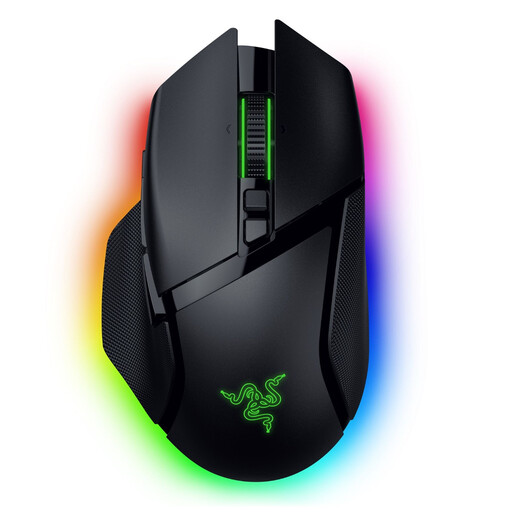
Why it stands out: The Basilisk V3 Pro is the Swiss Army knife of gaming mice. It combines a highly comfortable ergonomic shape, a host of programmable buttons, and cutting-edge features like its smart scroll wheel.
Highlights:
Who is it for? For the all-rounder gamer who juggles RPGs, MMOs, and FPS titles. Its versatility and comfort make it the top choice for anyone wanting to combine performance with deep customisation.
See the Razer Basilisk V3 Pro on Joybuy.fr
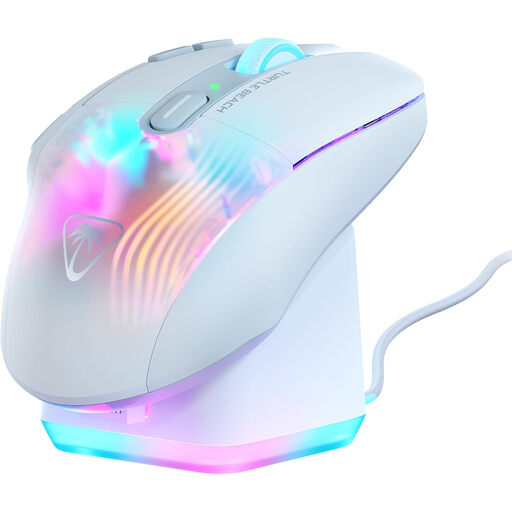
Why it stands out: The Kone XP Air stands out from the crowd with its impressive number of controls. Thanks to Easy-Shift[+] technology, nearly every button has a secondary function, bringing the total to 29 programmable commands.
Highlights:
Who is it for? The ultimate weapon for MMO and MOBA players. If your gameplay relies on an avalanche of spells, abilities, and macros, the Kone XP Air offers an unparalleled level of control.
See the Turtle Beach Kone XP Air on Joybuy.fr
Our selection is, of course, just a glimpse into a thriving market. Whether you prefer a wired model for absolute peace of mind, have a different budget, or are looking for a very specific shape, there's no shortage of options.
To discover the full extent of our catalogue, click here:
? Explore the entire gaming mouse catalogue
Yes, without a shadow of a doubt. Today's wireless technologies, especially 2.4 GHz connections, offer latency so low it has become imperceptible to humans. Proprietary technologies like Razer HyperSpeed or Logitech Lightspeed guarantee responsiveness that is identical in every way to wired models, making them perfectly viable for top-tier esports.
Weight is a key factor in manoeuvrability and in-game feel. A lightweight gaming mouse (often under 80g) requires less effort to move. The result: less fatigue and quicker movements, a major advantage in fast-paced shooters. Conversely, a heavier mouse can provide a sense of greater stability and control, which some players prefer for more deliberate actions. Ultimately, it's all a matter of personal preference.
Absolutely not. A high DPI figure is primarily a marketing ploy, not a guarantee of quality. It only indicates the sensor's maximum sensitivity. As proof, the majority of professional gamers set their mice to fairly low values (between 800 and 1,600 DPI) to prioritise precision. The most important thing remains the intrinsic quality of the sensor: its ability to translate your movements with perfect fidelity, without any parasitic acceleration or spin-outs, regardless of the sensitivity you choose.