
Livraison le jour même ou le lendemain

Qualité garantie

Débloquez vos offres de bienvenue: Livraison GRATUITE | Jusqu'à -80 % | 30 jours d'essai gratuits à JoyPlus
Téléchargez l'application
For a performance-focused gamer, the choice of a mouse is anything but trivial. Every gram, every millisecond of latency, and every DPI point counts and can be the difference between victory and defeat. In a marketing jungle where every brand makes lofty claims, it's become difficult to distinguish gimmicks from genuine innovation.
This guide is here to cut through the clutter. We'll decode the technical jargon and present the criteria that truly matter, so you can find the wireless gaming mouse that's perfectly suited to your grip, playstyle, and ambitions.
Before diving into our top picks, let's review the essential technical criteria to ensure you make the right choice.
Weight is the crucial factor when it comes to handling. A lightweight gaming mouse (often under 80 grams) allows for quicker movements and reduces fatigue—a decisive advantage in fast-paced FPS games. Conversely, a heavier model can provide a greater sense of stability and control. Finally, the ergonomics (symmetrical, right-handed, or left-handed) must match the shape of your hand and your grip type (palm, claw, or fingertip grip) to ensure perfect comfort, even after hours of gaming.
The sensor is the engine of a mouse. There are two specifications to keep an eye on:
Let's be clear: the myth of wireless latency is dead and buried. Modern technologies, particularly 2.4 GHz radio frequency (RF), now deliver latency and stability performance identical to wired mice. The result: no more cables to hinder your movements, just total freedom. Most models also include a Bluetooth connection for versatility (on a laptop, for example) and a wired mode that lets you play while charging.
Let's get to our top picks, with three models that caught our attention, each distinguished by its philosophy and strengths.
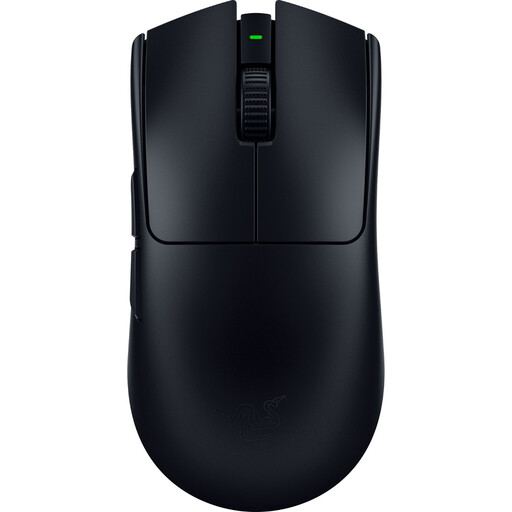
Why it stands out: The Razer Viper V3 Pro is a performance beast designed for raw power. With its feather-light weight of 54 grams, it's one of the lightest e-sports mice available today. Co-developed with pro gamers, its symmetrical shape is engineered for swift movements and lightning-fast repositioning.
Advantages:
Who is it for? This Razer gaming mouse is the weapon of choice for hardcore competitors in FPS and Battle Royale games—those for whom every gram and every millisecond counts.
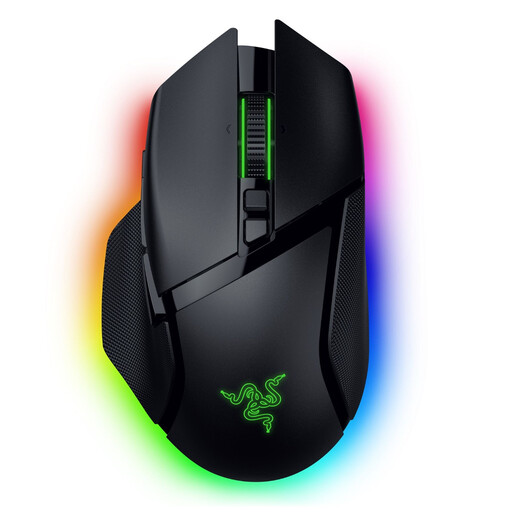
Why it stands out: The Razer Basilisk V3 Pro is the Swiss Army knife for gamers. With its ergonomic right-handed shape, 11 programmable buttons, and its famous HyperScroll tilt wheel, it adapts to all game genres, from FPS to MMOs.
Advantages:
Who is it for? This RGB mouse is aimed at jack-of-all-trades gamers who love having a multitude of commands at their fingertips. It's the ideal choice for juggling RPGs, MMOs, strategy games, or even for advanced office use.
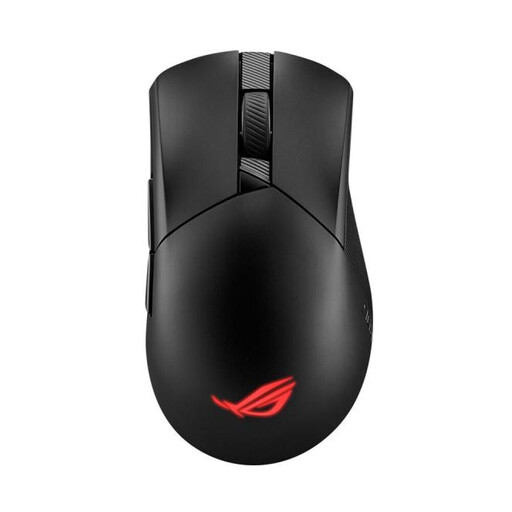
Why it stands out: The Asus ROG Gladius III Wireless Aimpoint focuses on durability and customisation. Its ace in the hole: the Push-Fit Switch Socket II. This innovation allows you to swap out the main click switches on the fly. You can adjust the click feel or simply replace a worn-out switch, an almost unique approach on the market that significantly extends the mouse's lifespan.
Advantages:
Who is it for? This Asus gaming mouse will delight DIY enthusiasts and gamers concerned with the longevity of their gear. Its classic right-handed ergonomics and balanced weight make it a solid, versatile choice for many games and grip types.
Every hand is unique, and every gamer has their own preferences. If none of these three models caught your eye, don't worry: our catalogue is full of other gems.
? Explore our full catalogue of USB Mice to discover more models.
Absolutely. Modern wireless gaming mice that use 2.4 GHz RF technology offer performance that is identical in every way to their wired counterparts. The current standard of a 1000 Hz polling rate ensures communication with the computer is so fast that the latency is humanly imperceptible. They are therefore perfectly suited for competition at the highest level.
DPI (Dots Per Inch) measures the mouse's sensitivity. In practical terms, it's the distance your cursor travels on the screen for every inch the mouse moves on the mousepad. The higher the DPI, the faster the cursor moves for the same physical movement. There is no "ideal" DPI value. It all depends on your monitor's resolution, the game, and, most importantly, your personal preference. Don't be blinded by marketing numbers. For reference, most professional players use settings between 400 and 1600 DPI, as they prioritise control and precision over raw cursor speed.
It's primarily a matter of feel and playstyle.