
Livraison le jour même ou le lendemain

Qualité garantie

Débloquez vos offres de bienvenue: Livraison GRATUITE | Jusqu'à -80 % | 30 jours d'essai gratuits à JoyPlus
Téléchargez l'application
A wireless gaming mouse frees up space around your keyboard and lets you move without getting tangled in a cable. However, product specifications often line up impressive figures without explaining what they actually mean in use. To avoid unpleasant surprises, it is better to look beyond the DPI count or lighting effects.
Here are the most common pitfalls, the criteria to compare and a selection of models suited to different types of PC gamer in France.
A 36,000 DPI mouse may appear to be aimed at competitive players. In practice, most users play at a much lower sensitivity. DPI indicates the sensor’s maximum sensitivity, but does not by itself determine tracking quality.
To compare two models, also look at tracking speed, expressed in IPS, maximum acceleration and the level of adjustment available. A sensor offering 26,000 or 36,000 DPI can provide plenty of scope for customisation, but this figure should never be your only criterion.
A lightweight mouse makes broad movements easier in shooting games. Conversely, a heavier model may reassure users who prefer greater inertia. Shape is just as important: an ergonomic mouse designed for right-handed users will not necessarily suit a claw grip, a smaller hand or a left-handed user.
Check the mouse’s length, width, weight and orientation. During long sessions, button placement and the grip offered by the side surfaces often matter more than the backlighting.
A low-latency mouse generally relies on a 2.4 GHz receiver for gaming. Bluetooth is convenient with a laptop or several devices, but it does not always offer the same polling-rate settings.
Before placing your order, check the following:
Optical sensors have become standard on modern gaming mice. Adjustable resolution lets you quickly switch from low sensitivity for aiming to higher sensitivity for navigating menus or your desktop.
The polling rate, expressed in Hz, is the number of times the mouse sends its position to the computer every second. At 1,000 Hz, the theoretical delay between two reports is approximately 1 ms. Rates of 4,000 or 8,000 Hz are also available, but they may place greater demands on the processor and reduce battery life. For most setups, 1,000 Hz remains a perfectly sensible compromise.
A tri-mode gaming mouse generally combines 2.4 GHz, Bluetooth and wired operation. The first option is preferable for gaming; where possible, position the receiver close to the mouse mat using the supplied extension cable. Bluetooth is convenient when travelling or switching between devices. As for the cable, it lets you continue using the mouse while it charges.
Avoid hiding the receiver behind a metal tower, a monitor or a heavily loaded USB hub. These obstacles can reduce signal stability.
A programmable mouse lets you assign shortcuts, commands or macros using the brand’s software. Five or six buttons are generally enough for FPS and all-round gaming. MOBAs, role-playing games and creative software can benefit from a greater number of commands.
RGB is primarily a matter of aesthetics. An RGB gaming mouse may offer several lighting zones and profiles, but switching off the lighting can often add a few hours of battery life. Also remember to check the stated switch lifespan, whether onboard memory is included and whether replacement skates are available.
The models below are presented based on the specifications provided by the manufacturers and the product listings. Actual battery life may vary depending on the lighting, polling rate and connection mode used.
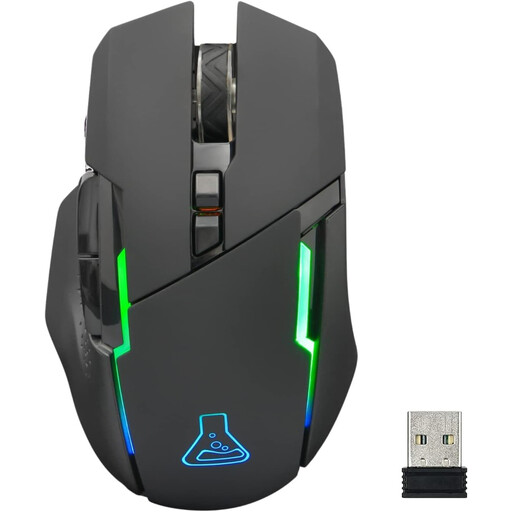
Why it suits this profile : This 2.4 GHz mouse offers six buttons, five DPI levels from 400 to 7,200 and switchable lighting. Its right-handed design and 84 g weight make it an accessible first gaming mouse, without an overwhelming range of complicated settings.
The five DPI profiles and stated battery life of up to 32 hours without RGB make the settings and power consumption easy to understand.
2.4 GHz connection, six buttons, switchable RGB lighting and a stated two-year warranty.
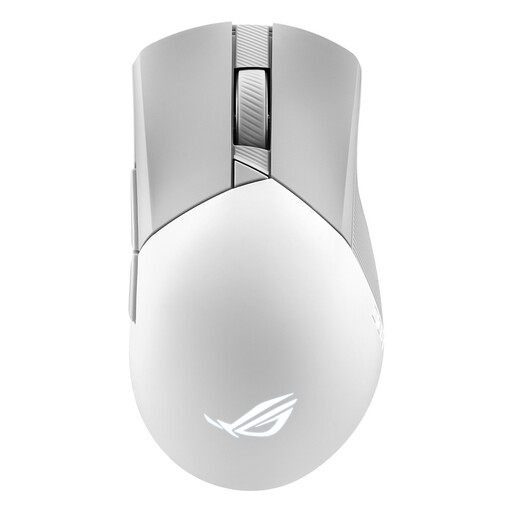
Why it suits this profile : With a sensor adjustable up to 36,000 DPI, tri-mode connectivity and a weight of 79 g, this mouse is aimed at players who want to fine-tune every setting while retaining Bluetooth connectivity.
The three connection modes mean you are not reliant on a single solution, while wired operation lets you play during charging.
Six programmable buttons, Bluetooth for up to three devices, stated battery life of up to 119 hours in 2.4 GHz mode and replaceable switches.
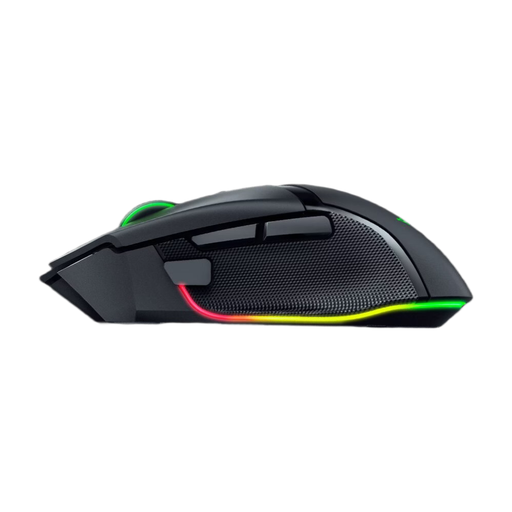
Why it suits this profile : Its ergonomic right-handed design, 11 programmable controls and multi-directional scroll wheel are ideal for MOBA and role-playing game players, as well as anyone who switches between gaming and productivity.
Saveable profiles and customisable controls mean you do not have to choose between different configurations for different games or software.
Sensor rated at 35,000 DPI, 13 Chroma RGB zones, Bluetooth and stated battery life of up to 140 hours in HyperSpeed mode.
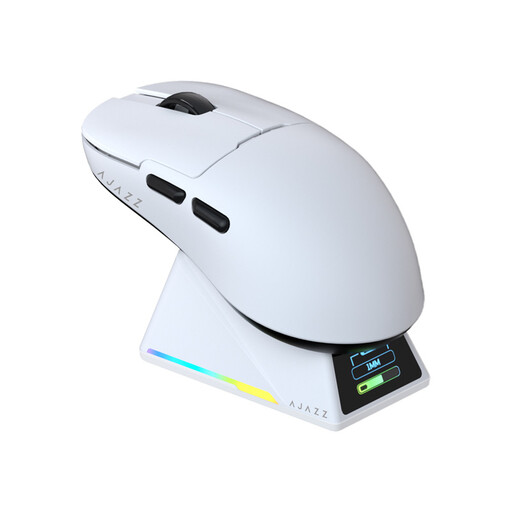
Why it suits this profile : Weighing a stated 56 g and featuring a PAW3950 sensor with a polling rate of up to 8,000 Hz, this mouse is designed for players seeking fast movements in FPS and competitive games.
The listing specifies the weight, tri-mode connectivity and inclusion of a dock with receiver: three details to check before buying a high-polling-rate mouse.
Stated weight of 56 g, sensor up to 42,000 DPI, five programmable buttons and an included magnetic charging dock.
We have brought together a complete, real-time selection of products that meet these demanding criteria, while complying with European safety regulations.
Yes, provided it has a 2.4 GHz receiver, a suitable polling rate and a correctly configured sensor. Position the receiver close to the mouse mat and choose a sensitivity that suits your available gaming space. Bluetooth is better suited to mobility and office use.
It depends on the RGB lighting, whether you use Bluetooth or 2.4 GHz and the polling rate. Always compare the stated figures for each configuration. A model that can be used via USB-C while charging reduces the risk of having to interrupt a game.
For an FPS, five or six buttons generally cover the essential controls. In a MOBA, a role-playing game or for a setup combining work and gaming, 10 to 13 controls can offer more possibilities. The right number is ultimately the one that suits your grip: every button should remain easy to reach without having to move your whole hand.