
Livraison le jour même ou le lendemain

Qualité garantie

Débloquez vos offres de bienvenue: Livraison GRATUITE | Jusqu'à -80 % | 30 jours d'essai gratuits à JoyPlus
Téléchargez l'application
The days of gamers sacrificing responsiveness for freedom are over. Today's wireless mice easily go toe-to-toe with their wired counterparts, offering an ultra-precise gaming experience without the cable clutter. But with a sea of models to choose from, how do you find the wireless gaming mouse that’s truly right for you?
Don't worry. This guide is here to break down the key features and present our selection of the best mice on the market. Our goal: to give you everything you need to make the right choice.
Before diving into our top picks, let's review the essential points that will make all the difference.
The link between your mouse and your gaming PC is crucial.
A gaming mouse's performance primarily depends on its sensor.
A gaming session can last for hours. Comfort isn't a luxury; it's a necessity.
Enough theory, let's get practical! Here are a few models that caught our eye, from effective all-rounders to competition-grade beasts.
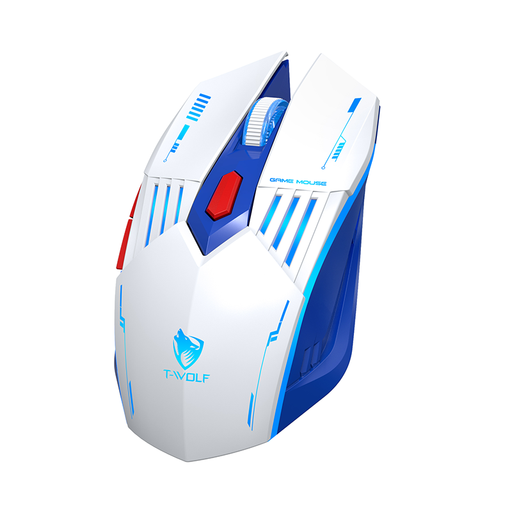
Why It Stands Out
The Rexsun X7 is the ultimate Swiss Army knife. Its triple connectivity (2.4G, Bluetooth, wired) makes it the perfect ally for those who juggle a gaming PC, a laptop, and other devices. Its sensor, adjustable up to 3600 DPI, is more than enough for most games and daily use. Its 4-colour RGB gaming mouse lighting adds a touch of style without turning your desk into a light show.
Key Features
Who Is It For? The versatile gamer looking for a reliable and affordable do-it-all mouse (gaming, work, travel) without splurging on a niche model.
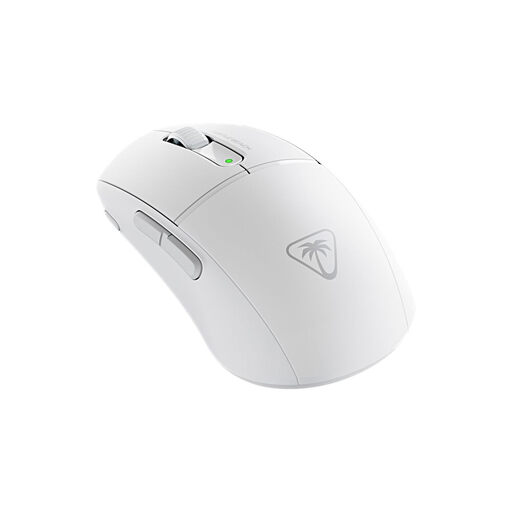
Why It Stands Out
Here, we're talking about pure performance and speed. The Turtle Beach Burst II Air is a true featherweight at just 47 grams, allowing for incredibly fluid and rapid movements. Add to that a monstrous 26,000 DPI Owl-Eye optical sensor, and you get surgical precision, ideal for fast-paced FPS games. Its 120-hour battery life makes it a formidable weapon for powering through back-to-back sessions.
Key Features
Who Is It For? The competitive FPS fan for whom every gram and every DPI counts. Lightweight, speed, and precision above all else.
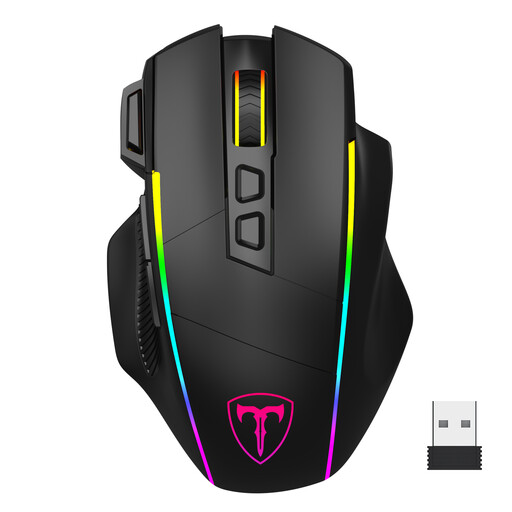
Why It Stands Out
This model goes all-in on comfort and customisation. Designed for medium to large hands, this ergonomic gaming mouse includes dedicated finger rests (for the ring, pinky, and thumb) for exceptional support during marathon gaming sessions. It features 8 programmable buttons, including an ideally placed rapid-fire key, and a sensor that goes up to 10,000 DPI. The icing on the cake is its Chroma RGB lighting, which is fully customisable via software.
Key Features
Who Is It For? Gamers with large hands who prioritise absolute comfort and maximum customisation for FPS, MOBA, or RTS games.
Our selection is just a taste of what's available. To discover an even wider range of high-performance models suited for every budget, check out our full collection.
? Discover our complete collection of USB-C wireless mice
1. Is a wireless gaming mouse really as good as a wired one? Absolutely. Today, models equipped with a 2.4 GHz connection offer such low latency (often 1 ms) that it's completely imperceptible in-game. For 99% of gamers, the difference from a wired model is non-existent. Only the highest-level esports pros might possibly feel a subtle difference.
2. How do I choose the right DPI setting? There's no "right" or "wrong" DPI; it's a matter of personal preference and game type. That's precisely why an adjustable DPI mouse is essential: it lets you experiment to find the perfect sensitivity and even change it on the fly mid-game.
3. Is RGB lighting a gimmick or actually useful?RGB gaming mouse lighting is primarily about style. It's used to customise your mouse to match the rest of your setup. That said, it can also be practical: on some models, the colours can indicate the active DPI profile or the remaining battery level.