
Livraison le jour même ou le lendemain

Qualité garantie

Débloquez vos offres de bienvenue: Livraison GRATUITE | Jusqu'à -80 % | 30 jours d'essai gratuits à JoyPlus
Téléchargez l'application
Choosing a wireless gaming mouse in 2026 can be overwhelming. The market is saturated with technical promises, bold designs, and dizzying numbers. But how do you sort through genuinely useful features and mere marketing hype? The goal: find the mouse that will elevate your precision and comfort, without getting ripped off by illusory performance.
Before you pull out your credit card, here are three common pitfalls to avoid:
To make an informed choice, focus on the specifications that directly impact your gaming experience. Here are the three pillars to examine closely before any purchase.
Weight is a decisive factor. A lightweight gaming mouse (often under the 80-gram mark) allows for quicker, less tiring movements—a major advantage in fast-paced shooters (FPS). Conversely, some players prefer a heavier model for a greater sense of stability.
Ergonomics are just as crucial. The shape of the mouse must match your grip style:
Two technical specs define the sensor's performance:
For a PC gaming mouse, the wireless connection must be flawless.
Rather than an endless list, we've selected flagship models for three distinct player profiles, based on objective performance criteria.
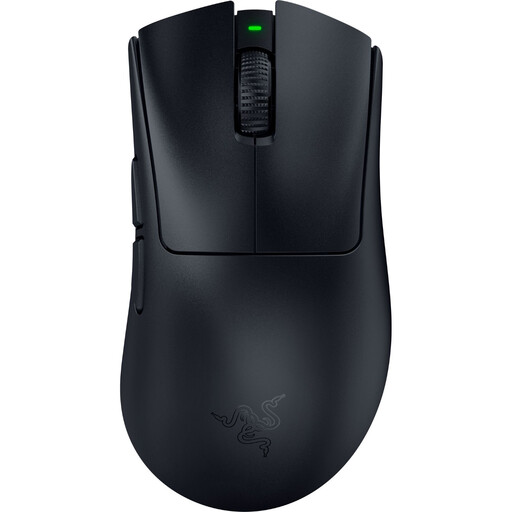
Why this model? This profile seeks pure, uncompromised performance. The DeathAdder V4 Pro is built for competition: its feather-light 56g weight and legendary ergonomic shape allow for explosive, precise movements with zero fatigue.
It doesn't get lost in the DPI race. Its Focus Pro 45K sensor is renowned for its surgical precision at sensitivities actually used in-game. Its HyperSpeed Wireless technology guarantees near-zero latency, on par with the best wired models. The polling rate can even go up to 8000 Hz (via a separately sold dongle) for absolute responsiveness.
Feather-light weight (56g) for extreme maneuverability. Latest-generation optical sensor and Gen-4 optical switches for rock-solid responsiveness and durability.
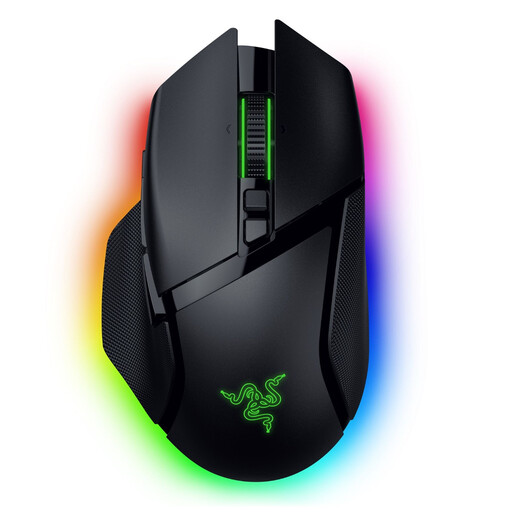
Why this model? Perfect for those who juggle gaming, content creation, and office work. Its 11 programmable buttons and free-spinning scroll wheel (HyperScroll) give it formidable versatility, whether for launching macros or blazing through web pages.
It combines polished RGB aesthetics with an ergonomic shape designed for long sessions. Its dual 2.4 GHz and Bluetooth connectivity lets you switch between a gaming PC and a laptop in the blink of an eye, without ever sacrificing performance when the game gets serious.
HyperScroll Tilt Wheel for either tactile or free-spin scrolling. 13 Chroma RGB lighting zones for fine-tuned customisation. Triple connectivity (2.4 GHz, Bluetooth, wired).
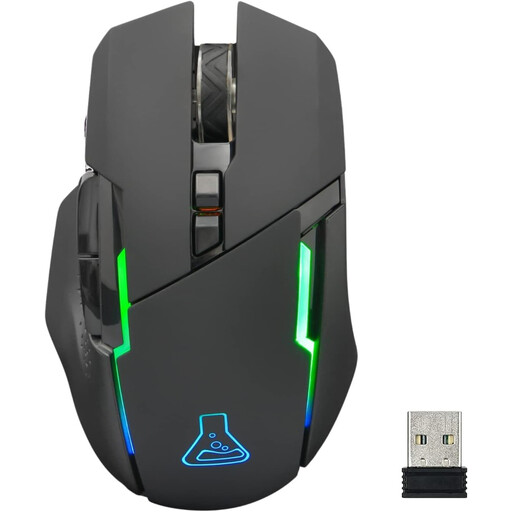
Why this model? This profile seeks the best value for money to get equipped without breaking the bank. The Kult Caesium focuses on the essentials and does them well: a 2.4 GHz wireless connection, adjustable DPI, and an ergonomic design, all at a very accessible price point.
No marketing overkill here. It doesn't try to compete with 30,000 DPI sensors and offers a range of 400 to 7200 DPI, which is more than enough for 99% of gamers. The focus is on a reliable 2.4 GHz connection and decent battery life (up to 32 hours with RGB off).
Stable and responsive 2.4 GHz wireless connection. Ergonomic right-handed design with a comfortable soft-touch coating. RGB lighting that can be disabled to maximise battery life.
Discover our full selection of products that meet our rigorous selection criteria and current standards.
Absolutely, as long as you choose the right technology. Today, mice using a 2.4 GHz connection via a dedicated USB dongle offer response times of 1 ms (1000 Hz), which is identical performance to excellent wired mice. The latency has become imperceptible to the vast majority of gamers, including at the professional level. Bluetooth, on the other hand, still has higher latency and is not recommended for fast-paced, competitive games.
Battery life varies enormously from one model to another, ranging from around thirty hours to over 150 hours on a single charge. It depends on several factors: the activation of RGB lighting (very power-hungry), the polling rate (an 8000 Hz polling rate consumes more than 1000 Hz), and of course, the battery capacity. Most models allow you to play in wired mode while charging, thus preventing any interruptions.
No, a stratospheric DPI count is absolutely not a guarantee of performance. The majority of professional gamers set their mice between 800 and 1600 DPI for optimal control. The most important thing is to have a quality sensor, free of tracking flaws (like acceleration, smoothing, or angle snapping), that allows you to find the ideal sensitivity for your playstyle and screen resolution.