
Livraison le jour même ou le lendemain

Qualité garantie

Débloquez vos offres de bienvenue: Livraison GRATUITE | Jusqu'à -80 % | 30 jours d'essai gratuits à JoyPlus
Téléchargez l'application
Choosing a wireless gaming mouse in 2026 is no small feat. The market is saturated with indigestible spec sheets and flashy marketing promises. As the head of product recommendations at Joybuy, my role is to guide you through this jungle to find the peripheral that will truly meet your expectations, far from the siren song of marketing.
This guide focuses on the essential criteria for PC gamers in search of performance, especially in fast-paced games like FPS and MOBAs. Together, let's break down the pitfalls to avoid and the features that truly make a difference.
Before diving into spec sheets, it's crucial to know how to sidestep the marketing arguments designed to make you spend more than necessary.
To avoid making a mistake, focus on these three technical pillars. They are the guarantors of the responsiveness, precision, and comfort of your future in-game weapon.
The sensor is the heart of the mouse. It's what translates your movements to the screen. Rather than focusing on the maximum DPI, look into the sensor's reputation (models from PixArt, for example, often set the standard). A good optical sensor ensures 1:1 tracking (without path prediction or smoothing), which is essential for building muscle memory in FPS games. An adjustable DPI range has become the norm, but it's the quality of tracking at your preferred sensitivity that matters most.
The weight and shape of the mouse directly affect your endurance and precision during long gaming sessions.
flicks).palm, claw, or fingertip. While most models are designed for right-handers (ergonomic right-handed mouse), ambidextrous options are fortunately available. Good ergonomics prevent muscle strain and ensure a stable grip under all circumstances.For competitive gaming, the wireless connection must be flawless.
Here are a few options that cater to different player profiles, based on the objective performance criteria we've just discussed.
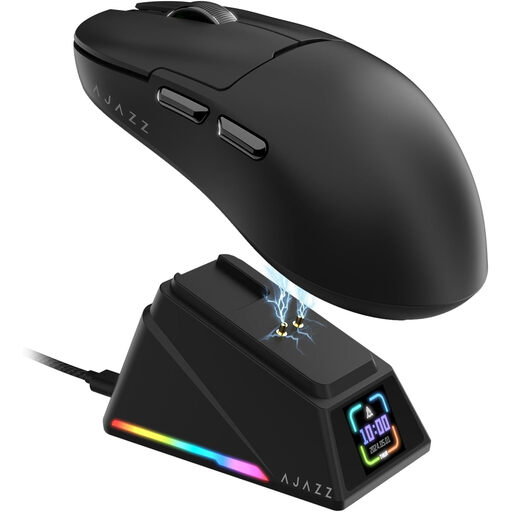
Why this model? Engineered for pure speed. Its featherlight 56g weight and 8000 Hz wireless polling rate make it a precision weapon for FPS players who hunt down every last millisecond of latency.
It doesn't just use a high DPI to impress. It offers a tangible advantage with a 8000 Hz polling rate and an optimised weight, justifying its spec sheet with measurable performance.
Latest-generation PAW3950 APEX sensor; magnetic charging dock with a TFT screen displaying key info in real time.
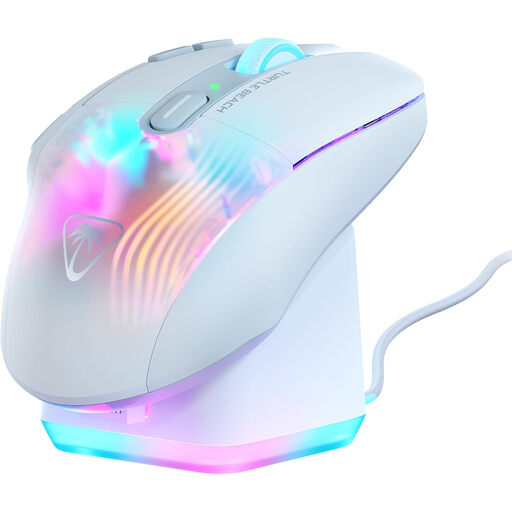
Why this model? Perfect for MMO and MOBA players or customisation enthusiasts. Its 10 physical buttons, which expand to 29 programmable functions thanks to Easy-Shift[+] technology, let you juggle a myriad of spells and macros.
It doesn't give in to the trend of minimalism at all costs. Its 99g weight is fully justified by comfort-focused ergonomics and an arsenal of buttons that brings real added value to certain game genres.
29 programmable commands; included RGB rapid charge dock; dual 2.4 GHz and Bluetooth connectivity.
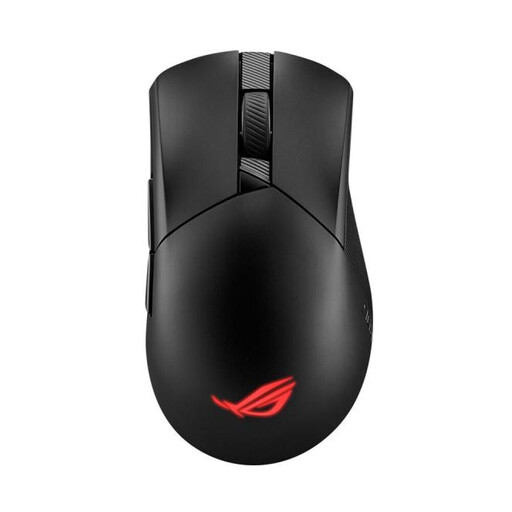
Why this model? The perfect balance between weight (79g), performance, and versatility. Its classic asymmetrical shape is a well-loved standard, and its triple connectivity makes it as formidable in-game as it is efficient for office work.
It avoids one-upmanship by relying on a balanced and proven formula: an ultra-high-performance sensor, near-zero latency, and a durable design with hot-swappable switches for record-breaking longevity.
Ultra-reliable ROG SpeedNova wireless technology; Push-Fit Switch Socket II design to customise or repair your mouse in the blink of an eye.
If your playstyle demands a large number of shortcuts, we have selected models for you that meet our strictest criteria for performance and reliability.
What is the lifespan of a wireless gaming mouse? Its longevity primarily depends on the quality of its components. The switches (the mechanisms under the clicks) are generally rated for a certain number of actuations (e.g., 70 to 100 million). The battery is the other point of wear: its capacity inevitably decreases over time. A quality model, well-maintained, can easily last you 3 to 5 years. Mice with hot-swappable switches, like the ROG Gladius III, offer a potentially much longer lifespan.
Is an 8000 Hz gaming mouse really useful? For the vast majority of gamers, a 1000 Hz polling rate is more than sufficient and already corresponds to professional-level performance. An 8000?Hz mouse reduces latency marginally (from 1 ms to 0.125 ms). This gain is only truly relevant for professional or semi-pro players equipped with very high refresh rate monitors (240 Hz and above) and a CPU capable of handling the extra data. It's a technology of the future, but not an absolute necessity for mere mortals today.
How can I optimise my wireless mouse's battery life? A few simple tricks can extend battery life. The most effective: reduce or disable the RGB lighting. If your mouse allows it, use the 2.4 GHz connection for gaming and switch to Bluetooth for office tasks. Finally, most driver software offers power-saving modes that put the mouse to sleep more quickly when inactive.