
Livraison le jour même ou le lendemain

Qualité garantie

Débloquez vos offres de bienvenue: Livraison GRATUITE | Jusqu'à -80 % | 30 jours d'essai gratuits à JoyPlus
Téléchargez l'application
By the Joybuy editorial team, our product specialists. Published July 22, 2026.
Switching to a wireless gaming mouse is a game-changer for many players. Total freedom of movement, no more cable snagging during a clutch moment, and a finally clean desk setup?: the advantages are clear. Yet, doubts persist?: is the latency truly imperceptible?? Will the battery last through a gaming marathon?? And how do you decipher those often impenetrable spec sheets??
This guide is here to cut through the noise. We'll break down the essential features for you, without the marketing jargon, so you can choose the wireless gaming mouse that truly matches your playstyle.
Before diving into our top picks, let's review the technical criteria you need to know to make the right choice.
Wireless technologies have made giant leaps. Today, two main options coexist?:
DPI (Dots Per Inch) measures the sensor's sensitivity. Contrary to popular belief, a high-DPI mouse isn't automatically better. Extreme sensitivity can even make the cursor uncontrollable. The key is to choose a mouse with an adjustable DPI range. This allows you to find the sweet spot, tailored to your screen resolution and in-game sensitivity. Rest assured, modern optical sensors provide near-perfect tracking on most mousepads.
The weight and shape of the mouse are crucial for your comfort and performance.
We've selected three models that stand out from the crowd and cater to distinct player profiles.
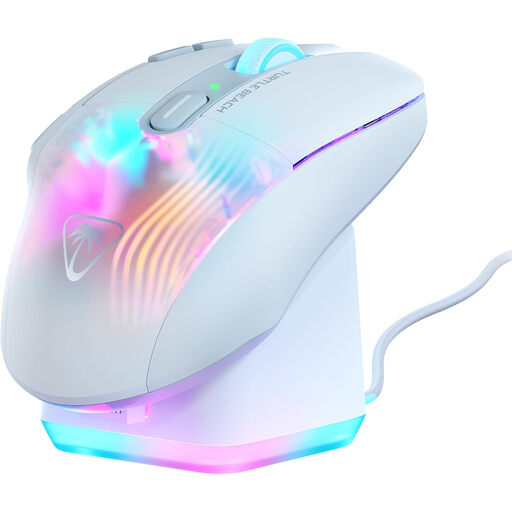
See the Turtle Beach Kone XP Air
What Sets It Apart
The Kone XP Air is a versatile option that focuses on customisation. With its 10 physical buttons and the Easy-Shift[+] technology that assigns them a secondary function, it provides up to 29 programmable commands. Its RGB fast-charging dock is as practical as it is aesthetically pleasing on a desk.
Key Features
Who Is It For??
For fans of MMOs, MOBAs, and strategy games who love having an arsenal of shortcuts at their thumb. Its ergonomic design and contained weight make it a prime ally for gaming marathons.
What Sets It Apart
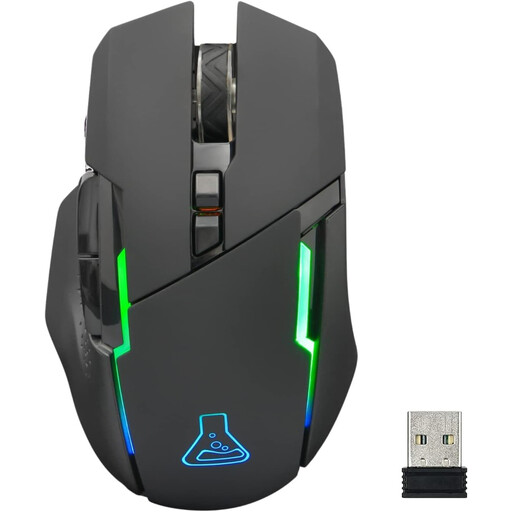
THE G-LAB's Kult Caesium stands out as an excellent entry point into the world of wireless gaming. It gets straight to the point with solid features, like adjustable sensitivity and RGB lighting, while remaining user-friendly and compatible with numerous platforms.
Key Features
Who Is It For??
For casual gamers or those on a tight budget. It's a reliable rechargeable wireless mouse for cutting the cord without breaking the bank, all while maintaining a distinct gaming aesthetic.
What Sets It Apart
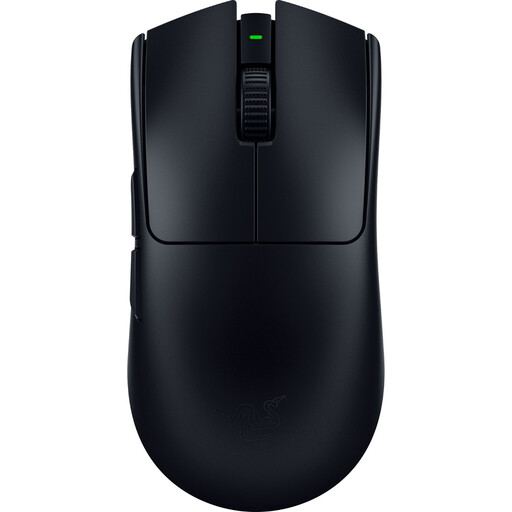
The Viper V3 Pro is a powerhouse, engineered for pure performance. Its feather-light weight of 54 grams makes it one of the lightest models on the market. Paired with a cutting-edge sensor and HyperPolling 8K Hz technology, it promises absolute responsiveness for the most demanding players.
Key Features
Who Is It For??
Clearly for competitive players and e-sports professionals. If you grind on Valorant or CS:GO servers and every millisecond counts, this pro and lightweight gaming mouse was designed to maximise your speed and precision.
The number and layout of buttons are highly personal criteria. If you're looking for a specific model, such as a mouse with a particular side-button arrangement, other models might be a better fit.
? Discover our selection of wireless gaming mice with four side buttons to find models specifically designed with this layout.
Absolutely. With modern 2.4?GHz technologies, latency has dropped to 1?ms, an imperceptible delay for the vast majority of players. In-game, a 2.4?GHz mouse therefore offers performance identical to a wired model, with the added freedom.
The ideal weight depends on your favourite games and your grip style.
Yes, and significantly so. RGB gaming mouse lighting is power-hungry and therefore reduces battery life. Fortunately, most models allow you to lower the intensity or turn off the lighting completely via software or a dedicated button. A simple action that can sometimes double your mouse's battery life.