
Livraison le jour même ou le lendemain

Qualité garantie

Débloquez vos offres de bienvenue: Livraison GRATUITE | Jusqu'à -80 % | 30 jours d'essai gratuits à JoyPlus
Téléchargez l'application
Gone are the days when gamers winced at the thought of a wireless mouse, dreading latency and unreliable battery life. Today, a wireless gaming mouse offers complete freedom of movement without sacrificing responsiveness. The problem? Faced with a dizzying array of models, sensors, and features, making a choice can quickly become a headache. This guide is here to cut through the noise, decode the spec sheets, and help you find the perfect fit for your playstyle.
Before diving into our selection, let's review the key points that separate an excellent gaming mouse from a basic one. Your final choice will, of course, depend on your favourite games, your grip style, and your customisation preferences.
First, and certainly not least, is weight. A lightweight gaming mouse (often under 80 grams) is a favourite among FPS players, as it makes swift, sweeping movements effortless. Conversely, a heavier model can provide a better sense of control and stability.
Sensitivity, expressed in DPI (Dots Per Inch), defines the cursor's movement speed. Having a wide, on-the-fly adjustable DPI range is a real advantage for switching between the surgical precision of a sniper and lightning-fast navigation in an RTS.
Finally, ergonomics are the key to long-term comfort. The shape of the mouse should perfectly conform to your grip type (the famous palm, claw, or fingertip grip) and the size of your hand.
The majority of wireless gaming mice rely on a 2.4 GHz connection via a USB dongle. The reason? Near-zero latency, which is essential for competitive play. Some models add Bluetooth connectivity, which is more versatile for switching between a laptop and a tablet, and often consumes less power.
For wireless devices, battery life is the crucial factor. A good rechargeable wireless mouse should provide several dozen hours of gameplay before needing a charge. The inclusion of a charging dock or fast charging via USB-C are real everyday conveniences.
Remember to check for compatibility with your gaming rig, whether you're on PC or console (PS5, Xbox). Customisation is also a matter of aesthetics, with the essential RGB lighting, but more importantly, functionality, thanks to programmable buttons. An MMO gaming mouse will stand out with its plethora of side buttons, perfect for assigning all your macros and skills.
Let's move on to our selection of models that have caught our eye, suitable for all profiles and budgets.
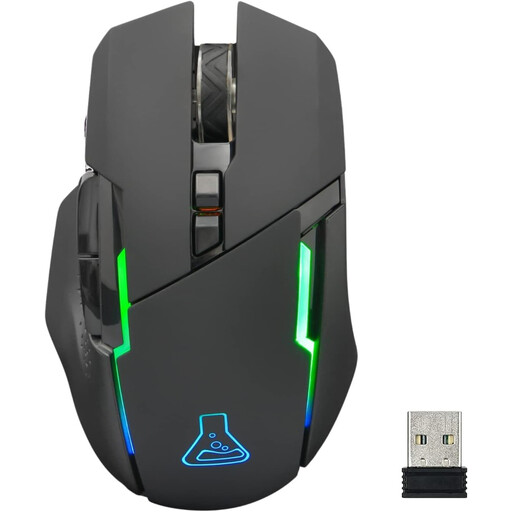
Why it stands out: The Kult Caesium from The G-Lab is an excellent entry point into the world of wireless gaming. It checks all the essential boxes: RGB lighting, adjustable sensitivity, and an ergonomic shell with a well-balanced weight of 84g.
Pros:
Who is it for?
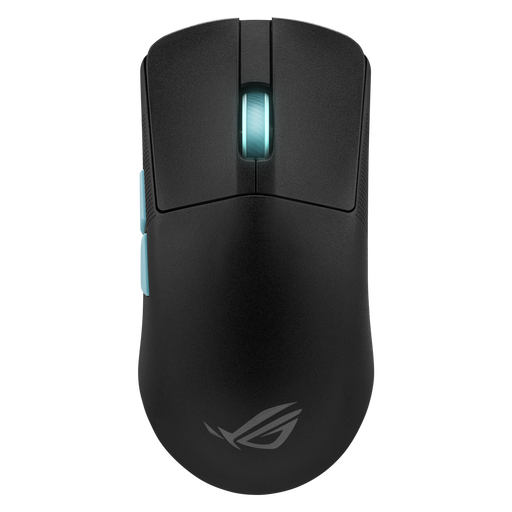
Why it stands out: Born from a collaboration with esports pros, the ROG Harp Ace is an ultra-lightweight gaming mouse built for competition. Its feather-light 54g weight and ROG AimPoint optical sensor, which goes up to 36,000 DPI, make it a formidable weapon of precision for fast-paced FPS games.
Pros:
Who is it for?
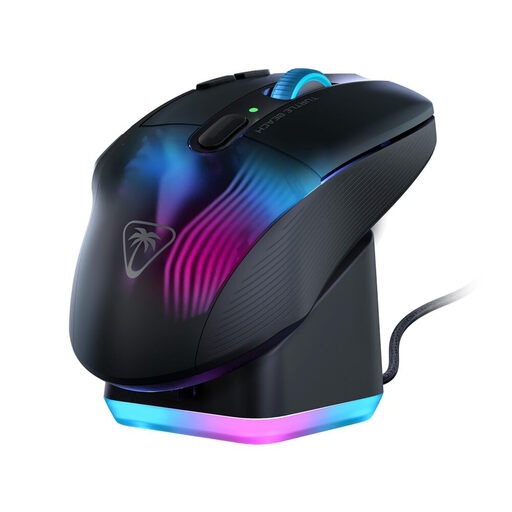
Why it stands out: The Kone XP Air is a true gaming cockpit in the palm of your hand. With its 10 physical buttons and Easy-Shift[+] technology, it multiplies the possibilities with up to 29 programmable functions. This is a key asset for the most complex games. Its rapid-charge RGB dock is as practical as it is stylish.
Pros:
Who is it for?
If your games of choice, especially MMOs, require an avalanche of shortcuts, other models might be a better fit for you.
? Discover our selection of gaming mice with 5 or more side buttons to find the peripheral that matches your macros.
1. What's the difference between a 2.4 GHz and a Bluetooth wireless gaming mouse?
The 2.4 GHz connection, via its USB dongle, ensures near-instant communication (very low latency), which is crucial for competitive games. It's the standard for gaming. Bluetooth, on the other hand, is more universal and doesn't require a dongle. Its slightly higher latency makes it better suited for office work or more casual gaming.
2. Is a wireless gaming mouse as good as a wired one?
Absolutely. Today's wireless technologies (especially 2.4 GHz) are so advanced that it's impossible to feel a difference in latency or responsiveness compared to a wired model, even at the highest competitive level.
3. How can I extend the battery life of my rechargeable wireless mouse?
A few simple tricks can help you squeeze out precious hours of battery life: turn off or lower the intensity of the RGB lighting, set up a quick sleep mode, and switch to Bluetooth for office tasks.