
Livraison le jour même ou le lendemain

Qualité garantie

Débloquez vos offres de bienvenue: Livraison GRATUITE | Jusqu'à -80 % | 30 jours d'essai gratuits à JoyPlus
Téléchargez l'application
For any gamer aiming for peak performance, choosing a wireless gaming mouse is a critical step. But between DPI, polling rates, and weight, spec sheets can be enough to make your head spin. Don't panic: this guide is here to decode the jargon, identify the truly important criteria, and present our selection of models that stand out from the crowd. The goal? To help you find the perfect mouse for your hand, your playstyle, and your ambitions.
Before diving into our top picks, let's review the features that make a real difference in-game.
A mouse's weight has a direct impact on the speed of your movements. A lightweight gaming mouse (usually under 70 grams) is often king for fast-paced shooters (FPS), as it facilitates flicks and swift repositioning.
Ergonomics are just as crucial. There are two main families of shapes:
Spec sheets can often look like a wall of jargon. Let's break down the essential terms together:
Your playstyle is, of course, a determining factor. For FPS games, lightness and precision are king. For MMOs or RPGs, a mouse with numerous programmable buttons quickly becomes essential for managing macros and abilities.
Let's move on to our selection. We've chosen models that tick all the boxes for demanding PC gamers, with a focus on the highly popular Razer gaming mouse lineup.
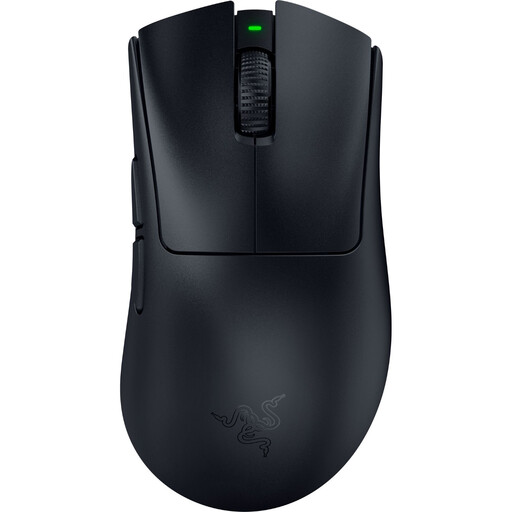
Why It Stands Out
The DeathAdder V4 Pro continues its lineage's legacy: an iconic ergonomic right-handed shape, updated with the latest technology. Its drastically reduced weight makes it a weapon of choice for gamers who want no compromises between comfort and responsiveness.
Highlights
Who Is It For? For right-handed gamers, especially FPS fans, who seek the comfort of an ergonomic grip to power through long gaming sessions without sacrificing lightness or performance.
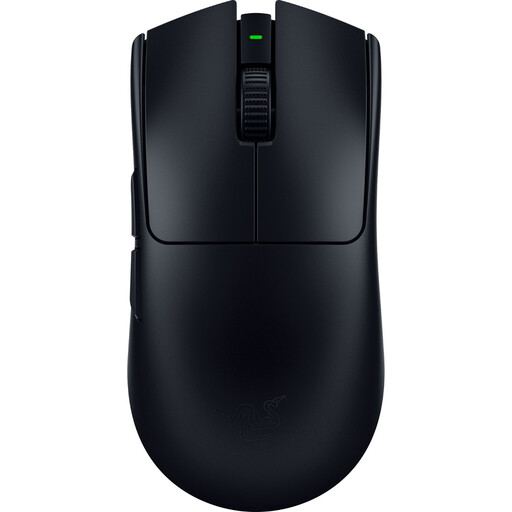
Why It Stands Out
Designed with and for esports pros, the Viper V3 Pro is the embodiment of raw performance. Its symmetrical shape and featherlight weight make it a pro gaming mouse built for pure speed and precision.
Highlights
Who Is It For? For hardcore competitive players, especially in FPS games, who want the lightest and fastest weapon on the market. Its ambidextrous shape makes it perfect for left-handers and right-handers who favour claw or fingertip grips.
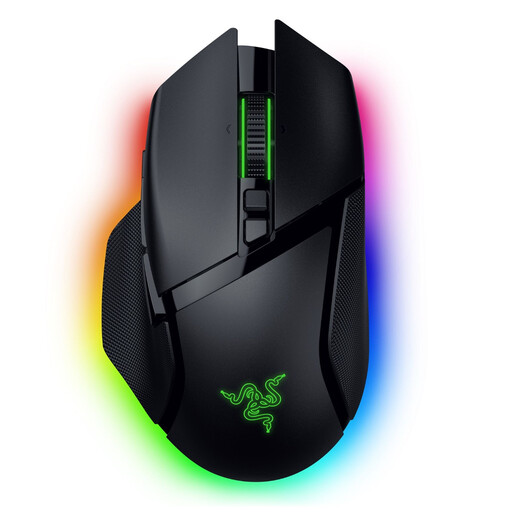
Why It Stands Out
The Basilisk V3 Pro is the Swiss Army knife of the lineup. While heavier, it stands out for its versatility, numerous programmable buttons, and advanced customisation options, like its famous free-spinning scroll wheel.
Highlights
Who Is It For? The ideal choice for all-around gamers who juggle RPGs, MMOs, and Battle Royales and need maximum commands at their fingertips. Its more substantial weight and refined ergonomics will appeal to those who prioritise stability and a feature-packed mouse.
Choosing a mouse remains a very personal affair. If these three models don't tick all your boxes (budget, shape, features), don't worry: the market is full of excellent alternatives.
Explore our complete collection of Pro Gaming Mice to find the perfect gem that will lead you to victory.
The polling rate determines how frequently the mouse communicates with your PC. The higher it is, the lower the latency between your movement and its on-screen translation. While 1000 Hz is already an excellent standard, a rate of 8000 Hz pushes smoothness and responsiveness to a higher level. It's a marginal gain, but one that's often noticeable in the heat of competitive play.
Not necessarily. A lightweight gaming mouse shines brightest in FPS games, where large, rapid movements are the norm. For other genres like MMOs or strategy games, where click precision is more important than movement speed, weight is a less critical factor. Some players even prefer a heavier mouse for added stability.
It all depends on your dominant hand and your grip style.