
Livraison le jour même ou le lendemain

Qualité garantie

Débloquez vos offres de bienvenue: Livraison GRATUITE | Jusqu'à -80 % | 30 jours d'essai gratuits à JoyPlus
Téléchargez l'application
For a competitive gamer, every millisecond and every gram counts. Choosing a wireless gaming mouse no longer means sacrificing performance for the sake of freedom. Today's technologies rival and often even surpass their wired counterparts in terms of responsiveness. In a market saturated with options and technical jargon, this guide is here to provide clarity, help you identify the criteria that truly matter, and find the ultimate weapon for your playstyle.
Before diving into our selection, let's review the key points that make all the difference.
In fast-paced games like FPS, a lightweight gamer mouse is a game-changer. A featherlight weight (typically under 80 grams) reduces inertia, making wide, swift movements (known as 'flicks') easier and limiting wrist fatigue during long gaming sessions. Ultra-light models, hovering around the 50-60 gram mark, have become the holy grail on the esports scene.
Sensitivity, measured in DPI (Dots Per Inch), is often the number one marketing claim. However, it's far from the whole story. A true high-performance wireless mouse is judged primarily by the quality of its optical sensor, its maximum tracking speed (IPS), and its polling rate, expressed in hertz (Hz). Today, a 1000?Hz rate is the standard, meaning the mouse reports its position to the computer 1000 times per second. Some cutting-edge models go even further to shave off every last millisecond of latency.
The nightmare of your battery dying mid-clutch is very real. A gamer mouse with long battery life is therefore essential to play with peace of mind. Be sure to check the advertised battery life in 2.4?GHz mode (the preferred mode for latency-free gaming) and the availability of fast charging. Finally, a programmable gaming mouse, with buttons that can be configured via dedicated software, will allow you to fine-tune it to perfection for your favourite games.
We have scoured the market to select three models that stand out from the crowd and tick all the boxes for the most demanding PC gamers.
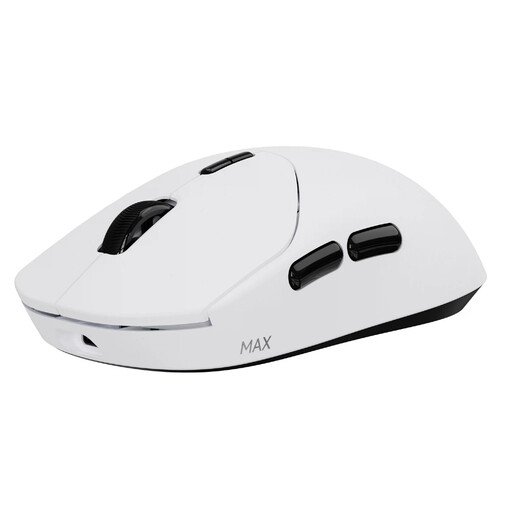
Why it stands out?: The RAPOO VT2 MAX pushes the boundaries of performance. It combines a featherlight weight, record-breaking battery life, and cutting-edge technology, headlined by a native 8000?Hz wireless polling rate—a feat that's still rare on the market.
Key features?:
Who is it for?? The competitive gamer in search of the most extreme specs on the market, who refuses to compromise on responsiveness (8K?Hz) and battery life, all in a featherlight package.
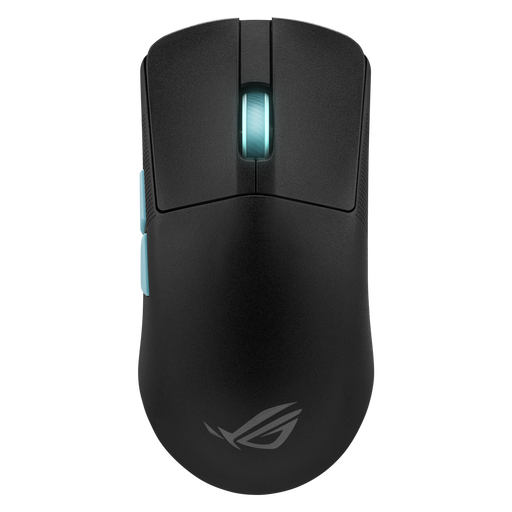
Why it stands out?: Born from a collaboration with the experts at Aim Lab, this mouse is a true coach for your aim. Its software analyses your playstyle to suggest custom-tailored settings—a unique approach for players who want to take their game to the next level.
Key features?:
Who is it for?? The FPS player who takes their training seriously and is looking for a peripheral that actively helps them improve, while guaranteeing performance worthy of a pro gaming mouse.
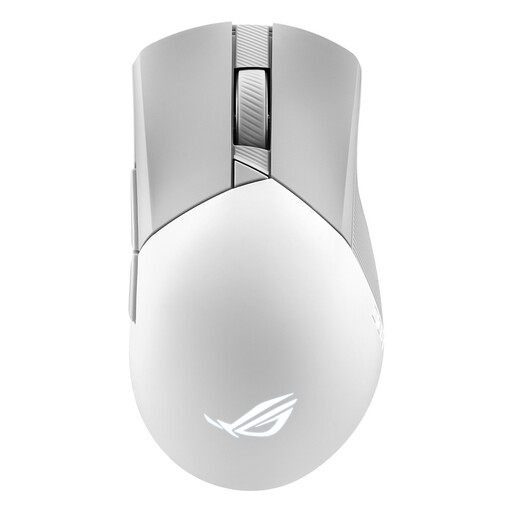
Why it stands out?: The Gladius III Wireless Aimpoint is a worthy successor to a line of mice renowned for their comfort. It retains its famous asymmetrical shape for right-handers while incorporating the brand's latest technologies (sensor, connectivity), with the added bonus of hot-swappable switches.
Key features?:
Who is it for?? The right-handed gamer who prioritises comfort and ergonomics, especially for palm or claw grips, without sacrificing performance and customisation options.
The perfect mouse is, above all, one that fits the shape of your hand and your playstyle. If none of these models caught your eye, don't worry! There's a mouse out there for you.
? Discover our full range of wireless optical mice
1. Is a wireless gaming mouse really as responsive as a wired one?? Absolutely. Modern wireless technologies on the 2.4?GHz band (often under marketing names like SpeedNova or Lightspeed) deliver polling rates of 1000?Hz and higher, resulting in a latency of about 1?ms. In practice, this latency is completely imperceptible and identical to that of a wired model for the vast majority of gamers, including professionals.
2. Is a lightweight gamer mouse always the best choice?? For games that require quick, wide movements (like FPS games played at low sensitivity), a lightweight mouse is a real advantage: less fatigue, less inertia. However, for games that demand more control and micro-adjustments (some MOBAs or strategy games), some players prefer the stability of a slightly heavier mouse (80-100?g). Ultimately, it's purely a matter of feel and personal preference.
3. Do you really need 36,000 DPI on a gaming mouse?? In reality, most professional gamers play with sensitivities between 400 and 1600?DPI. Astronomical figures (over 20,000?DPI) are mostly a marketing gimmick. What matters isn't the maximum DPI, but the sensor's reliability: its ability to translate your movements with perfect precision, without any hardware acceleration, regardless of the sensitivity you use in-game.