
Livraison le jour même ou le lendemain

Qualité garantie

Débloquez vos offres de bienvenue: Livraison GRATUITE | Jusqu'à -80 % | 30 jours d'essai gratuits à JoyPlus
Téléchargez l'application
Ditching the cables on your desk without sacrificing performance is every gamer's dream. But choosing the right wireless gaming mouse can quickly become a headache when faced with a jungle of spec sheets: DPI, weight, battery life, connectivity... This guide is here to help you cut through the noise and find the model that perfectly matches your playstyle, whether you're an esports pro, an MMO enthusiast, or an all-around player.
Before diving into our top picks, let's review the essential criteria for making the right choice.
Wireless technology has made spectacular progress. Today, most high-performance gaming mice rely on a 2.4 GHz connection via a USB dongle. This technology guarantees extremely low latency, making it indistinguishable from a wired connection in practice. Some models add Bluetooth connectivity, which is very convenient for switching to a laptop or tablet, although it is generally less responsive for competitive gaming.
For the most demanding gamers, the polling rate is a key factor. It measures how often the mouse communicates with the computer. While 1000 Hz has become the standard, models equipped with an 8K polling rate (8000 Hz) are emerging, promising ultimate fluidity and responsiveness for the quickest movements.
The weight and shape of the mouse have a direct impact on your comfort and precision.
The ability to customise your mouse is a major plus. A programmable mouse allows you to assign macros or shortcuts to its extra buttons—a decisive advantage in many games. RGB lighting adds the finishing touch to your setup, although it tends to reduce battery life.
Finally, long battery life is essential to avoid running out of power mid-game. Be sure to check the manufacturer's stated battery life, as well as the charging options (docking station, USB-C cable).
Here are a few models that particularly caught our eye.
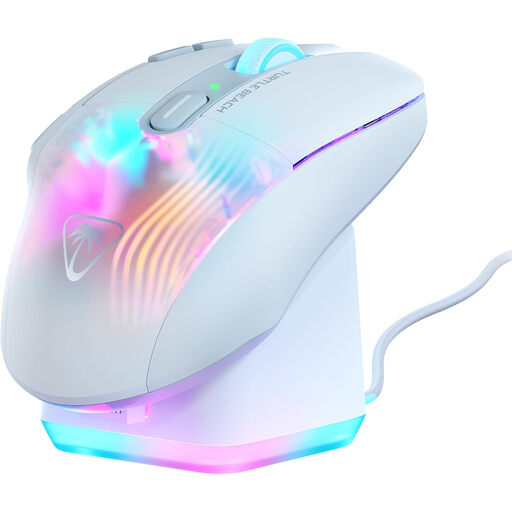
Turtle Beach Kone XP Air Gaming Mouse Wireless 2.4GHz & Bluetooth - 19000 DPI, 29 Buttons - White
Why it stands out?: The Kone XP Air is the Swiss Army knife of our selection. With its 10 physical buttons and Easy-Shift[+] technology that assigns them a secondary function, it gives you up to 29 programmable commands. Its rapid RGB charging station is an accessory that's as stylish as it is practical on a desk.
Advantages?:
Who is it for?? This white gamer mouse is an excellent choice for MMO and MOBA players or content creators who juggle numerous shortcuts. Its ergonomic design and dual connectivity also make it a very versatile mouse for mixed gaming and office use.
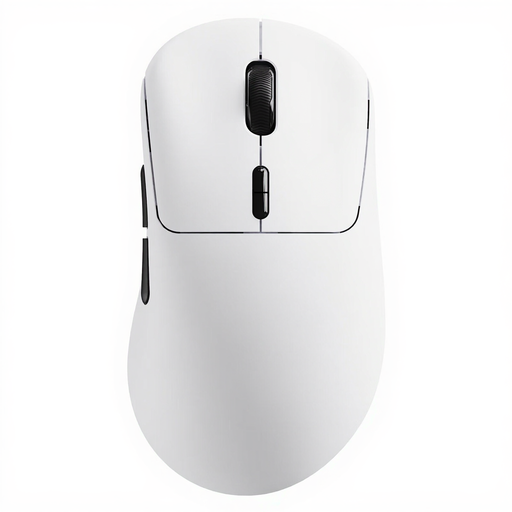
RAPOO VT3 Wireless Gaming Mouse, True 8K Wireless Polling Rate, 53g Lightweight - White
Why it stands out?: The RAPOO VT3 is a powerhouse, built for pure performance. Its featherlight 53g weight and native wireless 8K polling rate make it a formidable weapon of precision for competitive gaming. Its advertised battery life is seriously impressive.
Advantages?:
Who is it for?? The RAPOO VT3 is aimed squarely at competitors and FPS players who chase every millisecond and prioritise speed and lightness. It's a tool built for esports that gets straight to the point: raw performance.
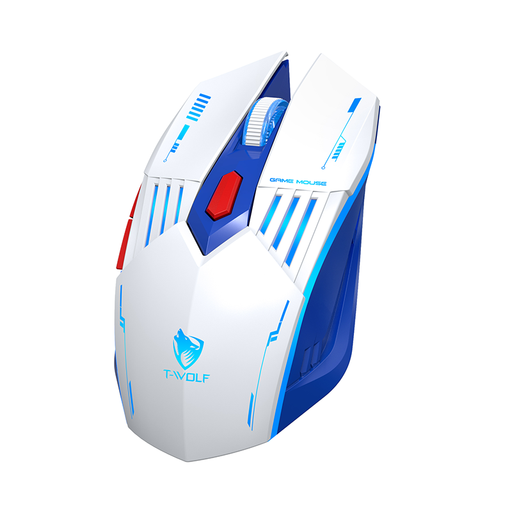
Rexsun Tri-Mode Gaming Mouse – 2.4G + Bluetooth + Wired, Adjustable DPI, RGB, White & Blue, X7
Why it stands out?: The Rexsun X7 plays the versatility and accessibility card. Its tri-mode connectivity (2.4G, Bluetooth, wired) makes it compatible with a vast ecosystem of devices, from gaming PCs to tablets, all at an affordable price point.
Advantages?:
Who is it for?? A smart option for casual gamers or those looking for a jack-of-all-trades mouse for work and play without breaking the bank. Its flexibility makes it a great companion for anyone who juggles multiple devices.
Not convinced by these models? If you have a specific design in mind, know that there are a myriad of other mice out there. After all, a setup's aesthetics matter, and a well-matched mouse can make all the difference.
Discover our complete selection of white gaming mice with side buttons to find the model that will perfectly integrate into your gaming environment.
Yes, without a shadow of a doubt for the vast majority of gamers. Current 2.4 GHz wireless technologies have reached such a high level of performance that latency has become imperceptible in use. For esports pros, technologies like the 8K polling rate erase the final microseconds of difference, making the gap practically non-existent.
DPI (Dots Per Inch) measures the sensor's sensitivity. The higher it is, the faster the cursor will move on the screen for the same hand movement. But beware the common misconception: a high DPI is not a guarantee of performance. The right setting depends on your screen resolution, your playstyle (wrist or arm movements), and, most importantly, your personal preference. Most pro gamers use a DPI between 400 and 1600.
Several tips can help extend your mouse's battery life. The simplest and most effective is to reduce the intensity of the RGB lighting, or even turn it off completely. You can also lower the polling rate (e.g., from 1000 Hz to 500 Hz) via the manufacturer's software when you're not gaming. Finally, make it a habit to turn the mouse off if you won't be using it for an extended period.