
Livraison le jour même ou le lendemain

Qualité garantie

Débloquez vos offres de bienvenue: Livraison GRATUITE | Jusqu'à -80 % | 30 jours d'essai gratuits à JoyPlus
Téléchargez l'application
Your mouse cable snagging in the middle of a clutch duel? The stuff of nightmares. Dream of going wireless, but fear of latency and poor responsiveness is holding you back? Rest assured: the market has taken a giant leap forward, and today's wireless technologies are every bit as good as their wired counterparts when it comes to performance.
This guide is here to cut through the noise. Our mission: to give you all the keys to finding the perfect wireless gaming mouse for your playstyle, grip, and budget.
Before diving into our top picks, let's review the essential criteria to ensure you make the right choice.
Connectivity is the crucial element for your future mouse.
To get through long gaming sessions without fatigue, comfort and handling are paramount.
The sensor is the brain of the mouse. While manufacturers love to highlight astronomical DPI (Dots Per Inch) figures, it's far from the only metric that matters. High DPI simply means the cursor moves faster on the screen for the same hand movement. In fact, most professional players use settings between 400 and 1600 DPI. Other specifications are just as crucial:
Time for our selection! Here are three models that caught our eye, each with its own unique strengths.
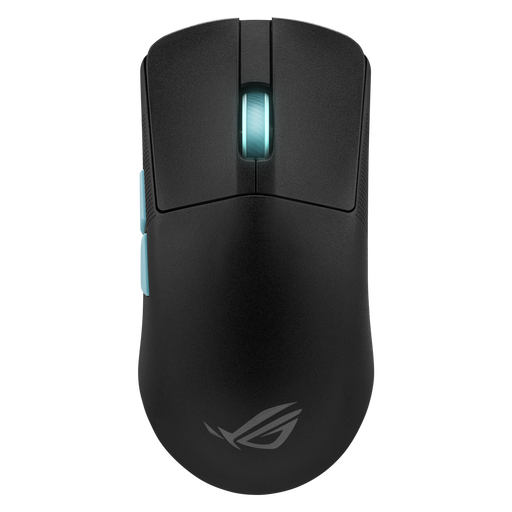
Why it stands out: Designed in collaboration with the experts at Aim Lab, this mouse is a weapon built to shatter your records. Its featherlight weight and sensor with pinpoint accuracy make it a formidable tool in competition.
Advantages:
Who is it for? For hardcore competitors, especially in FPS games, who count every gram and demand surgical precision to dominate the leaderboards.
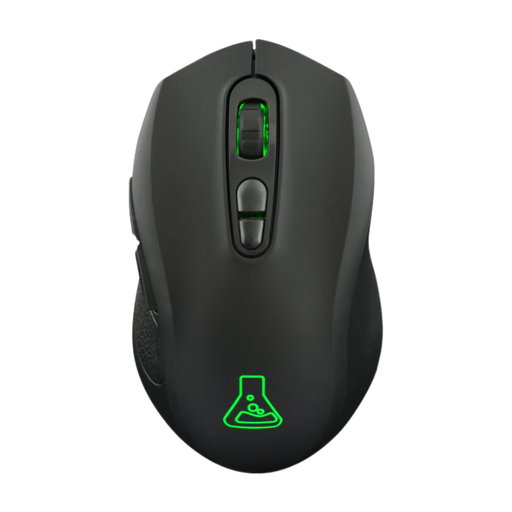
Why it stands out: The Kult Krypton is a versatile and highly accessible wireless solution. It checks all the essential boxes: dual connectivity, an ambidextrous design, and RGB lighting, all without any software hassle.
Advantages:
Who is it for? For casual gamers or those looking for a simple and effective first wireless gaming mouse that's equally at home on PC or console, without breaking the bank.
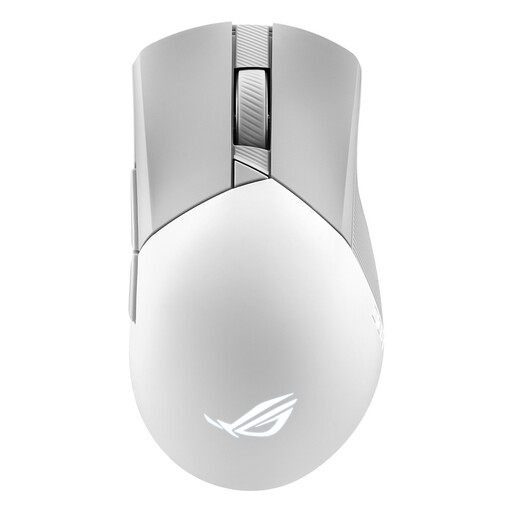
Why it stands out: The Gladius III follows in the footsteps of its predecessors with a proven ergonomic shape for right-handed users and welcome modularity. It packs the same powerful sensor as the Harp Ace into a slightly heavier chassis, designed for long-term comfort.
Advantages:
Who is it for? For right-handed gamers who prioritise ergonomics and comfort during long sessions, and who love being able to customise the feel of their clicks.
Our selection is just a starting point. If you're looking for more specific features (like more buttons for your MMOs, for example) or simply want to see more options, feel free to explore our full catalogue.
Discover our collection of affordable gaming mice with side buttons to find other options that suit your needs.
Is a wireless gaming mouse really as fast as a wired one? Absolutely. Today, the best wireless technologies (using 2.4?GHz) deliver 1?ms response times, resulting in latency that is indistinguishable from a wired mouse. For competitive play, always prioritise this connection over Bluetooth.
Is high DPI just marketing, or is it actually useful? DPI measures sensitivity. A high number is by no means a guarantee of performance. Most pros even play with low sensitivity settings (between 400 and 1600 DPI) for greater control. It's better to have an excellent sensor (accurate, with no hardware acceleration) at a moderate DPI than a mediocre sensor with inflated numbers.
2.4 GHz or Bluetooth: which one to choose? It's simple: for gaming, the 2.4?GHz connection via a USB dongle is a must-have due to its minimal latency and stability. Reserve Bluetooth for office work or on-the-go use (to connect to your laptop without taking up a USB port), as it is less responsive. The best of both worlds? A model that offers both for mixed use.