
Livraison le jour même ou le lendemain

Qualité garantie

Débloquez vos offres de bienvenue: Livraison GRATUITE | Jusqu'à -80 % | 30 jours d'essai gratuits à JoyPlus
Téléchargez l'application
Tired of your cable snagging in a clutch moment?? Dreaming of total freedom of movement without sacrificing responsiveness?? Choosing a wireless gaming mouse is now a must-have for anyone looking to optimize their setup. Forget the old stereotypes?: latency is no longer the deal-breaker it once was.
This guide breaks down the essential criteria and showcases the models that are making a difference in 2026, whether you're an esports pro or a passionate gamer.
Before you jump into our selection, let's review the key technical points to ensure you make the right choice.
The entire performance of a wireless mouse hinges on the quality of its connection.
Another crucial criterion?: the polling rate, measured in Hertz (Hz). It defines the number of times per second the mouse reports its position to the computer. While 1000 Hz is a solid baseline today, the most advanced models go up to 4000 Hz (a 4K polling rate mouse) for near-instantaneous responsiveness. A decisive advantage for the most dedicated FPS players.
The sensor is the core of the mouse. Its precision is defined by DPI (Dots Per Inch). Be careful, a high-DPI mouse isn't automatically synonymous with better performance. The key is to have a wide and adjustable sensitivity range to find the perfect setting for your playstyle and screen resolution.
Customisation is another significant advantage. A programmable mouse allows you to assign macros or shortcuts to extra buttons, which can make all the difference in MOBAs, MMOs, or even for boosting your productivity.
Long hours of gaming or work demand a comfortable mouse. The choice of an ergonomic mouse depends on your hand size and grip style (palm, claw, or fingertip grip).
Weight is also a key factor. A lightweight gaming mouse reduces fatigue and facilitates wide, fast movements—an undeniable advantage in games that require precision and quick sweeps.
Here are three models that stand out for their technical specs and versatility.
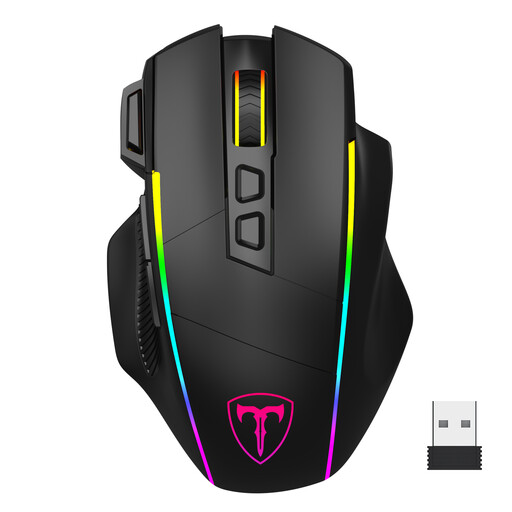
Why It Stands Out
This model is the Swiss Army knife for gamers, thanks to its tri-mode connectivity (2.4G, Bluetooth, USB-C). It's designed to adapt to any scenario, from intense gaming to productivity across multiple devices. Its dedicated rapid-fire button is a welcome bonus for FPS games.
Key Features
Who Is It For?? For the versatile gamer who juggles gaming sessions on their desktop PC and office work on a laptop. Its generous size makes it particularly suitable for larger hands.
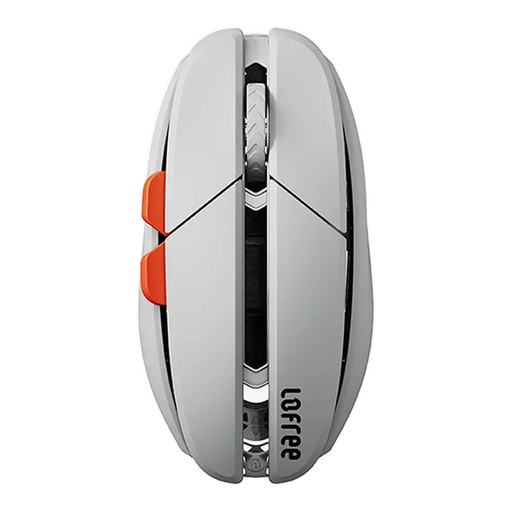
Why It Stands Out
The Lofree Hypace makes a strong impression with its featherlight weight and premium materials. With its magnesium alloy frame, it's a featherlight powerhouse (just 47g?!) that makes no compromises on performance, armed with a high-end PAW3950 sensor.
Key Features
Who Is It For?? The top choice for competitors who rely on speed and lightness for ultra-precise flicks. Its sleek design and cutting-edge performance will also appeal to creatives and professionals seeking efficiency.
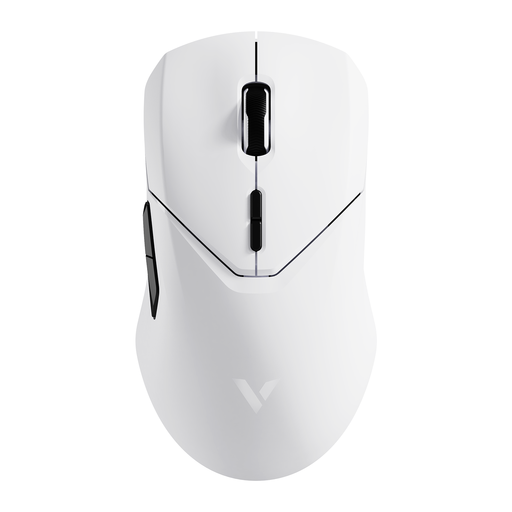
Why It Stands Out
The RAPOO VT9Pro is built for raw performance. Its killer feature?: a wireless 4000 Hz polling rate for near-zero latency. A pro-grade gaming mouse designed for those who accept no compromises on responsiveness.
Key Features
Who Is It For?? Clearly aimed at competitive gamers and esports professionals for whom every millisecond counts. If your obsession is eliminating every last bit of latency, this model should be at the top of your list.
Our selection is just a taste, as choosing a mouse is ultimately a very personal decision. Shape, weight, features... the variations from one model to another are immense. To find the perfect gem that will flawlessly match your hand and playstyle, explore our full catalogue.
? Discover our complete collection of PC gaming mice
1. Is a wireless gaming mouse as good as a wired one?? Absolutely. Today, wireless gaming mice with a 2.4 GHz connection offer latency and reliability identical to their wired counterparts. For competitive play, this is the mode to choose, far superior to Bluetooth.
2. What is the polling rate?? The polling rate indicates how often your mouse reports its position to the computer. The higher the frequency (e.g., 1000 Hz or 4000 Hz), the more frequently the data is updated. The result?: a smoother cursor movement and reduced latency.
3. Is a higher DPI always better?? Not necessarily. A very high DPI makes the cursor ultra-sensitive, to the point where it can be difficult to control. In fact, most pro gamers opt for moderate settings (often between 800 and 1600 DPI). The key is to choose a mouse with an adjustable DPI range to find the setting that's perfect for you.