
Livraison le jour même ou le lendemain

Qualité garantie

Débloquez vos offres de bienvenue: Livraison GRATUITE | Jusqu'à -80 % | 30 jours d'essai gratuits à JoyPlus
Téléchargez l'application
A wireless gaming headset means no cables to get tangled, but not every model is suitable for PC, PS5, Xbox, Switch or mobile devices. Between promises of immersive sound, an intelligent microphone and long battery life, certain details can turn an appealing purchase into a daily inconvenience.
Before making your decision, pay particular attention to actual compatibility, the type of connection and comfort after several hours of use. Here are the criteria to consider when comparing models with a more critical eye.
Bluetooth is convenient with a phone, tablet or laptop. In some games, however, it can result in higher latency. A 2.4 GHz connection with a USB transmitter is generally designed to reduce the delay between the action on screen and the sound.
A Bluetooth gaming headset is therefore not necessarily the best choice for competitive gaming. Check that a USB transmitter is included, as well as which devices are compatible. On Xbox, support may also vary depending on the headset version and the receiver supplied.
50 or 60 mm speakers do not, on their own, guarantee sound reproduction you will enjoy. The result also depends on the audio tuning, ear cushion design and level of isolation. A headset with an adjustable equaliser is often easier to tailor to your games, music or voice chats.
For everyday use, consider how clearly voices, sound effects and bass are separated. Fans of shooting games may prefer precise directional audio, while casual players may appreciate a warmer sound profile.
A gaming headset with microphone needs to remain practical for Discord, team games and calls. A flip-to-mute microphone is easy to use, but also check its position and pickup pattern.
The stated battery life is based on specific test conditions. Lighting, volume, connection type and audio features can all reduce it. Also look for fast charging and a USB-C cable. An integrated battery is not always user-replaceable, which is worth bearing in mind if you plan to use the headset for several years.
For a PS5 gaming headset, the 2.4 GHz USB receiver must be recognised by the console. On PC, companion software can be useful for adjusting the equaliser, configuring the microphone or installing updates.
An Xbox gaming headset should clearly state compatibility with Xbox Series X|S or Xbox One. Versions designed for PlayStation are not necessarily interchangeable. For a PC gaming headset, also check that the associated software works with Windows or macOS.
If you regularly switch between devices, look for a multi-platform wireless headset with a switching button or supplied with two transmitters. Bluetooth can complement the wireless connection with a smartphone, Steam Deck or compatible Nintendo Switch.
An over-ear headset should surround your ear without applying excessive pressure. Memory foam ear cushions can improve comfort, particularly if you wear glasses, but the shape and tension of the headband remain decisive factors.
A closed-back design reduces external noise more effectively, while a noise-cancelling gaming headset can use an active feature to manage its sound environment more effectively. This technology does not replace good passive isolation and can increase battery consumption. In a quiet room, it may not be essential.
Compare the different types of microphone: detachable, flip-up or integrated. A detachable model makes storage and listening to music easier. Companion apps may offer a multi-band equaliser, sensitivity adjustment or sidetone, allowing you to hear your own voice.
Features described as ‘smart’ should be viewed as signal-processing options, not as a guarantee of quality in every environment. The microphone’s position, keyboard noise and the room’s acoustics also have a direct impact on the result.
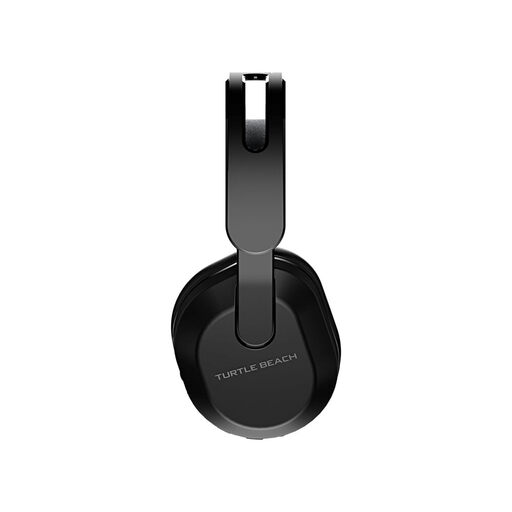
Why this choice suits this profile : It combines a 2.4 GHz connection for Xbox with Bluetooth 5.2 for PC, Switch and mobile devices, with a stated battery life of up to 40 hours.
Compatibility and the two connection modes are clearly stated. The microphone flips up to mute the sound quickly.
40 mm speakers, QuickSwitch button, 10-band equaliser via Swarm II and floating headband.
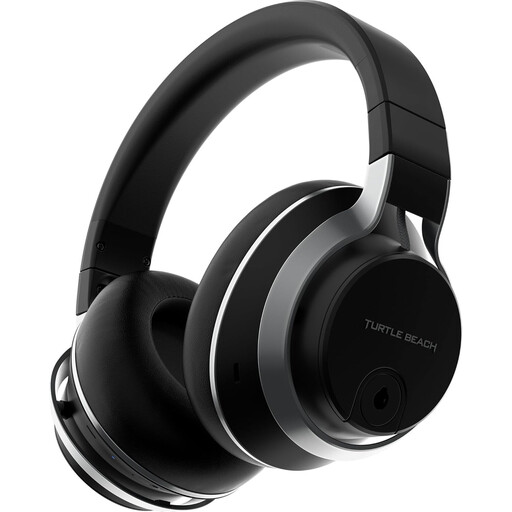
Why this choice suits this profile : It is designed for those looking for adjustable isolation, multi-platform connectivity and a finish suited to regular gaming sessions.
Active noise cancellation is adjustable and can be switched off depending on the situation. The TruSpeak microphone is detachable.
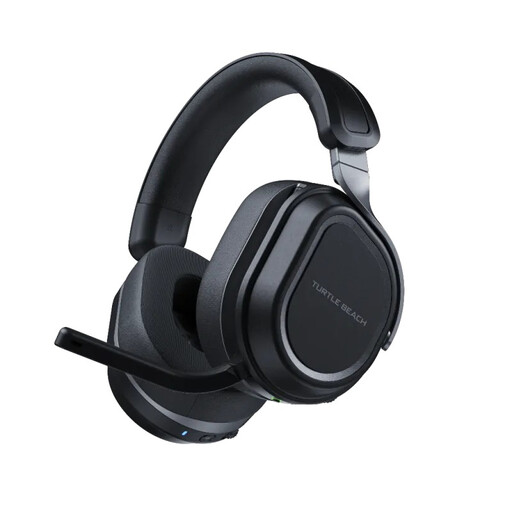
Why this choice suits this profile : Its two USB transmitters make it easy to switch from PC to console, while Bluetooth can remain connected to a mobile device.
The CrossPlay system avoids the need for multiple connections. Stated battery life reaches 80 hours, with a fast-charging feature.
Two 60 mm Eclipse speakers, flip-up microphone with noise isolation and glasses-friendly ear cushions.
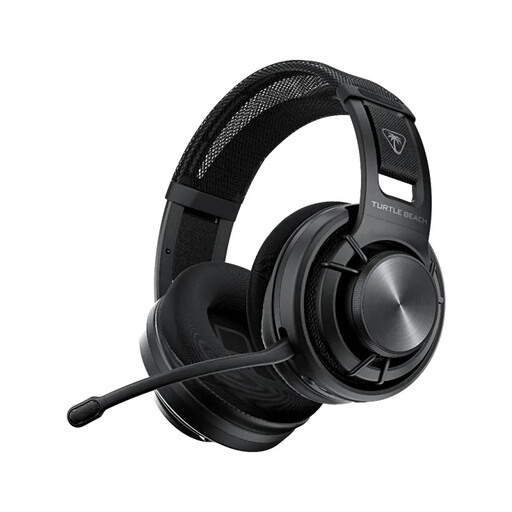
Why this choice suits this profile : Its open-back design and stated weight of 297 g, including the microphone, may suit long PC gaming sessions, while still offering a wired mode.
The specifications detail the three connection modes: 2.4 GHz, Bluetooth 5.2 and a 3.5 mm jack cable. Its open-back design makes it clear that it is not intended to provide isolation.
24-bit sound in PC mode, detachable microphone, stated battery life of up to 50 hours and glasses-friendly ear cushions.
We have put together a complete, real-time updated selection of products that meet these demanding criteria while complying with European safety regulations.
No. Bluetooth support alone does not guarantee compatibility with a console. Check the model’s official list and confirm whether the USB transmitter is intended for PS5, Xbox, PC or Switch. Even when a headset is described as multi-platform, versions may vary depending on the console.
For regular use, a stated battery life of at least 30 to 40 hours means you can recharge less often. Intensive users may want more, but always compare the measurement conditions. Fast charging, a battery-level indicator and the option to use the headset with a cable are also genuine advantages.
Yes, provided that the headset and device use compatible profiles. For games where audio delay matters, a 2.4 GHz connection may still be preferable if a suitable transmitter is supplied. For Discord, music and casual gaming, Bluetooth mainly offers simple setup and great versatility.