
Livraison le jour même ou le lendemain

Qualité garantie

Débloquez vos offres de bienvenue: Livraison GRATUITE | Jusqu'à -80 % | 30 jours d'essai gratuits à JoyPlus
Téléchargez l'application
A wireless gaming headset makes gaming sessions on PC and console easier, but not every marketing promise is equally reliable. A stated battery life of “up to” a certain number of hours, limited multi-platform compatibility or a microphone described as “noise-reducing” can hide very real limitations.
Before choosing a wireless gaming headset, focus on three criteria: connection technology, exact compatibility with your devices and comfort after several hours of gaming. These factors matter far more than lighting effects or audio profiles, which are often difficult to compare.
Bluetooth is particularly convenient with a smartphone, tablet or laptop. Depending on the codec, the device being used and the radio environment, however, it can introduce more latency. For competitive gaming, a 2.4 GHz connection with a USB receiver is generally designed to reduce this delay.
That does not make Bluetooth useless. A dual-connection gaming headset may let you play via the 2.4 GHz receiver while taking a call on your phone. Just check whether the model allows both connections at the same time or whether you have to switch manually between sources.
A PC gaming headset is not automatically compatible with Xbox, PS5 or Nintendo Switch. The USB receiver may work with certain consoles, sometimes only in docked mode. With other devices, you may have to rely on the 3.5 mm jack or Bluetooth.
Before ordering, check:
A battery life of “up to” 40, 70 or 80 hours often depends on volume level, lighting, connection type and activated features. RGB lighting, spatial audio and certain microphone processing features can significantly reduce actual battery life.
A model with fast charging may therefore be more practical than a headset boasting a record battery life but requiring several hours to recharge. The built-in lithium-ion battery is generally not user-replaceable: avoid heat, unsuitable chargers and charging in damp environments.
For use as a PS5 gaming headset, PC gaming headset or multi-platform headset, prioritise specifications that clearly mention a 2.4 GHz connection. The receiver should be positioned close enough to the console or computer, away from any significant metal obstruction.
Bluetooth is better suited to listening on the go, calls and mixed-use scenarios. If you are looking for a Bluetooth gaming headset, check the Bluetooth version specified, how calls are handled and how you switch between different sources.
A gaming headset with a microphone should allow you to position the microphone capsule close to your mouth and mute it quickly. Flip-up or retractable microphones mean you do not have to search for a button in the middle of a game.
Be careful not to confuse microphone noise reduction with active noise cancellation in the headset. The former cleans up the voice sent to your teammates. The latter reduces certain ambient sounds heard by the user. These are two separate functions: a noise-reducing gaming headset does not necessarily offer both.
A comfortable gaming headset distributes its weight properly across the headband and applies reasonable pressure around the ears. Memory foam cushions can improve the fit, but how warm they feel also depends on the covering and ventilation.
If you wear glasses, it is worth choosing soft cushions or a design that limits pressure on the arms of your glasses. Weight is not everything: the shape of the headband, the headset’s overall balance and the adjustment of the earcups also play a major role in comfort.
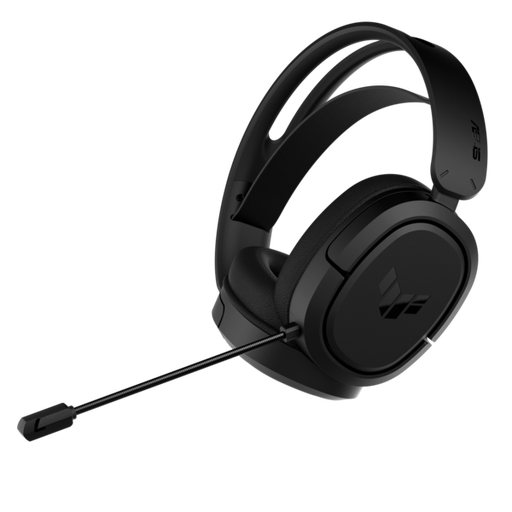
Why it suits this type of gamer : It combines a 2.4 GHz connection, a 3.5 mm jack and stated compatibility with PC, PS4, PS5 and Switch in docked mode.
The wired 3.5 mm jack connection provides a backup when the battery is flat or a device does not support the receiver.
50 mm drivers, a bidirectional noise-reducing microphone and a stated battery life of up to 25 hours.
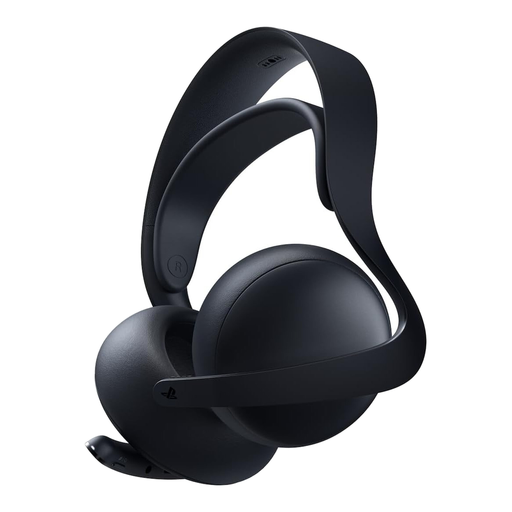
Why it suits this type of gamer : It is aimed at PlayStation gamers who also use a PC, Mac or mobile device, thanks to PlayStation Link and Bluetooth.
Compatibility is specified device by device, so there is no need to assume that a wireless receiver will work with every console.
Planar magnetic drivers, a retractable microphone and a stated battery life of up to 30 hours, with a charging stand included.
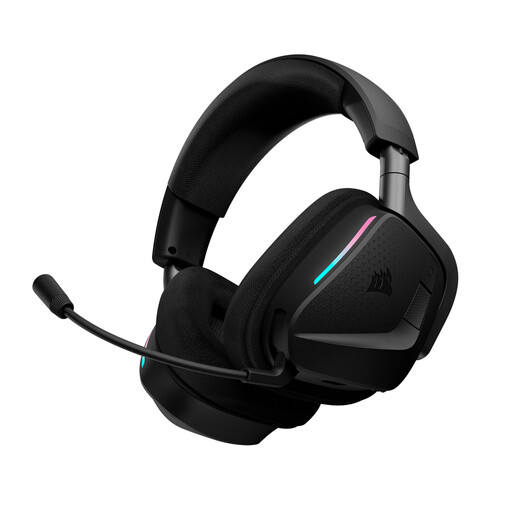
Why it suits this type of gamer : Its dual 2.4 GHz and Bluetooth mode is ideal for long sessions on a computer, while keeping a phone connected nearby.
The specifications state the conditions for the quoted battery life: up to 70 hours on 2.4 GHz with RGB disabled.
Memory foam cushions, Dolby Atmos spatial audio and an omnidirectional microphone compatible with NVIDIA Broadcast technology.
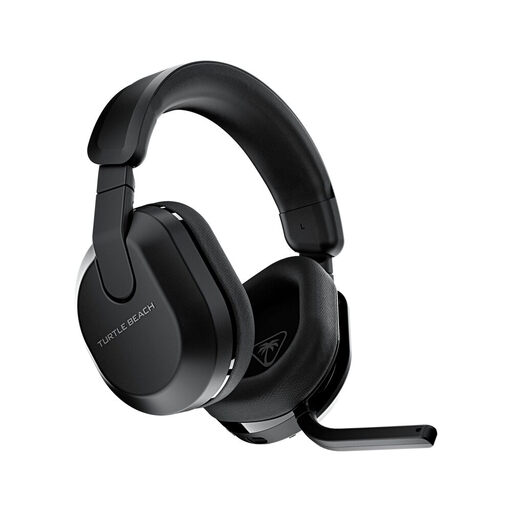
Why it suits this type of gamer : It supports Xbox, PlayStation, PC, Steam Deck, Nintendo Switch and mobile devices, depending on the connection mode used.
The QuickSwitch button lets you switch from 2.4 GHz to Bluetooth without mixing up console and mobile use.
A stated battery life of up to 80 hours, a flip-up microphone and a 10-band equaliser accessible through the Swarm II app.
We have put together a complete, real-time updated list of products that fully meet these strict selection criteria, as well as European safety regulations.
Yes, some models support both platforms, but the connection method varies. The 2.4 GHz receiver usually plugs into a USB port, while Bluetooth may be reserved for mobile devices or certain computers. Check the model’s compatibility list before buying.
For a few sessions a week, a stated battery life of 25 to 40 hours may be enough. More intensive gamers can aim for longer battery life, while checking the measurement conditions: connection type, whether RGB is enabled and which audio features are being used.
It can be suitable depending on the device and headset, but its latency is not always comparable with that of a dedicated 2.4 GHz connection. For games where every action must remain perfectly synchronised with the sound, use the supplied wireless receiver and save Bluetooth for calls or listening on mobile devices.