
Livraison le jour même ou le lendemain

Qualité garantie

Débloquez vos offres de bienvenue: Livraison GRATUITE | Jusqu'à -80 % | 30 jours d'essai gratuits à JoyPlus
Téléchargez l'application
A wireless Bluetooth headset makes commuting, work calls and downtime so much easier. But product specs often pile up numbers that are hard to compare: claimed battery life, noise cancellation, "immersive sound" or multi-device compatibility. To avoid disappointment, it's best to focus on your intended use, comfort and the connections available.
A claimed battery life of "up to" a certain number of hours is usually based on very specific conditions: moderate volume, features switched off and a fresh battery. Active noise cancellation, frequent calls or high volume can significantly reduce that time.
When comparing two models, also look at the charging time, whether there's a fast-charge feature and the option to use an audio cable when the battery runs flat.
An ANC (Active Noise Cancelling) headset uses microphones and electronic processing to reduce certain ambient noises, particularly the steady hum of a train or plane. It won't necessarily eliminate voices, car horns or sudden sounds.
Passive isolation also depends on the design: an over-ear headset, which fully encloses your ears, can block out more external noise than an on-ear model. Conversely, open-back earbuds deliberately let some of your surroundings in.
Bluetooth 5.4, high-fidelity audio, low-latency mode or a microphone with noise reduction are all useful indicators, but they don't guarantee a great experience in practice. Call quality also depends on microphone placement and signal processing. Similarly, a spec sheet that mentions "high-fidelity sound" needs to be weighed against the supported codecs, your audio source and the wired connection.
Look for a spec sheet that clearly states the battery life, charging time and the type of port used. USB-C charging is particularly handy, as it uses the same cables you already have for many smartphones and laptops.
A 3.5 mm jack socket is still a real bonus for watching a film on a device without Bluetooth, gaming on a console or continuing to listen to music when the battery is dead. Multipoint connectivity can also make it easier to switch between your computer and phone during a day of remote working.
For hands-free calls, check for a built-in microphone and, if advertised, noise reduction technology during calls. Bluetooth range depends on your environment, walls and connected devices: a range of 10 to 15 metres in an open space doesn't guarantee the same distance indoors.
Finally, keep the volume at a sensible level and take regular breaks. Don't use ANC when you need to be aware of surrounding sounds, for example near traffic.
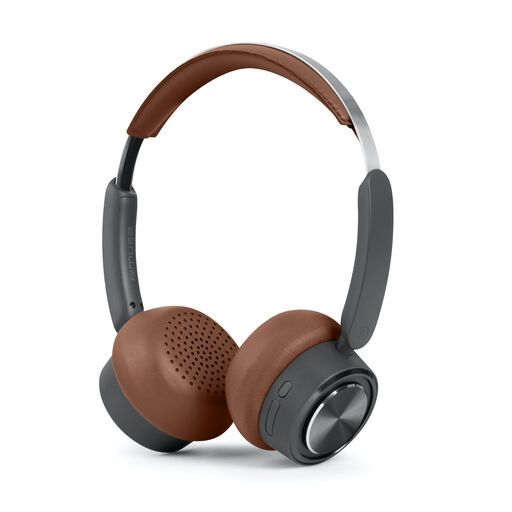
Why this choice suits this profile: Its on-ear design, adjustable metal headband and hands-free controls make it a great introduction to Bluetooth headphones for listening to music, podcasts or taking calls.
The spec sheet clearly states Bluetooth 5.4, a USB-C port, a built-in microphone and a claimed battery life of up to 65 hours at medium volume.
Claimed weight of 109 g, range of up to 15 m and USB-C charging.
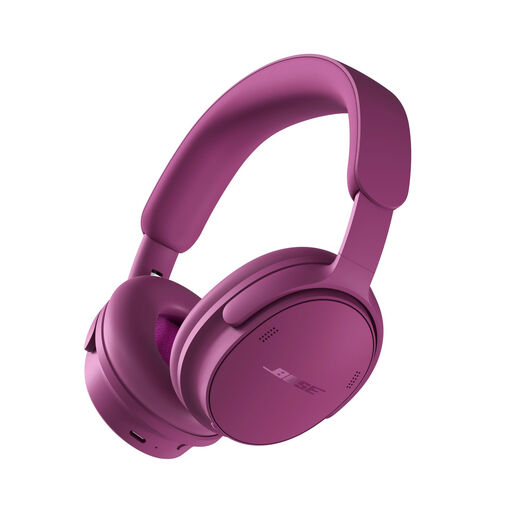
Why this choice suits this profile: This headset focuses on different listening modes, the comfort of its over-ear design and its versatility at home, in the office or while travelling.
The spec sheet distinguishes several modes, including Quiet, Aware, Immersion and Cinema, rather than presenting ANC as a single, uniform feature.
Bluetooth 5.4, six microphones claimed, USB-C and battery life of up to 24 hours with ANC.
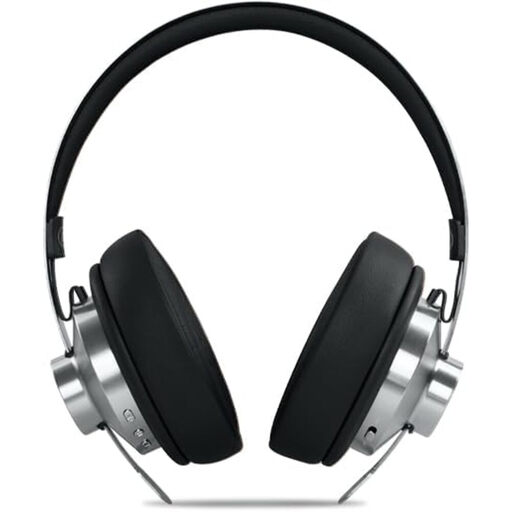
Why this choice suits this profile: Its over-ear design, claimed ANC of up to -35 dB and dual Bluetooth and jack connection make it suitable for long journeys and extended listening sessions.
The spec sheet details noise cancellation, battery life and charging separately, so you can quickly check the features you actually need.
Claimed battery life of up to 66 hours, USB-C port, auxiliary cable and carry case included.
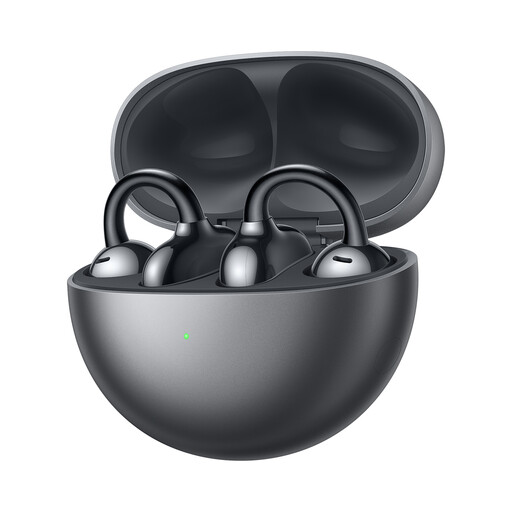
Why this choice suits this profile: Its ear-hook design and claimed weight of 5.6 g per earbud make it ideal for those who want a discreet solution for calls and music.
The spec sheet clearly states the TWS format, three microphones, IP54 rating and total claimed battery life with the charging case.
Bluetooth 5.3, touch controls, USB Type-C and up to 36 hours of claimed listening time with the case.
We've put together a comprehensive, real-time updated list of products that meet these demanding selection criteria and European safety regulations.
Turn on Bluetooth in your phone's settings, put the headphones into pairing mode, then select their name from the list of available devices. The first time you pair them, you may need to confirm the connection. If pairing fails, turn Bluetooth off and on again, and check that the headphones aren't already connected to another device.
The lifespan depends on the battery, hinges, ear cushions and storage conditions. Avoid moisture, high temperatures and knocks. Don't regularly let the battery drain completely. With a foldable headset, handle the hinges gently and store it in a case when travelling.
Power consumption is generally moderate, but it increases with volume, calls, ANC and certain immersive features. To make charging less frequent, turn off modes you're not using and switch the headset off after use. A model with fast charging or a wired connection can also make daily use more convenient.