
Livraison le jour même ou le lendemain

Qualité garantie

Débloquez vos offres de bienvenue: Livraison GRATUITE | Jusqu'à -80 % | 30 jours d'essai gratuits à JoyPlus
Téléchargez l'application
Wired headphones can be used for work, video calls, listening to music or gaming without having to worry about battery life. However, some purchases can quickly disappoint: incompatible connections, a cable that is too short or comfort that falls short after a few hours.
Before comparing models, start by identifying the device you’ll connect them to and how long your sessions usually last. Headphones with a microphone designed for working from home will have different priorities from a stereo model intended for music or a wired gaming headset.
USB headphones for PC generally have their own sound card and connect directly to a USB-A or USB-C port, depending on the model. By contrast, 3.5 mm jack headphones use the device’s audio output.
A recent laptop may only have USB-C ports, while a games console or smartphone is more likely to use a 3.5 mm jack socket. So check that the right connector is available before placing your order. An adapter may solve the problem, but it is not always included.
Reducing the noise picked up by the microphone does not mean that the headphones block the sounds around you. Three functions need to be distinguished:
A conventional pair of wired headphones can therefore make your voice easier to understand without making the sounds in the room disappear.
A headband that is too tight, cushions that are too firm or a cable that is too short can turn a long session into a real ordeal. For working from home and remote lessons, choose an adjustable headband, ear cushions suited to your head shape and a cable that is long enough.
A foldable model is easy to store in a bag, but its hinges and cable need a little care. In particular, avoid pulling on the cord to unplug the headphones.
On a computer fitted with USB-A ports, a model such as the OFFICE AUDIO USB-A stereo headset can be convenient thanks to its plug-and-play operation. According to the manufacturer’s information, no additional driver is required.
However, the 3.5 mm jack remains the most versatile connector for linking headphones to a computer, tablet, compatible smartphone or controller. Some computers have two separate sockets, one for sound and the other for the microphone. In this case, a Y-adapter may be essential if the headphones have a single plug.
For calls, check whether there is an integrated microphone, where it is positioned and whether it can be adjusted. When mounted on a boom, it can be moved closer to your mouth. A microphone positioned on the cable is less conspicuous, but may be more sensitive to rubbing and handling noise.
Integrated controls — for adjusting the volume, playing, pausing or muting the microphone — are particularly useful both at work and while gaming. However, how they operate can vary depending on the operating system, smartphone or console you use.
On-ear headphones rest directly on your ears and are often more compact. Over-ear models surround your ears completely and may provide more effective passive isolation. The weight stated by the manufacturer is a useful point of comparison, but it is not enough to predict comfort.
For listening to music on public transport, a lightweight, foldable pair will be easier to slip into a bag. At home, a more enveloping model may be better suited to films, gaming or long meetings.
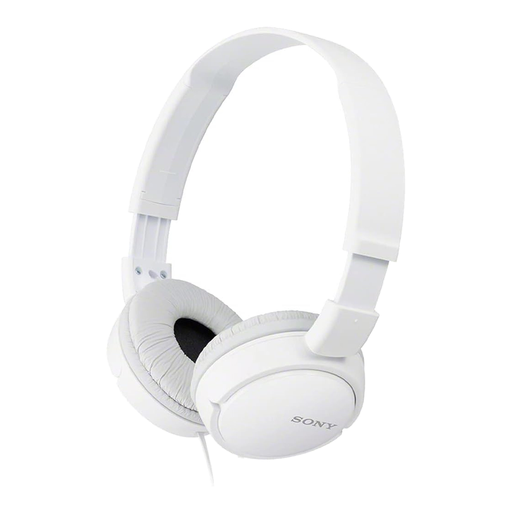
Why this choice suits this profile : Lightweight and fitted with a 3.5 mm jack, these headphones fold easily for trips between home, campus and your daily commute.
The product details clearly state that there is no microphone or active noise cancellation, so you immediately know that these headphones are primarily intended for listening.
Sony specifies 30 mm drivers, a 1.2 m cable and a foldable design.
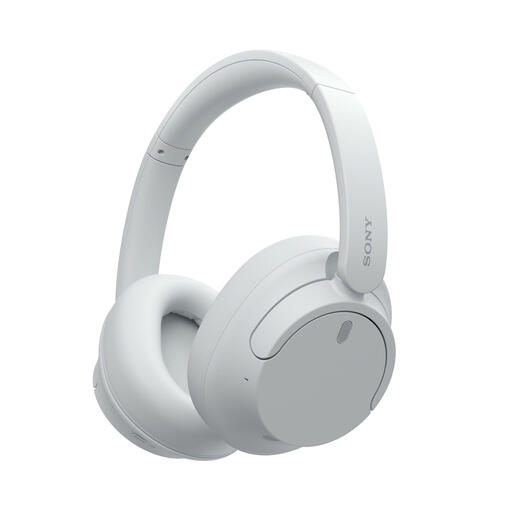
Why this choice suits this profile : They are designed for anyone who wants to switch between wired and Bluetooth use, with an over-ear design and active noise cancellation listed in the product details.
With its 1.2 m audio cable, it can work without relying solely on the battery or wireless connection.
Bluetooth 5.2, 3.5 mm jack, USB-C port and up to 50 hours of battery life without ANC.
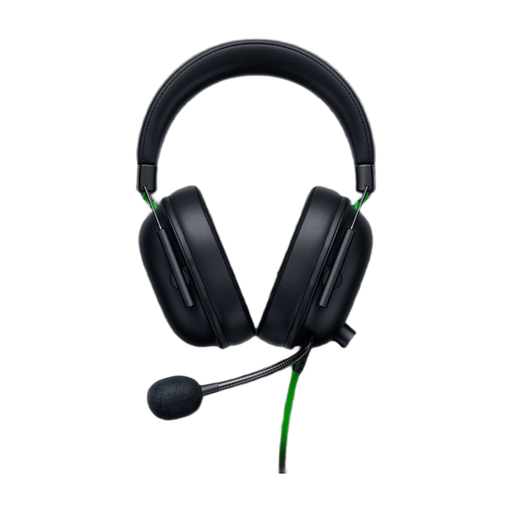
Why this choice suits this profile : This wired gaming headset is designed for PlayStation and long sessions. It features a cardioid microphone and connects via a 3.5 mm jack.
The product details clearly distinguish the cardioid microphone from passive isolation: neither function is presented as active noise cancellation.
The product details state that the headset weighs 240 g, with 50 mm drivers and an adjustable microphone for in-game communication.
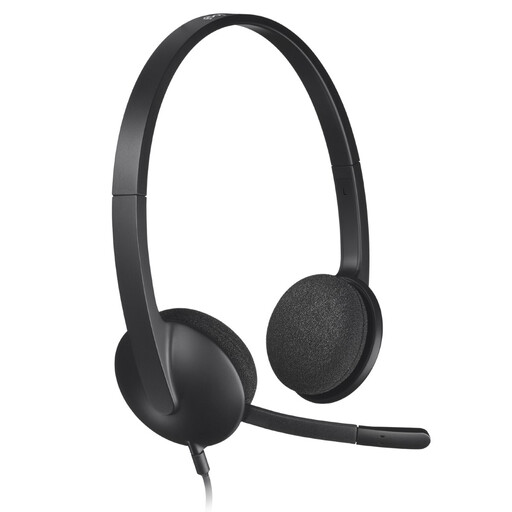
Why this choice suits this profile : Its USB connection and microphone with background-noise reduction are ideal for calls, remote lessons and computer-based meetings.
The USB connection avoids confusion between the separate sound and microphone sockets still found on some computers.
1.8 m cable, adjustable headband, flexible microphone and stated compatibility with PC and Mac.
We’ve brought together a complete, real-time updated selection of products that meet these demanding criteria and European safety standards.
Yes, provided you choose a connection that is compatible with your computer and a microphone that is genuinely suitable for calls. USB headphones for PC are often very easy to set up, while a 3.5 mm jack model can be used with a wider range of devices.
It depends on the build quality, how often they are used and how well they are maintained. To make them last longer, store them without excessively bending the cable, unplug them by holding the plug and clean the cushions with a soft cloth. As with any headphones, avoid moisture and high volume levels for long periods.
Bluetooth gives you greater freedom of movement, but means keeping an eye on the battery and remembering to recharge it. Wired headphones remove this constraint and provide a direct connection. For a fixed workstation, games console or regular office use, focus on comparing the connection, comfort and presence of a microphone before making your choice.