
Livraison le jour même ou le lendemain

Qualité garantie

Débloquez vos offres de bienvenue: Livraison GRATUITE | Jusqu'à -80 % | 30 jours d'essai gratuits à JoyPlus
Téléchargez l'application
A wired headset with microphone can be used for video calls, listening to music, attending an online lesson or gaming on a PC or console. However, some purchases can quickly become disappointing: an incompatible connector, a cable that is too short, a poorly positioned microphone or a headband that becomes uncomfortable after a few hours.
Before comparing models, it is therefore worth separating genuinely useful features from vaguer marketing claims.
A closed-back or over-ear headset reduces some external sounds through its ear cushions. This is known as passive isolation: its effectiveness depends in particular on the shape of the earcups and how well they fit.
The phrase ‘noise reduction’ does not necessarily mean that an electronic active noise-cancellation system is built in. If you plan to work in a shared office or a busy home, check the technical specifications carefully. Also bear in mind that a highly isolating headset can make surrounding sounds less noticeable. It is therefore not necessarily the most suitable choice for use in the street, on a bicycle or while driving.
A 3.5 mm jack headset is particularly versatile, but some desktop computers have two separate sockets: one for audio and one for the microphone. In this case, you will need a dual-jack adapter.
Conversely, a USB headset with microphone plugs directly into a computer with a USB-A port, but it may not be compatible with a smartphone, tablet or console without the right adapter. Also note that a USB-C connector cannot be plugged directly into a USB-A port.
Comfort depends on the weight, the pressure exerted by the headband, the size of the ear cushions and the way the headset is worn. An on-ear model rests on the ears, whereas an over-ear headset surrounds them. The former is often lighter and easier to carry; the latter generally provides better physical isolation from the surrounding environment.
For a headset for home working, also check the cable length and whether the headband can be adjusted. For regular use, soft ear cushions and a swivelling microphone are much more tangible benefits than a simple promise of comfort.
Wired models require neither a battery nor recharging. However, their operation depends on the available port and the audio settings of the system being used.
A microphone mounted on an adjustable boom can be moved closer to your mouth and then moved aside when not in use. Some models also include a microphone mute button or volume control on the earcup or cable.
For video calls, positioning matters just as much as the technology being promoted: place the capsule a few centimetres from your mouth without pointing it directly at your lips. Claims such as ‘high sensitivity’ or ‘noise reduction’ should be treated as design indications, not as a guarantee of quality in every room.
A foldable headset is easier to slip into a bag. Weight also matters: as a guide, the specifications list approximately 74 g for the Logitech H111, 220 g for the JBL Quantum 100P and 360 g for the Konix Nexus. However, these objective figures cannot predict how comfortable a headset will be for each person, as this depends on head shape and the pressure exerted by the headband.
Finally, check the cable’s durability, how the earcups are attached and whether replacement parts may be available. To unplug the headset, always pull on the plug, never the cable.
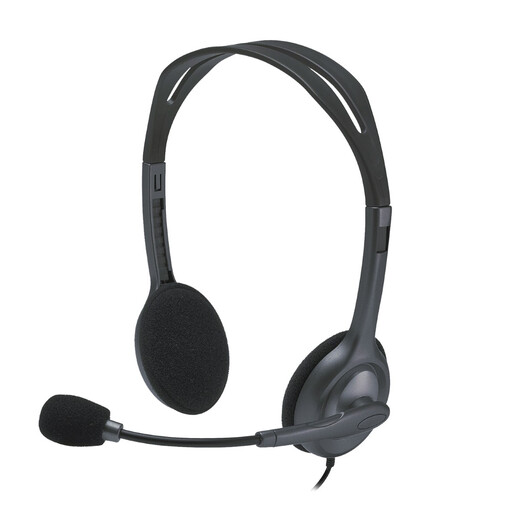
Why this choice suits this profile : This stereo headset is ideal as a first office setup, particularly for calls and online learning. Its two 3.5 mm jack plugs are designed for computers with separate ports.
Its connectivity is clearly designed for PCs with two ports, so you will not discover too late that an adapter is required.
Stated weight of 74 g, 180-degree swivelling microphone and 2.35 m cable.
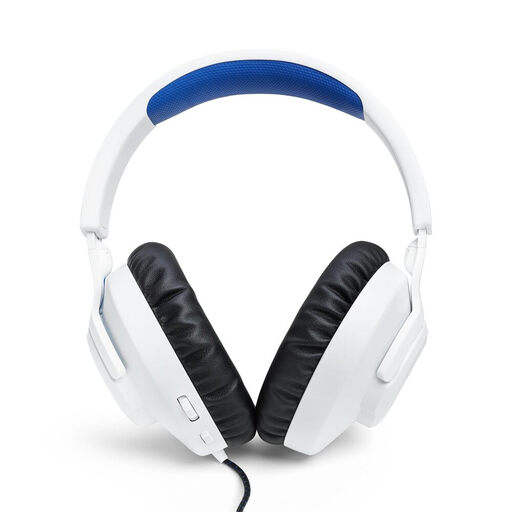
Why this choice suits this profile : Its over-ear design and integrated controls meet the needs of gamers who switch between PC, PS5, PS4 and Nintendo Switch.
The product details specify compatibility, a detachable microphone and a mute control, rather than simply making a general promise.
40 mm drivers, 1.2 m 3.5 mm 4-pole jack cable and stated weight of approximately 220 g.
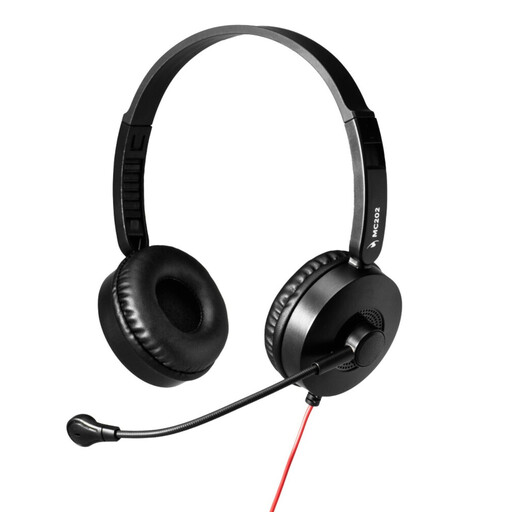
Why this choice suits this profile : This USB-A headset is aimed at homeworkers and office employees who mainly use a PC or laptop for meetings, calls and remote training.
The USB-A connection with an integrated sound card prevents confusion between an analogue audio socket and a computer port. According to the product details, no driver is required.
Adjustable microphone described as featuring noise reduction, an adjustable headband and soft ear cushions.
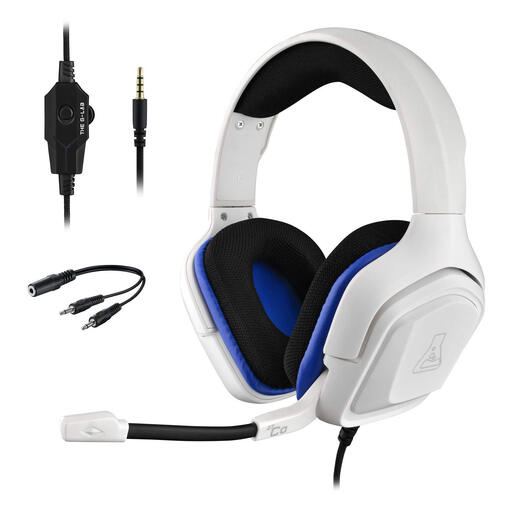
Why this choice suits this profile : Its 3.5 mm jack is advertised as compatible with PC, PS4, PS5, Xbox One, Mac, Switch and smartphones. This is a real advantage for anyone who regularly switches platforms.
The detailed list of compatible devices reduces the risk of buying a headset designed for just one console.
Over-ear design, integrated microphone and stereo sound specified in the product details.
We have put together a complete, real-time updated list of products that fully meet these strict selection criteria and European safety regulations.
After plugging in the headset, select it as the input and output device in the audio settings of Windows, macOS or your video-conferencing application. Start by turning the volume down before putting on the headset, then increase it gradually.
To look after your equipment:
A wired headset has no battery to replace and does not incur any recharging costs. Its lifespan mainly depends on the condition of the cable, hinges, ear cushions and microphone.
Yes, if it is plugged into the socket on a compatible controller. However, check that the headset has a 4-pole plug if you want to use the audio and microphone simultaneously. On a PC with separate sockets, a dual-jack adapter may be required.
It can make setup simpler on a computer with a USB-A port, particularly when it has an integrated sound card and driver-free operation is stated. However, it is less versatile than a jack model when used with a smartphone, tablet or console without a suitable USB port.
No exact lifespan can be guaranteed. Careful use, suitable storage and avoiding repeated twisting can help reduce wear. Inspect the cable regularly and stop using the headset if its outer sheath is damaged or the wires are visible.