
Livraison le jour même ou le lendemain

Qualité garantie

Débloquez vos offres de bienvenue: Livraison GRATUITE | Jusqu'à -80 % | 30 jours d'essai gratuits à JoyPlus
Téléchargez l'application
A wired headset with microphone can be used for calls, online classes, music and video games alike. However, behind some particularly appealing product listings, there may be a few practical limitations. Before placing your order, three points deserve special attention: incompatible connectivity, a microphone that is ill-suited to your environment or comfort that falls short after several hours of use.
A USB headset for PC plugs directly into a USB-A port and generally includes its own sound card. This is convenient with a computer equipped with this type of port, but it will not connect directly to most console controllers or smartphones without a suitable adapter.
A 3.5 mm jack headset, on the other hand, is compatible with a wide range of devices. You still need to check the connector format. A four-pole plug can carry both audio and microphone signals through a single combined socket. Some desktop PCs, however, have two separate ports—one for the headset and another for the microphone—in which case a splitter may be required.
A noise-cancelling microphone, or one featuring ambient-noise reduction, can tone down certain consistent sounds. It will not, however, eliminate conversations, ringtones or nearby noises. Positioning also matters: place the boom a few centimetres from your mouth, slightly to the side to avoid picking up your breath directly.
It is also important to distinguish microphone noise reduction from the passive isolation provided by the earcups. Cushions that surround the ears can help limit external noise, but they are no substitute for genuine active noise cancellation.
A comfortable headset should have an adjustable headband and ear cushions suited to the intended duration of use. A lightweight model may be perfectly adequate for remote work, while a more enveloping circumaural headset will often be more comfortable during a long gaming session. As for the cable, it should be long enough to reach your desk without being so loose that it catches on everything.
An adjustable boom makes it easy to position the microphone for video conferences and in-game communication. When it can be folded away, it may also allow you to mute the microphone quickly. For mobile use, a microphone built into the cable remote takes up less space, but it is generally farther from your mouth.
A wired stereo headset is suitable for music, videos, calls and most games. On-ear models rest directly on the ears and are often more compact. Over-ear models surround the ears completely: they can provide greater comfort and better passive isolation, at the cost of a larger footprint and a warmer feel during extended use.
For consoles, check the stated compatibility with your equipment. The presence of a 3.5 mm jack alone does not guarantee that every control will work, particularly volume adjustment or microphone muting.
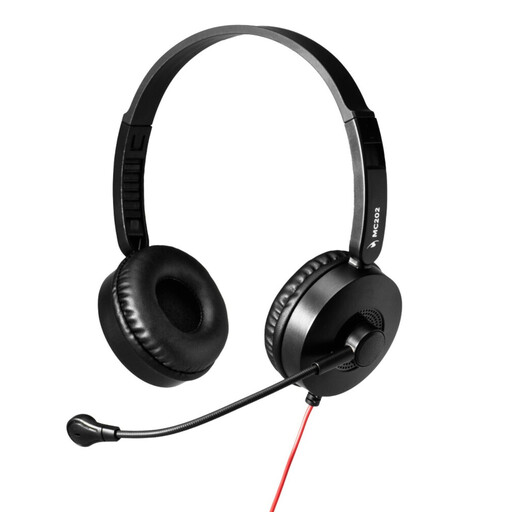
Why it suits this profile : Its USB-A connection and driver-free operation make it easy to equip a PC or laptop for calls, remote work and online classes.
The listing mentions an integrated sound card and automatic detection, so there is no need to navigate complex driver settings.
Adjustable microphone with noise reduction according to the description, an adjustable headband and soft ear cushions.
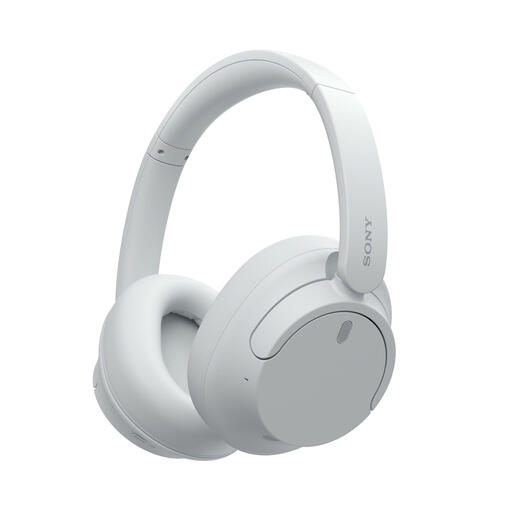
Why it suits this profile : This over-ear headset combines Bluetooth, a 3.5 mm jack and advertised active noise cancellation. It can switch from mobile to stationary use in an instant.
The listing clearly distinguishes between wireless and wired modes. You can therefore use it with the supplied cable whenever you do not want to rely on the battery.
Over-ear design, 3.5 mm jack, USB Type-C port and advertised battery life of up to 50 hours with active noise cancellation switched off.
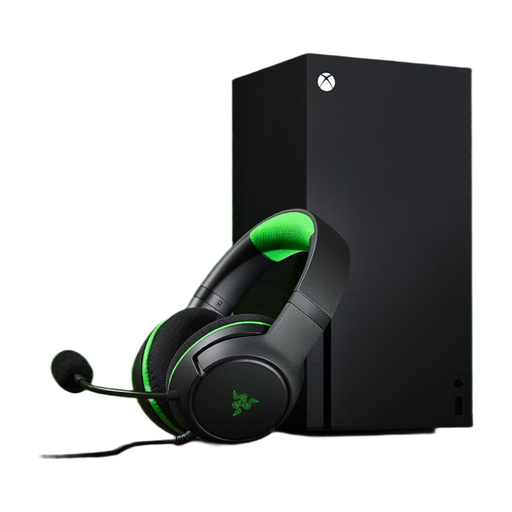
Why it suits this profile : Its 3.5 mm jack and advertised compatibility with PC, PS5, Xbox and Nintendo Switch make it an appealing choice for households with several gaming platforms.
The single connector eliminates the need for a dedicated USB port. On a PC with separate sockets, however, the listing specifies that a splitter may be required.
Advertised weight of 230 g, flexible cardioid microphone, memory-foam ear cushions and on-earcup controls.
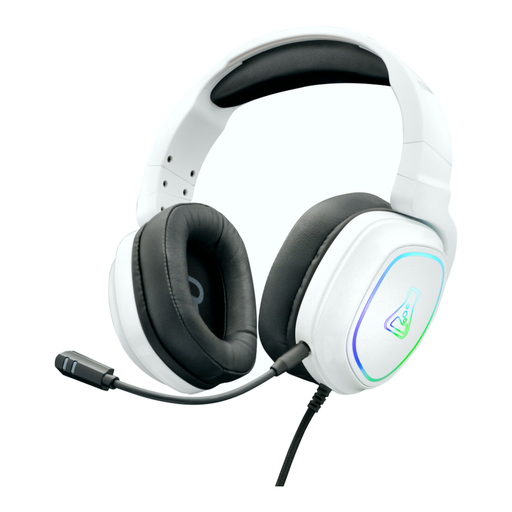
Why it suits this profile : This gaming headset is designed for long sessions, with a detachable microphone, memory-foam ear cushions and advertised compatibility with several devices.
The microphone can be removed when it is not needed. Audio connects via a 3.5 mm jack, while the RGB lighting uses a separate USB cable.
Detachable microphone, volume and mute controls, swivelling ear cushions and advertised compatibility with PC, PS5, Xbox and Nintendo Switch.
We have assembled a complete, real-time updated selection of products that meet these demanding criteria while complying with European safety regulations.
Four-pole 3.5 mm jack models are often designed to work with compatible controllers. Nevertheless, check the product listing and the type of controller being used. The Razer Kraken X Lite, Turtle Beach Recon 70 and certain models in this selection advertise compatibility with PlayStation and Xbox consoles.
A USB headset for PC generally simplifies setup on a computer equipped with a USB-A port. The 3.5 mm jack is more versatile with consoles, smartphones and tablets. For exclusively computer-based use, focus primarily on the ports available and the cable length.
Its lifespan depends on how frequently it is used, the quality of the cable and storage conditions. Avoid repeated twisting, liquids and pulling on the plug. A wired headset does not contain a battery, so there is no rechargeable cell to replace, but the ear cushions, headband and cable are still wear components.