
Livraison le jour même ou le lendemain

Qualité garantie

Débloquez vos offres de bienvenue: Livraison GRATUITE | Jusqu'à -80 % | 30 jours d'essai gratuits à JoyPlus
Téléchargez l'application
A wired headphone can be just as useful for listening to music as it is for following a course, working remotely or gaming on PC and console. Yet some purchases fall short: an incompatible cable, a microphone that won't work with a modern computer, or an uncomfortable headband after a few hours.
Before comparing brands and prices, it's worth checking three things: the connectivity, everyday comfort and the features actually on offer. Here's a straightforward method to avoid nasty surprises, followed by a selection tailored to different needs.
A 3.5 mm jack headphone doesn't always plug in the same way. A four-contact plug, usually called TRRS, can transmit stereo sound and the microphone signal on a compatible device. Conversely, some PC headphones have two separate plugs: one for audio, the other for the mic.
Modern laptops sometimes rely on USB or USB-C. An adaptor may then be necessary, without necessarily guaranteeing compatibility with controls or the microphone. So check the type of port available on your device before placing your order.
A range like "10 Hz to 24,000 Hz" corresponds to the limits stated by the manufacturer, but it isn't enough to predict sound quality. Comfort, the design of the ear cups and passive isolation also play a significant role.
A closed-back stereo headphone can reduce ambient noise without incorporating active noise cancellation. So don't confuse passive isolation with noise-cancelling headphones that use electronic reduction. The difference is particularly noticeable on public transport or in a shared office.
A microphone built into the cable's remote control may suffice for occasional calls, but it risks picking up more background noise. For online gaming and regular video calls, a microphone mounted on an adjustable boom arm is generally easier to position.
The cable length is also worth a look. A 1.2 m cable suits a phone or controller, while a model over 2 m gives you more freedom in front of a desktop PC.
For a headphone for PS5, plugging into the controller's jack socket is often the simplest solution. Models compatible with multiple platforms can also work on Xbox, Nintendo Switch, phone and computer, but controls may vary from one device to another.
A comfortable headphone should stay in place without applying excessive pressure. Compare its design in particular:
Weight is a good indicator, but the distribution of the load and the padding of the headband matter just as much. For prolonged use, also look at the materials of the ear pads and whether they can be replaced.
Stereo is suitable for music, videos, calls and most games. For gaming, a boom microphone, easily accessible volume control and good separation between the left and right channels make for a more enjoyable experience.
Don't get hung up on the driver diameter. The models featured here use 30, 40 or 50 mm speakers, but their design and purpose differ. Sensitivity and impedance can also help you determine whether the headphone will be easy to drive from a phone, controller or computer.
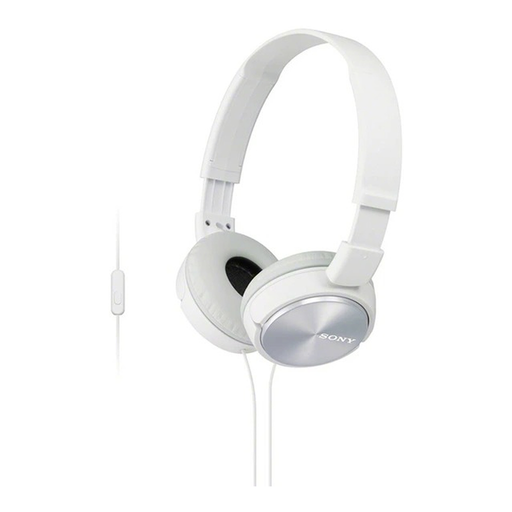
Why this choice suits this profile: Foldable and lightweight at 128 g, this headphone is ideal for commuting, students and daily listening on a smartphone or tablet. It features a 3.5 mm jack, built-in microphone and single-button control.
The product page clearly states the connectivity, weight, cable length and microphone presence – the key things to check before a portable purchase.
30 mm drivers, stated response of 10 to 24,000 Hz, lightweight headband and foldable ear cups.
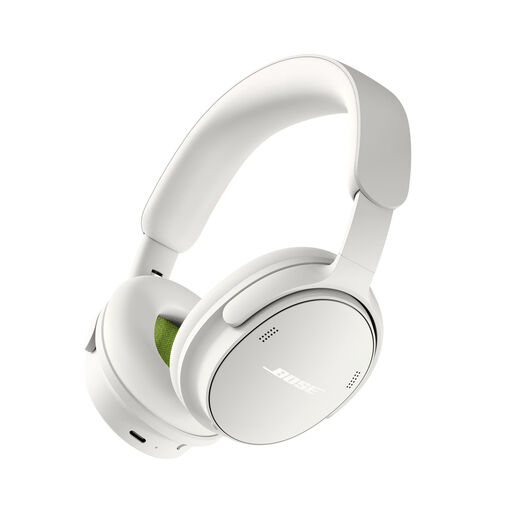
Why this choice suits this profile: This model is aimed at those seeking a comfortable headphone for home, commuting or work, with multiple listening modes and the option to use it wired.
It doesn't rely solely on wireless connection: the product page indicates the inclusion of a 3.5 mm audio cable to USB-C as well as a USB connection.
Bose noise cancellation, battery life of up to 24 hours according to the product page, multiple listening modes and a stated weight of 230 g.
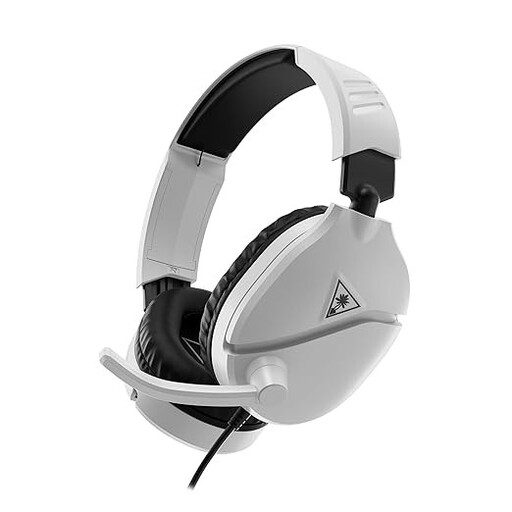
Why this choice suits this profile: With its 3.5 mm jack connection and boom microphone, this headset is aimed at gamers on PS5, PC, Xbox, Switch and mobile.
Multi-platform compatibility and the mute function, activated by flipping the microphone up, are clearly stated.
40 mm drivers, volume control on the ear cup, leatherette ear pads and padded headband.
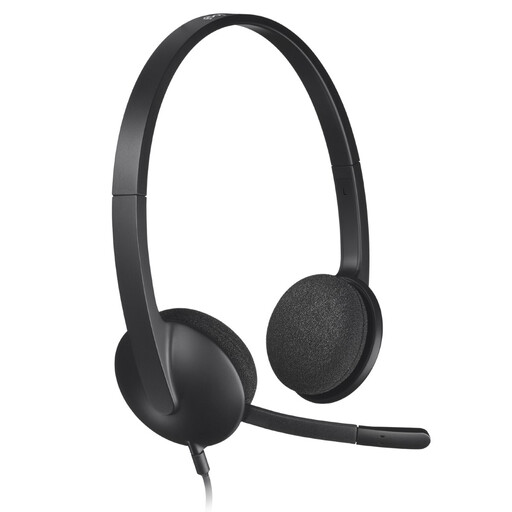
Why this choice suits this profile: This USB headset is designed for calls, online courses and meetings on PC or Mac, with no separate jack plug to manage.
The USB-A connection and built-in sound card minimise issues with computers that lack a dedicated microphone input.
Noise-reducing microphone, 1.8 m cable, stereo sound and stated operation without driver installation.
We've put together a comprehensive, real-time updated list of products that fully meet these strict selection criteria and European safety regulations.
Yes, provided the phone has a compatible audio port. If not, a USB-C or Lightning to 3.5 mm adaptor may be necessary. If you plan to make calls, check that it also supports the microphone.
It all depends on the quality of the cable, hinges and maintenance. Avoid pulling on the wire, store the headphone without bending it sharply and clean the ear pads with a soft cloth. Foldable models should be handled at the joints, without forcing them.
A USB headphone is powered by the computer and generally doesn't require a separate battery. Its power consumption is limited, but it isn't compatible with all phones and consoles. For broader compatibility, the 3.5 mm jack remains a simple solution when the device has one.