
Livraison le jour même ou le lendemain

Qualité garantie

Débloquez vos offres de bienvenue: Livraison GRATUITE | Jusqu'à -80 % | 30 jours d'essai gratuits à JoyPlus
Téléchargez l'application
A wired headphone remains a simple, practical solution for listening to music, following an online course, or joining a meeting without having to keep an eye on the battery level. But a well-presented product page doesn't always guarantee a pleasant day-to-day experience. The connector, whether a microphone is actually included, and the shape of the earpieces can all significantly affect how you use them.
Before you place your order, it's best to avoid three common pitfalls:
Here are the criteria to consider when choosing a headset or wired earphones that suit your needs.
A 3.5mm jack headphone plugs directly into many computers, tablets, smartphones and consoles. However, several recent smartphones have done away with this port. An adapter may then be necessary, which can bring a risk of losing it or the microphone not working properly, depending on the model you use.
A USB-C headphone connects directly to a device equipped with this port. The Sony IER-EX15C, for example, is designed for USB-C devices and includes a remote control for adjusting the volume, playing or pausing your audio. Nevertheless, check that your device actually supports audio output via USB-C.
A USB-A headphone is mainly aimed at desktop and laptop computers that have this port. Some models have their own built-in sound card and work without needing any additional drivers. This is a handy setup for remote work, video calls and online lessons.
To choose a wired headset with a microphone, check its type and position. An adjustable boom arm positioned near your mouth can be more effective for frequent calls. Controls on the cable sometimes let you adjust the volume, mute the microphone or answer a call.
Be wary of descriptions that group several variants together. The Sony MDR-ZX310W, for instance, is listed as having no microphone, whereas the Sony MDR-ZX310AP has a microphone built into the cable. Very similar model numbers, but they don't meet the same need for meetings and calls.
A wired stereo on-ear headphone rests directly on your ears. Often lightweight and foldable, it can become uncomfortable after several hours if the headband puts too much pressure on you. Models with soft ear cushions and an adjustable headband are generally easier to get a good fit.
In-ear earphones take up very little space and are ideal for travelling. The Sony MDR-EX15LP comes with three sizes of silicone ear tips — S, M and L — so you can find the right fit. The choice of ear tip affects passive noise isolation and stability, but also how much pressure you feel in your ear.
For prolonged use at a computer, also think about comparing the weight, cable length and whether the headphone can be folded away for storage. A 1.2m cable is usually fine for a smartphone or tablet, but it can feel short if your computer tower is under your desk.
The products below are sorted by their connector and the intended use shown on the available product pages. Sound quality may vary depending on the device you use, your settings and the quality of the audio source.
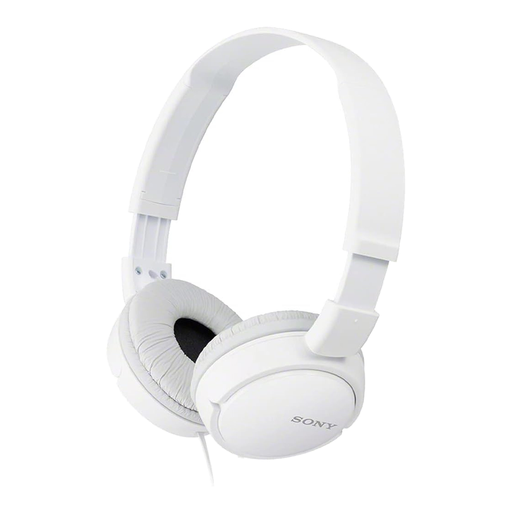
Why this choice suits this profile: Lightweight and foldable, this wired headphone is designed for music listening and connects via a 3.5mm jack. It's ideal for users who want a simple solution, with no battery or software to install.
The product page clearly states a wired 3.5mm jack connection and no battery. However, please bear in mind that this model is not listed as having a microphone.
Foldable design, 1.2m cable and 30mm drivers, according to the product page.
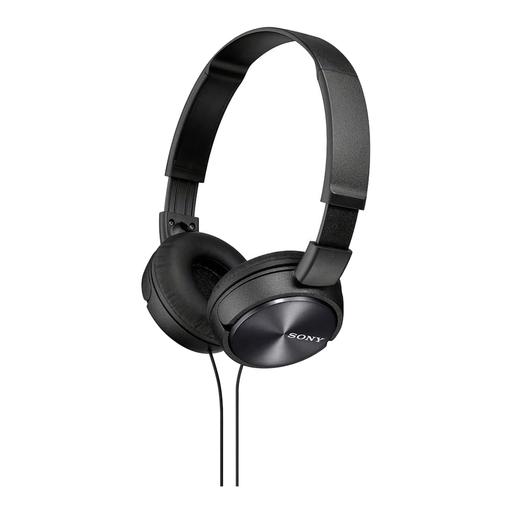
Why this choice suits this profile: With its foldable on-ear headband, remote control and microphone built into the cable, this model is equally suited to music listening and occasional calls.
The model number clearly mentions a built-in microphone and a standard 3.5mm jack connection. This greatly reduces the risk of picking a model that's only for music listening.
30mm drivers, a stated frequency response of 10 to 24,000 Hz and a foldable design.
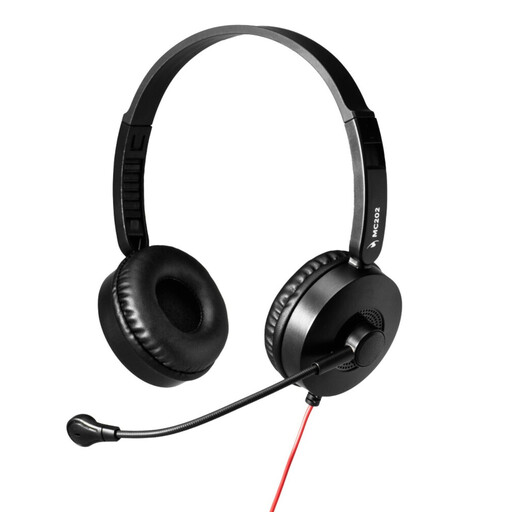
Why this choice suits this profile: This PC headset is designed for meetings, distance learning and frequent calls on a computer with a USB-A port.
The product page mentions an adjustable microphone with noise reduction, a volume control and a driverless USB-A connection. Just make sure your device has the right port.
Adjustable microphone, volume control with mute function and power supplied via the USB-A port.
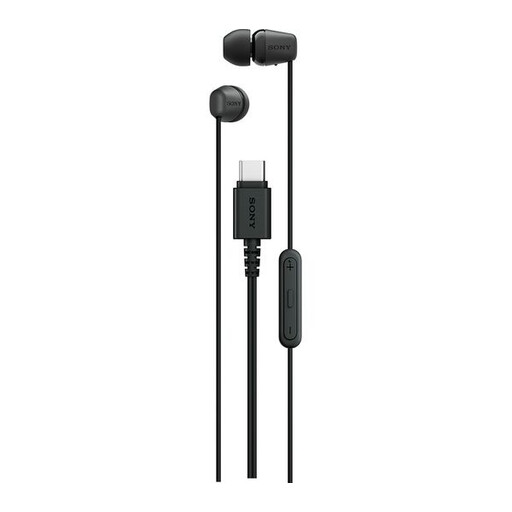
Why this choice suits this profile: Compact and easy to carry, these wired earphones are great for travel, podcasts and calls from a compatible USB-C smartphone or tablet.
The product page clearly distinguishes the USB-C plug from a jack and states there is no Bluetooth. So check that your device supports audio over USB-C before you buy.
Built-in microphone, volume and playback controls, a stated weight of 3g and a 1.2m cable.
We've put together a comprehensive, real-time list of products that meet these strict selection criteria and European safety regulations.
A wired headphone doesn't need charging, but its cable is still a delicate part. To make it last longer:
If your computer has two separate sockets — one for the headphone and one for the microphone — choose a model that comes with a dual jack adapter. The OFFICE AUDIO Hi-Fi Stereo headset with microphone and included adapter is suitable for this setup, while remaining compatible with devices that have a combined 3.5mm socket.
No. Start by checking what type of port is available. A combined 3.5mm jack socket usually accepts both sound and microphone on a single plug, whereas a computer with two separate sockets may need an adapter. For a USB-A or USB-C model, also make sure that audio output via USB is supported.
A headset with a microphone usually has a headband and ear cushions that keep everything stable during calls. Wired earphones are more compact and easier to carry around. The choice really comes down to the comfort you want, how long your calls are and how much space you have in your bag.
It all depends on the build quality, how often you use it and how well you look after it. The cable and plug are often the parts that get the most wear and tear. Careful handling, storing it without tension and keeping the volume at a reasonable level all help to extend the life of your headphone.