
Livraison le jour même ou le lendemain

Qualité garantie

Débloquez vos offres de bienvenue: Livraison GRATUITE | Jusqu'à -80 % | 30 jours d'essai gratuits à JoyPlus
Téléchargez l'application
A pair of wired headphones can be used for remote work, studying, calls, gaming, or listening to music. With no battery to recharge, they provide a direct connection that is always ready to use. The key is choosing a model that suits both your devices and the way you plan to use it.
Before placing your order, three common pitfalls are worth avoiding: incompatible connectivity, a microphone described as “noise-cancelling” without any technical explanation, and comfort that falls short after several hours of use. Here are the key criteria to consider, followed by a selection of models available from Joybuy.
A USB headset generally includes its own audio interface. It connects directly to a USB-A port, making it suitable for many desktop and laptop computers. However, it may not work with a smartphone, tablet, or console without the appropriate port.
A 3.5 mm jack headset is more versatile: it can connect to a computer, a PS5 controller, a compatible console, or a smartphone equipped with a headphone jack. Some PCs, however, have two separate ports for audio and the microphone. In that case, an adapter or splitter may be required.
A headset with a noise-reducing microphone may use a microphone designed to minimise the capture of ambient sounds. This does not necessarily mean that the headset eliminates the noise around your ears.
It is important to distinguish between:
The product specifications should clearly state which function is included. A flexible microphone positioned a few centimetres from your mouth can also improve speech intelligibility during a meeting, but it does not provide an absolute guarantee against surrounding noise.
A frequency range such as 20 Hz–20 kHz describes the theoretical capability of the drivers. It is not enough to predict the actual sound profile. When choosing stereo headphones, also consider the type of drivers, the shape of the ear cushions, the weight, the cable length, and whether integrated controls are included.
For headphones compatible with both a computer and a smartphone, a 3.5 mm jack remains convenient if your devices still include this port. Four-pole models can carry both audio and microphone signals through a single connection, particularly with certain controllers and phones.
For a PC headset, a USB model can simplify setup. According to the information provided, the OFFICE AUDIO and Logitech H340 models use a USB connection with automatic detection. However, check that your computer has a USB-A port: a USB-C adapter may be required on a newer computer.
For a PS5 headset, connecting it to the controller via the 3.5 mm jack is generally the most straightforward option. Even so, the stated compatibility should be checked against your console and setup.
For meetings and calls, look for an adjustable microphone, a mute control, or an integrated button. Retractable or flip-up microphones are particularly convenient when you need to stop transmitting quickly.
The Logitech H111 features a rotating boom and two separate jack plugs. By contrast, a USB model such as the Logitech H340 combines the audio and microphone signals in a single cable. The right choice therefore depends primarily on your computer, rather than on a general promise of crystal-clear voice transmission.
For remote work or online classes, an adjustable headband and soft ear cushions can make all the difference. Over-ear headphones surround the ear and can reduce external noise through passive isolation, while on-ear models rest directly on the outer ear.
Weight is a useful indicator, but it is not enough to predict comfort. Foldable headphones, including certain Sony models, take up less space in a bag. For extended use, also assess the pressure exerted by the headband, the material of the ear cushions, and the cable length.
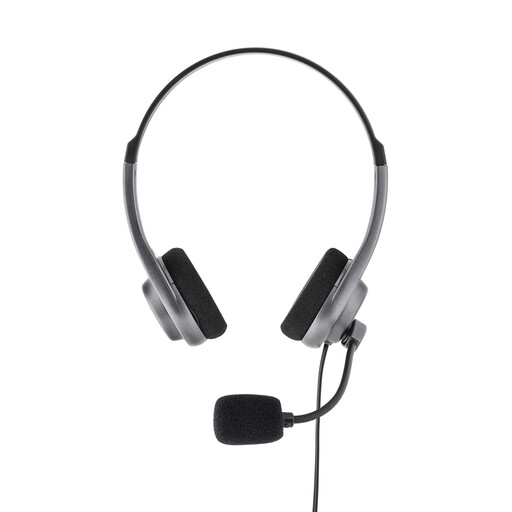
Why it suits them: A straightforward option for calls, remote classes, and everyday listening on a computer, tablet, or smartphone with a 3.5 mm jack.
The product page specifies a 3.5 mm jack connection and an adjustable microphone, allowing you to check compatibility before buying without relying on a USB-A port.
Built-in microphone, adjustable headband, soft ear cushions, and stated plug-and-play operation.
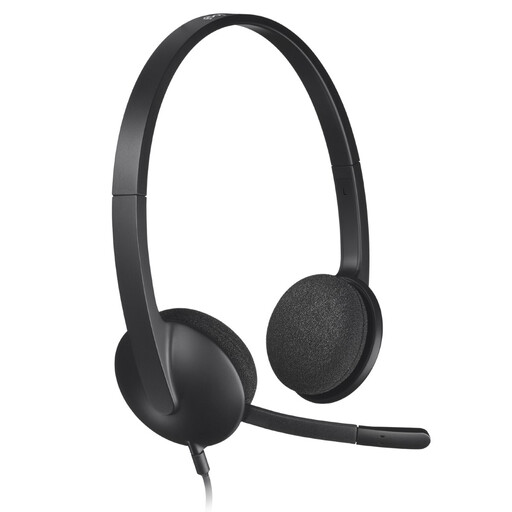
Why it suits them: It is well suited to remote workers and students who primarily use a PC or Mac for meetings and online classes.
Its product page specifies USB connectivity and PC/Mac compatibility. This helps you avoid buying a jack model for a computer without separate audio ports.
1.8 m cable, flexible microphone with ambient noise reduction, and swivelling foam ear cushions.
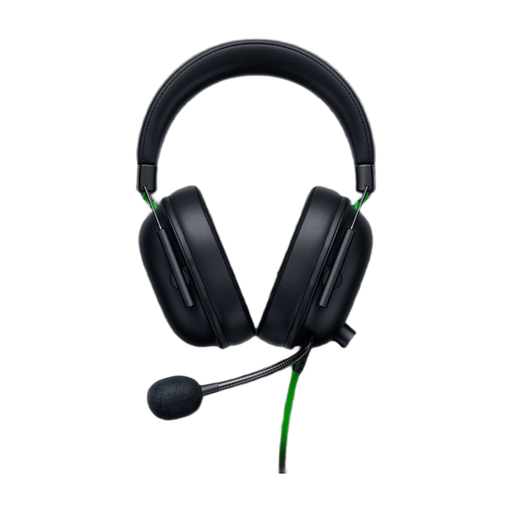
Why it suits them: This wired gaming headset is aimed at PS5 players who also want to use it with a PC and other devices equipped with a 3.5 mm jack.
The 3.5 mm connection keeps setup straightforward. The product page mentions passive isolation rather than presenting it as universal active noise cancellation.
50 mm drivers, cardioid microphone, stated weight of 240 g, and integrated audio controls.
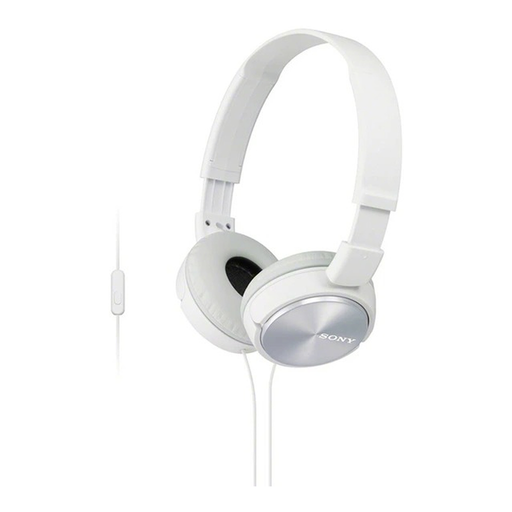
Why it suits them: Its foldable design slips easily into a bag for daily commutes, smartphone calls, and listening to videos or music.
The product page clearly states the 3.5 mm jack, built-in microphone, and foldable mechanism—three important details to check for mobile use.
Stated weight of 128 g, one-button control, 1.2 m cable, and foldable earcups.
Browse our complete selection of wired headphones and compare models by connectivity, microphone, compatibility, and comfort.
Yes, provided it is compatible with the DualSense controller’s jack. Connect the headset to the controller, then check the console’s audio settings to ensure that both output and input are set to use the headset. On a computer with two separate ports, a splitter may be required.
This depends on build quality, frequency of use, and how the cable is handled. To minimise wear, unplug the headphones by pulling on the plug rather than the cord, avoid repeatedly twisting the cable, and store them in a dry place. Because wired models do not contain a battery, they are also unaffected by battery ageing.
A USB headset draws power from the computer and does not require a separate charger. Its consumption depends on the USB port used and its audio interface. For occasional use, its impact on your electricity bill is generally limited. However, the available technical specifications do not allow for an accurate comparison of power consumption across all models.