
Livraison le jour même ou le lendemain

Qualité garantie

Débloquez vos offres de bienvenue: Livraison GRATUITE | Jusqu'à -80 % | 30 jours d'essai gratuits à JoyPlus
Téléchargez l'application
A wired gaming headset makes online communication easier, avoids battery-related limitations and ensures a stable connection. The challenge is separating genuinely useful features from well-practised marketing claims. The right choice mainly depends on your platform, your habits and the connectors available.
A headset described as “multi-platform” may work with several devices, but not necessarily in the same way on each one. A USB model will generally suit a computer with the appropriate port, while a 3.5 mm jack gaming headset will most often connect to a controller, console, phone or laptop.
On a desktop PC, also check whether your machine has a combined socket or two separate sockets for audio and the microphone. In the latter case, you may need a splitter adapter.
50 mm drivers do not automatically guarantee better sound than those in a 40 mm stereo gaming headset. The sound also depends on the isolation, audio tuning, ear cushion shape and device to which the headset is connected.
A model with enhanced bass may be enjoyable in action games, but feel less balanced when listening to music or watching videos. Take the time to read the listed features rather than treating one isolated figure as proof of overall quality.
A flip-up, detachable or “flip-to-mute” microphone makes communication during a game easier. However, its position, directionality and the presence of easily accessible controls are just as important.
Weight, headband pressure, cushion material and compatibility with glasses all directly affect comfort. A headset intended for long sessions should remain comfortable after several games, without excessive heat or unpleasant pressure.
The 3.5 mm jack gaming headset focuses on versatility. It can connect to a PS5, Xbox or Nintendo Switch controller, as well as certain computers and mobile devices. It does not require a battery and is generally very straightforward to use.
The USB gaming headset carries both audio and microphone signals through a single cable. This is particularly well suited to a PC gaming headset, with detection often taking place automatically. Some models add RGB lighting or more advanced settings through software. On the other hand, their compatibility with consoles and smartphones may be more limited.
When playing as a team or making calls, pay particular attention to the following:
A label such as “noise reduction” describes a product feature; it does not guarantee the complete elimination of unwanted noise.
An adjustable headband, padded ear cushions and a reasonable weight are all factors worth comparing. If you wear glasses, cushions designed to reduce pressure on the arms can make a real difference.
The cable length should suit your setup. A 1.2 m cable will generally be suitable for a portable console or controller, while a 2 m length will be more comfortable on a PC. Avoid bending it sharply and always unplug the headset by holding the plug, never by pulling the cable.
Finally, keep the volume at a reasonable level and take breaks during long sessions. Prolonged listening at high volume can damage your hearing.
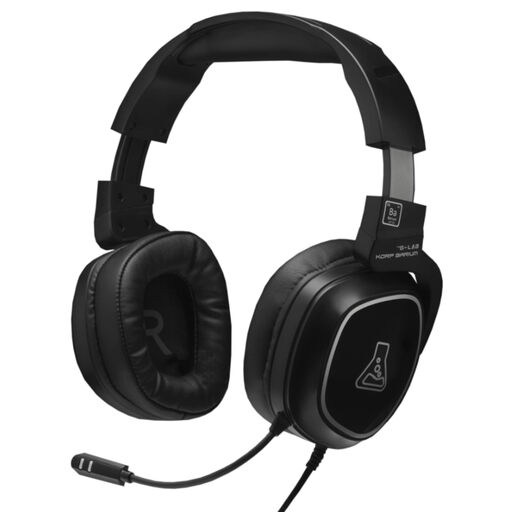
Why this choice suits this profile: Its 3.5 mm jack works with a PC, PS4, PS5, Nintendo Switch, smartphone or tablet. A good first versatile headset for gaming, watching videos and listening to music.
The product details mention a flexible built-in microphone, as well as in-line controls for adjusting the volume and muting the microphone, without relying on a battery.
Stereo sound, padded ear cushions, adjustable headband and an advertised 2-year manufacturer's warranty.
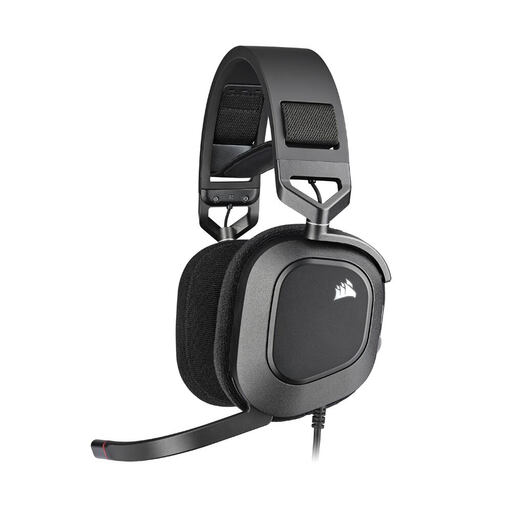
Why this choice suits this profile: This USB gaming headset is aimed at PC players looking for a precise microphone, software settings and customisable RGB lighting.
The USB connection avoids issues caused by separate sockets on a PC, while a light indicator shows when the microphone is muted.
50 mm drivers, omnidirectional microphone, memory foam ear cushions and RGB lighting.
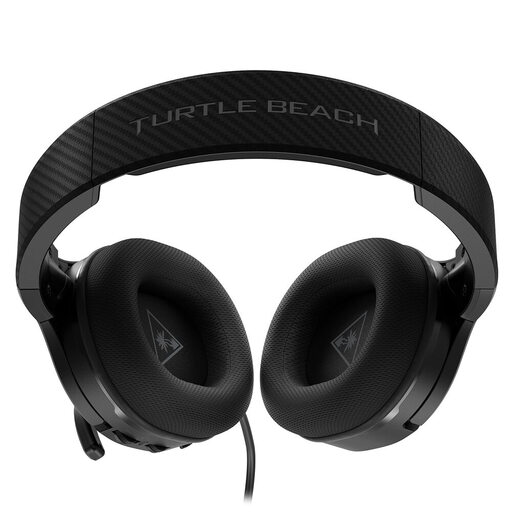
Why this choice suits this profile: Its 3.5 mm jack connection works with PC, PS5, Xbox and Nintendo Switch. It is suited to players who switch between platforms and like to adjust the sound directly from the headset.
It retains essential audio functions without a battery, reducing the risk of being left without sound in the middle of a session.
40 mm speakers, flip-up microphone, reinforced headband, memory foam ear cushions and amplified bass.
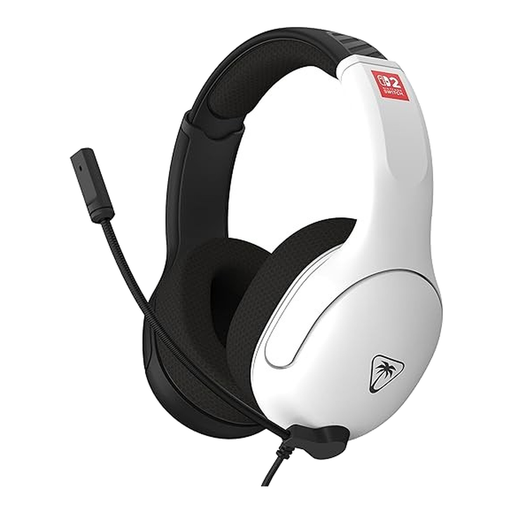
Why this choice suits this profile: Designed for Nintendo Switch, Switch OLED, Switch Lite, PC and mobile devices with a jack socket, it is aimed at players who regularly take their headset with them.
The product details specify compatibility with the different Nintendo consoles and indicate that the cable has a volume wheel.
3.5 mm jack connection, flip-up bidirectional microphone, breathable fabric ear cushions and a 1.2 m cable.
We have brought together a complete, real-time updated selection of products that meet these strict criteria, as well as European safety requirements.
It all depends on the connector and the model. A headset fitted with a four-contact 3.5 mm jack plug can generally connect to a compatible controller or console. On Xbox, simply check that the controller has a headset socket. A USB model, meanwhile, may be primarily intended for PC or certain specific consoles.
This depends on how often it is used, the quality of the cable and how the headset is stored. To extend its lifespan, avoid pulling the cable, do not wind it too tightly and clean the ear cushions with a soft cloth. A detachable cable can also make storage easier and allow it to be replaced if there is a problem.
It does not need to be recharged or have its battery replaced, making it simpler for everyday use. However, you should check the cable's length and durability, as well as compatibility with each device. For a fixed PC setup, USB can be convenient; for gaming across several consoles, the 3.5 mm jack generally offers greater flexibility.