
Livraison le jour même ou le lendemain

Qualité garantie

Débloquez vos offres de bienvenue: Livraison GRATUITE | Jusqu'à -80 % | 30 jours d'essai gratuits à JoyPlus
Téléchargez l'application
A wired gaming headset can make gaming sessions on PC, PS5, Xbox or Nintendo Switch considerably simpler: no battery to recharge, no software to install and generally a stable connection. However, not every model is equally suited to every use case. A headset with a microphone designed for a controller will not necessarily connect in the same way as a model intended for a computer with two separate ports.
Before placing your order, here are the most common pitfalls, the specifications worth checking and a selection of recommended models for 2026.
The mention of a “3.5 mm jack” does not guarantee full compatibility. A four-contact connector, known as TRRS, generally carries both audio and microphone signals through a single connection. It is often suitable for PS5 and Xbox controllers, as well as the Nintendo Switch.
By contrast, some desktop computers have separate audio output and microphone input ports. In this case, a dual-jack adapter may be essential. The PC version of the Turtle Beach Recon 70 comes with a 2 m cable and a splitter adapter, while the Logitech H111 uses two separate plugs directly.
Phrases such as “powerful bass”, “7.1 sound” or “spatial audio” do not always reflect the experience you will actually get in every game. With a wired stereo headset, it is better to check the following points:
These technologies also depend on the console, game and audio settings. They are therefore not necessarily available on every platform.
A cable that is too short can restrict your movement, particularly when the console is positioned far from the sofa. Conversely, an excessively long cable can become tangled around your chair or create a tripping hazard.
Also check the location of the volume wheel and whether a microphone mute button is included. On some models, the flip-to-mute microphone function mutes the mic simply by raising the boom.
A 3.5 mm jack gaming headset works without a battery or driver installation. For multi-platform use, look for a plug compatible with the controller or audio port of the device you plan to use.
Before ordering, check the following points carefully:
For online chat, a boom-mounted microphone is generally more practical than a simple microphone built into the cable. An adjustable boom lets you position the capsule closer to your mouth. On the Recon 70, the flip-up mechanism automatically mutes the microphone when raised—a convenient way to avoid searching for a button mid-game.
Check whether the microphone is detachable, flexible or simply adjustable. The Logitech H111 features a 180° rotating boom, but its dual-plug design makes it primarily suited to computers with separate ports.
A comfortable gaming headset should stay securely in place without applying excessive pressure. Circumaural models surround the ear and may provide better attenuation of ambient noise. Supra-aural models are often more compact, but rest directly on the ears.
Weight, headband padding and ear cushion materials generally matter more than marketing claims. For extended sessions, also check the cable length and how precisely the headband can be adjusted.
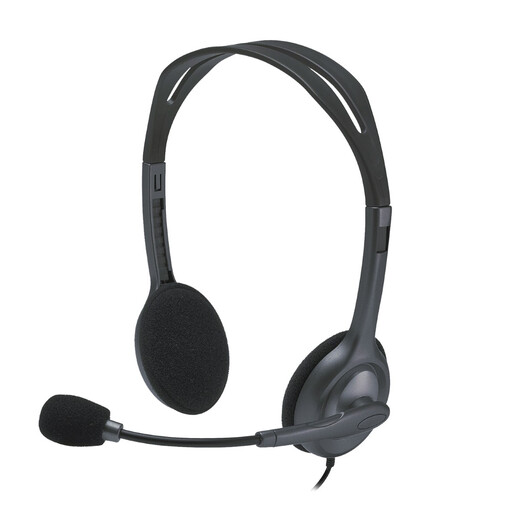
Why this model may suit you: A straightforward solution for calls, casual gaming and everyday computer use in France.
Its two 3.5 mm plugs make setup straightforward on PCs with separate ports, without suggesting universal compatibility.
Advertised weight of 74 g, 2.35 m cable and 180° adjustable microphone.
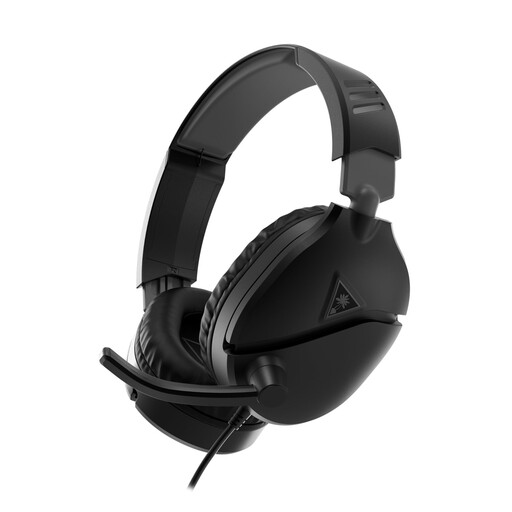
Why this model may suit you: For regular gamers who switch between PC, console and phone and want simple, intuitive controls.
The included PC adapter eliminates the need to purchase a separate audio/microphone splitter.
40 mm drivers, 3.5 mm jack connection, flip-to-mute microphone and leatherette ear cushions.
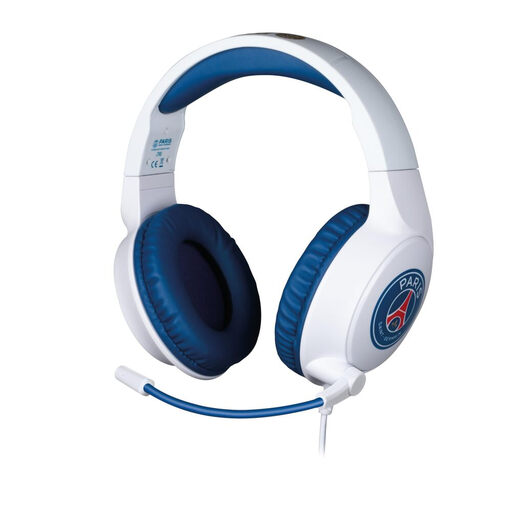
Why this model may suit you: For extended sessions on PC, PS5, Xbox or Switch, with a white-and-blue PSG design.
Its stated compatibility covers several consoles, and setup requires no drivers.
40 mm drivers, flexible microphone angled at 45° and 1.5 m cable.
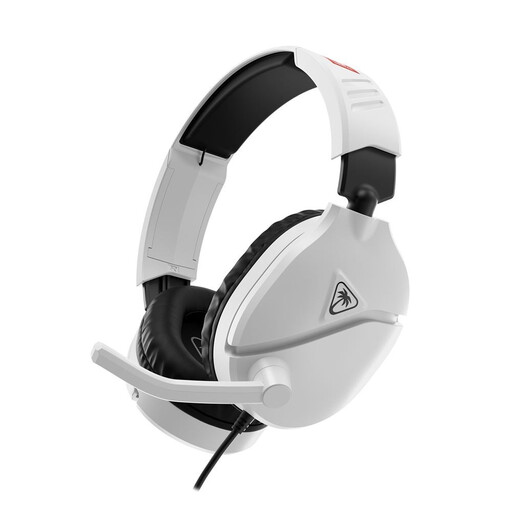
Why this model may suit you: For Switch players who want a multi-platform gaming headset without having to monitor its battery life.
The product is presented as compatible with the Switch, Switch Lite, OLED model and Switch 2, with a direct jack connection.
Flip-up microphone for muting, 40 mm drivers, 1.2 m cable and padded headband.
We have brought together an updated selection of products that meet these connection, compatibility and safe-use requirements.
Plug the connector into the controller, console or computer port, then select the audio device in the settings if necessary. On PC, check the audio output and microphone input separately. Test the headset in the chat settings before starting a game.
To extend the headset’s lifespan:
A budget-friendly gaming headset can be perfectly suitable for occasional use. However, the cable’s durability, warranty period and availability of replacement parts or ear cushions should be checked separately.
Often, yes, provided it has a 3.5 mm jack compatible with the controller. Microphone compatibility may nevertheless vary depending on the controller, console model and settings used. Always consult the technical specifications for the model you choose.
It eliminates the need for a battery, drivers and USB-specific settings. It is therefore a practical choice for a multi-platform gaming headset. USB can nevertheless be more straightforward on a computer without a combined audio jack. Ultimately, it depends on the devices to which the headset will be connected.
This depends on how frequently it is used, how often the cable is twisted, storage conditions and maintenance. Careful handling reduces stress on the connectors and hinges. Before buying, also remember to check the warranty terms applicable in France.