
Livraison le jour même ou le lendemain

Qualité garantie

Débloquez vos offres de bienvenue: Livraison GRATUITE | Jusqu'à -80 % | 30 jours d'essai gratuits à JoyPlus
Téléchargez l'application
A Wi-Fi security camera lets you view footage remotely, receive alerts and, depending on the model, speak to someone in front of the lens. However, not every model meets the same needs. A flat, house entrance, garden or small business each calls for different features.
Before placing your order, three common pitfalls are worth bearing in mind:
An outdoor security camera should have a suitable protection rating. An IP66 enclosure is resistant to dust and water jets under the conditions specified by the manufacturer. This does not mean that the device can be submerged. An IP65 model, such as some cameras with built-in lighting, is also suitable for many outdoor installations, provided you follow the fitting instructions.
For an indoor security camera, weather resistance is generally less important. Instead, look for:
A fixed camera covers a limited area. A 360° PTZ camera can move its lens horizontally and vertically from the app, sometimes with automatic motion tracking. This helps reduce blind spots in a room or courtyard, but motorised movement does not remove the need to choose the location carefully.
Colour night vision generally relies on a light-sensitive sensor and, depending on the product, built-in lighting. It can make certain details easier to distinguish than infrared footage in greyscale. Its range nevertheless depends on the surroundings, the available light and the settings selected.
AI person and vehicle detection helps filter out the movement of leaves, shadows and passing animals. It is nevertheless a software feature that may generate false alerts. Check whether detection zones, sensitivity and notifications can be customised.
A Wi-Fi IP camera often operates on the 2.4 GHz band, which generally has a longer range. Dual-band 2.4/5 GHz models offer greater flexibility when the router is nearby. Before permanently mounting the camera, test the signal at the intended location.
For recording, microSD card storage can sometimes eliminate the need for a subscription to keep footage locally. Check the maximum supported capacity, the compatible card type and the difference between continuous recording and motion-triggered clips. Some battery-powered models do not support continuous recording.
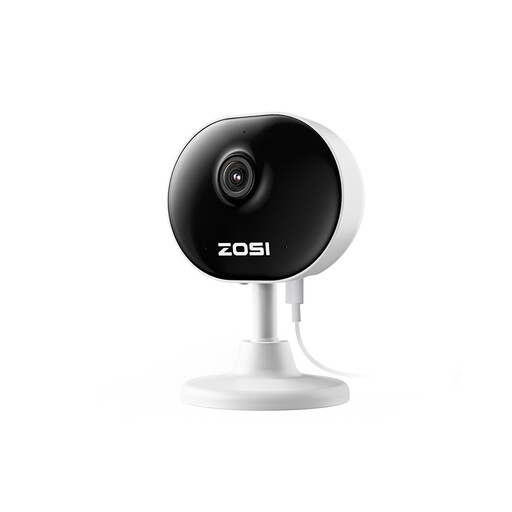
Why this choice suits this profile : Its compact design and magnetic or adhesive mounting make it easy to install for the first time in a living room, office or entrance.
The product details state that it offers 1080p resolution, motion detection with customisable zones and night vision with a range of up to 10 metres.
Two-way audio, remote access via the app and the option to record continuously when connected to mains power.
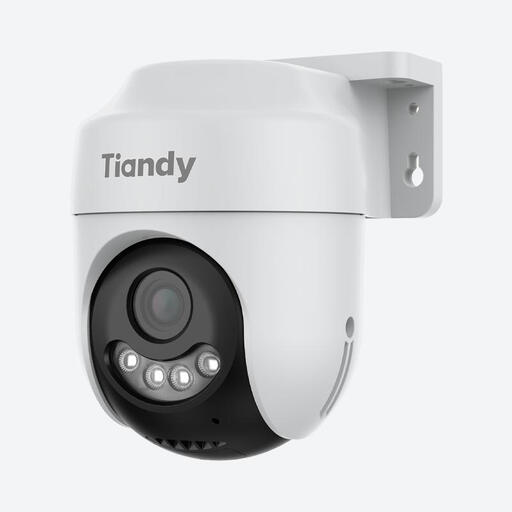
Why this choice suits this profile : This outdoor camera combines advertised 2K 4 MP imaging, motorised positioning and several settings accessible through the Easy Live Plus app.
Its IP66 rating and advertised coverage of 360° horizontally and 130° vertically make it suitable for outdoor installation to monitor a wide area.
Colour night vision with spotlights, automatic tracking, two-way audio and support for a microSD card of up to 256 GB according to the product details.
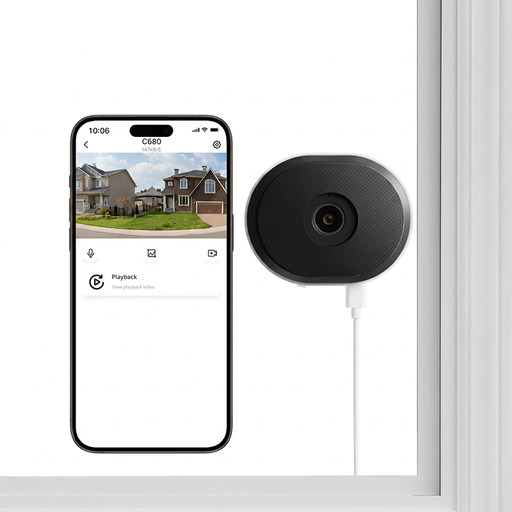
Why this choice suits this profile : Its installation behind glass may appeal to tenants, flat-dwellers and shopkeepers who want to monitor a courtyard or entrance without drilling into the wall.
The advertised design, created to limit reflections on glass, reduces a common problem with cameras positioned behind a window. Nevertheless, check the positioning and reflections directly on site.
2.4/5 GHz Wi-Fi, advertised person and vehicle detection, microSD card storage of up to 256 GB and drill-free mounting.
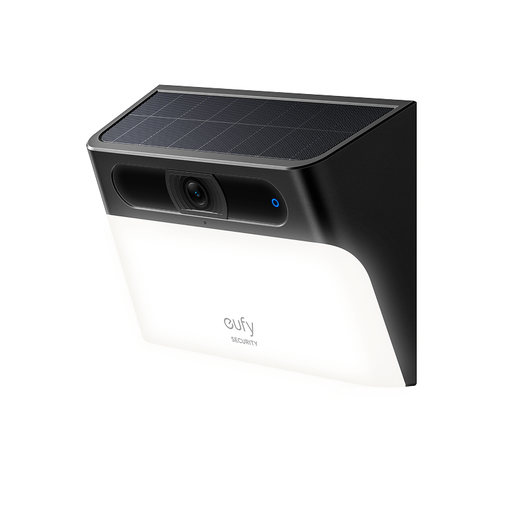
Why this choice suits this profile : Its integrated solar panel and wall light are suitable for a façade, driveway or entrance with sufficient exposure to sunlight.
The camera does not rely solely on a permanent power connection, but its solar performance varies according to positioning, the season and available sunlight. Assess this before installation.
Advertised 2K resolution, motion-activated lighting, colour night vision, two-way audio and IP65 rating.
We have put together a complete, real-time updated list of products that meet these demanding selection criteria, as well as European safety regulations.
Install the camera so that it monitors your property without unnecessarily filming neighbouring windows, public roads or private areas. In a business premises, people being filmed may need to be informed appropriately. Consult the recommendations of the CNIL and the rules applicable to your situation.
To minimise connection problems:
It may sometimes continue recording to a microSD card, depending on the model. However, remote access and notifications generally require an Internet connection. A Wi-Fi outage may therefore interrupt live viewing.
Start by checking the maximum capacity specified by the manufacturer. A 128 or 256 GB card may be compatible, depending on the model. For frequent recording, choose a card designed to withstand many write cycles and back up important footage to another storage medium.
The budget includes the purchase price, electricity or recharging costs, any microSD card and, depending on the service selected, a cloud storage subscription. A camera with local storage can reduce recurring costs. A solar model, meanwhile, limits the need for recharging when it receives sufficient sunlight.