
Livraison le jour même ou le lendemain

Qualité garantie

Débloquez vos offres de bienvenue: Livraison GRATUITE | Jusqu'à -80 % | 30 jours d'essai gratuits à JoyPlus
Téléchargez l'application
Protecting your home is a top priority. But when faced with the jungle of WiFi security cameras, making the right choice can quickly become a headache. Between image resolutions, power options, and so-called "?smart?" features, it's easy to get lost.
This guide is here to help you see things more clearly and introduce you to models that have proven their worth. We've scrutinised the features of dozens of products to help you find the camera that will truly meet your needs, whether you live in a house with a garden or an apartment.
By Joybuy, our connected device expert
Before diving into our selection, let's review the essential points to check to make the right choice and find the system that will guarantee you true peace of mind.
The first question to ask yourself is simple: where will it be installed? The needs for monitoring a garage entrance are not the same as for a living room.
What's the point of a camera if the image is blurry? Resolution is therefore a non-negotiable criterion. Models in 2K (or higher) offer a level of detail far superior to the Full HD (1080p) standard, making it easier to identify faces or license plates.
Night vision is just as important. A colour night vision camera, often assisted by a small built-in spotlight, provides images that are much more usable than the traditional black and white of infrared vision.
These options determine the flexibility of your setup and its long-term cost.
Keeping these criteria in mind, we have selected four models that stand out and cater to very specific uses.
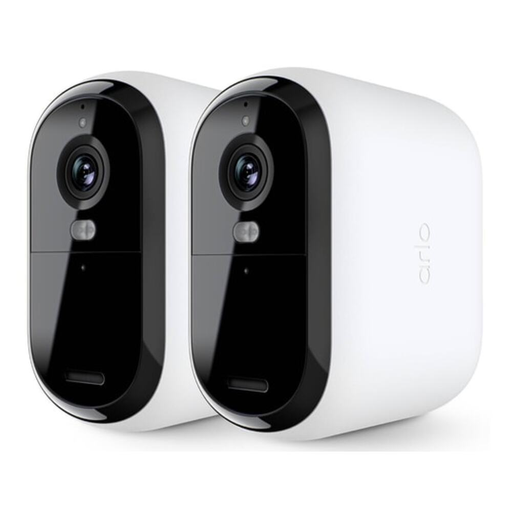
Why it stands out: This security camera kit shines with its record-breaking battery life. Arlo promises up to four times the endurance of standard models, which significantly reduces the chore of recharging. A complete and high-performance solution for hassle-free outdoor surveillance.
Advantages:
Who is it for? Homeowners who want a reliable, easy-to-install outdoor system that you can set and forget, thanks to its XXL battery life.
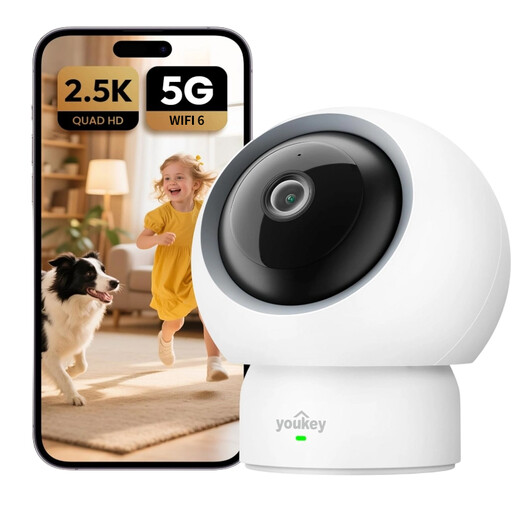
Why it stands out: The P310 from UNIVIEW is the ideal solution for monitoring your home's interior without breaking the bank on subscriptions. Its 360° panoramic coverage and smart detections (humans, pets, baby cries) make it a true Swiss Army knife for keeping an eye on your home.
Advantages:
Who is it for? Perfect for families who want to keep an eye on the living room, the baby's room, or their pets, all without a subscription and with complete control.

Why it stands out: The ZOSI C680 tackles a real challenge: how to monitor the outside from the inside, through a window? Its unique anti-reflection technology ensures a clear image day and night, without being distorted by reflections from the sun or indoor lighting. Its drill-free installation is a decisive advantage.
Advantages:
Who is it for? Renters and anyone who can't or doesn't want to drill into their walls to install an outdoor camera. The perfect solution for monitoring your entrance from your window.
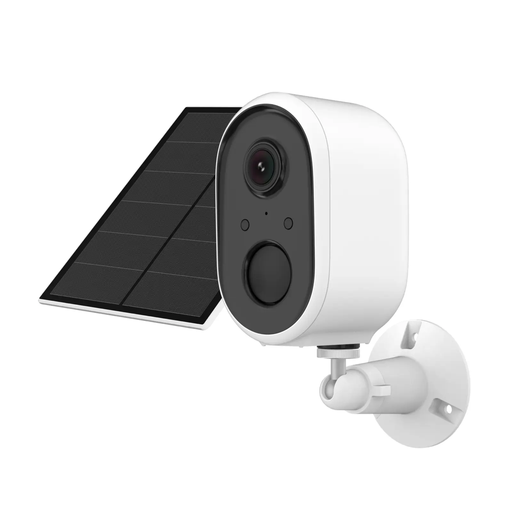
Why it stands out: This model checks all the boxes: autonomous, intelligent, and simple. Thanks to its solar panel, it is 100% energy self-sufficient. Its integration with the Tuya ecosystem makes it compatible with a myriad of connected devices and voice assistants.
Advantages:
Who is it for? Those looking for a "set it and forget it" outdoor solution that is completely autonomous and integrates effortlessly into an existing smart home ecosystem.
Our selection covers the most common needs, but your situation may be unique. If you're looking for more specific models, like trail cams for wildlife observation, or ultra-durable models, there's no shortage of choices.
To explore a wider range, feel free to browse our complete category of Trail & Outdoor Surveillance Cameras.
2.4 GHz WiFi has a longer range, which is useful for a camera at the back of the garden, but this frequency band is often congested (microwaves, other devices...). 5 GHz WiFi, which is faster and less crowded, offers a more stable connection, but its range is more limited. The ideal solution? A dual-band camera, which automatically chooses the best frequency for maximum flexibility.
Absolutely. Most models offer local recording on a microSD card. This solution has a dual advantage: it frees you from any monthly fees and ensures that your recordings remain stored at your home, completely private. Cloud subscriptions, which are always optional, add convenience features like an extended video history or more sophisticated image analysis.
It's generally child's play, even if you're not a DIY expert. In just a few steps: