
Livraison le jour même ou le lendemain

Qualité garantie

Débloquez vos offres de bienvenue: Livraison GRATUITE | Jusqu'à -80 % | 30 jours d'essai gratuits à JoyPlus
Téléchargez l'application
Equipping your home with a WiFi security camera is an excellent way to gain peace of mind, whether you're keeping an eye on your home, children, pets, or a loved one. Faced with a crowded market and often opaque technical jargon, making the right choice can quickly become a headache. To ensure you're investing in serenity, not a new source of hassle, it's crucial to know how to avoid the most common pitfalls.
As a Product Expert at Joybuy, I'm here to help you see things more clearly. Here are the essential points to check and the criteria that truly matter.
To make the right decision, focus on the features that will have a direct impact on your daily use.
It all depends on the area you need to cover.
Don't just trust the "night vision" label. There are two main technologies:
Getting constant notifications is the biggest drawback of entry-level cameras. A good model must offer truly smart motion detection with alerts.
Here is our selection of models that check all the boxes, each tailored to a specific need.
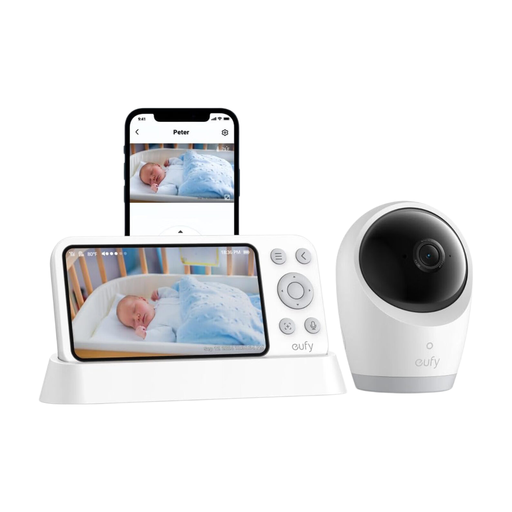
Why we chose it: Designed for parents' peace of mind, this model combines a Wi-Fi connection with a direct local connection for monitoring that never fails, even during an internet outage. Its cry detection and portable, battery-powered camera module make it an ultra-versatile ally.
It bypasses the need for subscriptions by storing recordings on an SD card. Your data stays with you, with no hidden fees.
Maximum reliability thanks to hybrid connectivity; smart cry detection; portable, battery-powered camera module.

Why we chose it: Its 360° view with auto-tracking is perfect for never losing sight of your pet. Its major asset: an integrated screen that turns the camera into a video intercom, a unique feature for truly interacting with your loved ones or pets.
It avoids the compatibility headache by supporting both 2.4 GHz and 5 GHz Wi-Fi networks, ensuring a stable and fast connection with modern routers.
360° panoramic view with motion tracking; integrated screen for video calls; dual-band Wi-Fi compatibility.
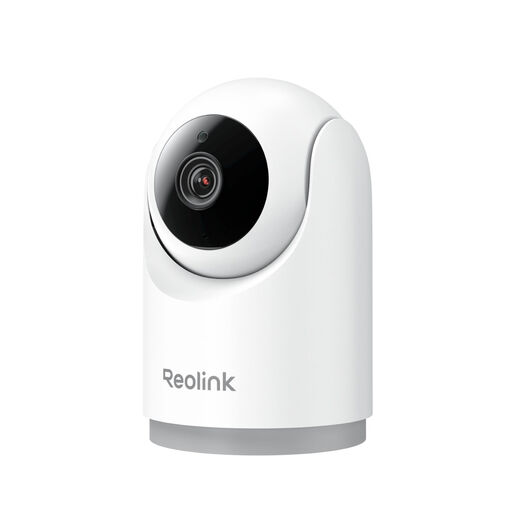
Why we chose it: The simple and effective solution from a reputable brand. It gets straight to the point by covering all the essential needs (3MP resolution, motorisation, smart detection) without unnecessary frills. The result: incredibly easy setup and daily use.
It doesn't fall into the pixel-race trap. Its 3MP Super HD resolution, coupled with high-performance night vision, guarantees sharp, genuinely usable images when you need them.
Smart detection (people/pets) to limit false alerts; ultra-fast setup; flexible storage (SD card, NVR, Cloud).
These cameras are very versatile, but if you're primarily looking to monitor a baby or young child, dedicated models, often called video baby monitors, might be a better fit.
It all depends on your usage. Live streaming consumes the most bandwidth. Normally, the camera only uses your connection to send an alert or a short clip to the cloud after a detection. If you record continuously to an SD card, the impact on your internet connection is almost zero, as everything is stored locally.
Yes, you have the right to install a camera inside your home. However, the law is very clear: you are prohibited from filming public spaces or your neighbour's garden. If you employ staff (nanny, home help), you must inform them of the cameras' presence. When in doubt, consult your local privacy regulations.
The hardware itself can easily last 5 years or more. The real limiting factor is software support. A camera whose app is no longer updated becomes not only obsolete but also potentially vulnerable. Therefore, choose a brand known for its long-term support—it's a guarantee of security and longevity.