
Livraison le jour même ou le lendemain

Qualité garantie

Débloquez vos offres de bienvenue: Livraison GRATUITE | Jusqu'à -80 % | 30 jours d'essai gratuits à JoyPlus
Téléchargez l'application
More than just a gadget, the WiFi digital photo frame is a living window into our memories. It continuously displays holiday photos, birthdays, and everyday moments of laughter, creating an instant connection with our loved ones, wherever they are. But be warned: not all models are created equal, and a great gift idea can quickly turn into a headache. Here's how to avoid the pitfalls.
To make the right choice, here are the three main pitfalls to avoid:
You don't need to be an expert to make the right choice. Just focus on these three essential points.
There's no need to get bogged down in the spec sheet. A few key features are all it takes to ensure a successful purchase and a frame that you'll be completely happy with.
The "WiFi" label doesn't guarantee anything. The true value of a connected photo frame lies in the quality of its mobile app (iOS and Android). It must be a model of simplicity.
This is the most immediately obvious criterion. To avoid disappointment, check two things: the size and the panel technology.
How many photos can your frame hold? The answer lies in its storage policy.
Rather than an exhaustive list, here are models that cater to specific uses while meeting our standards for quality and simplicity.
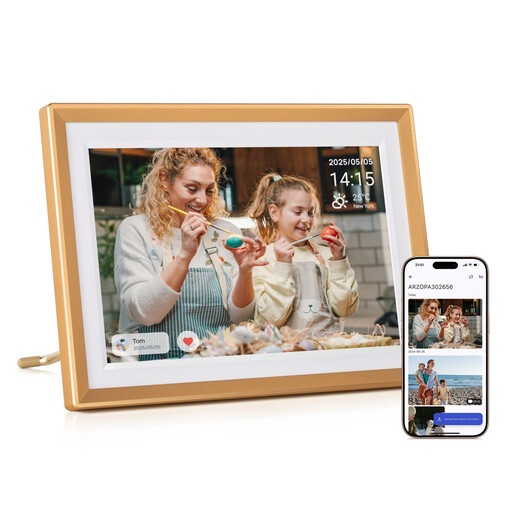
Why it's a great choice: Perfect for grandparents or any loved one who isn't comfortable with technology. Everything here is designed for immediate setup and hassle-free family sharing.
Its free "ARZOPA" app allows for an unlimited number of users. Most importantly, the ability to pre-configure the Wi-Fi remotely before gifting it removes the main technical barrier for newcomers.
The winning combo: free, unlimited cloud storage + 32GB of internal memory. Its 10.1-inch IPS touchscreen (1280x800) ensures a high-quality display.

Why it's a great choice: For those who want to turn their photos into a true piece of decorative art. Its extra-large screen makes it the centrepiece of a living room, offering an immersive visual experience.
It counters the trap of mediocre screens with a large 17-inch Full HD (1920x1080) panel. This guarantees your photos are displayed with impeccable sharpness and colour richness.
Its huge 17-inch screen is its number one asset. It comes with a comfortable 32GB of internal memory and a remote control for easy operation from a distance.
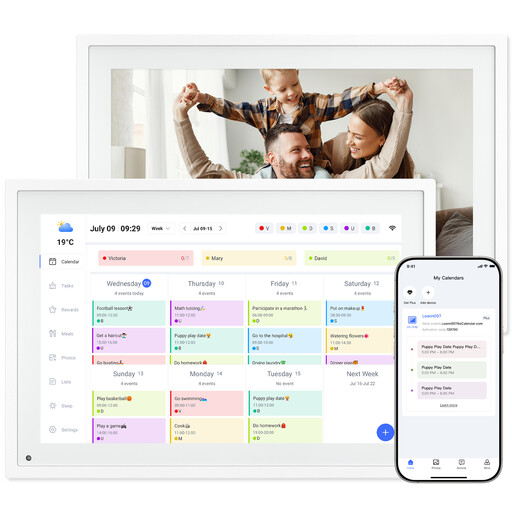
Why it's a great choice: This hybrid device is the ideal command centre for active families. It merges a shared calendar and a photo frame, all synchronised through a single app.
It avoids the gimmicky app trap by offering a genuinely useful feature: family calendar synchronisation. The app becomes a real organisational tool, not just a photo gallery.
Its dual role as a connected calendar and photo frame. The 10.1-inch screen clearly displays everyone's appointments while cycling through the family's best memories.
Discover our full selection of digital photo frames that meet our criteria for quality, simplicity, and transparency.
In principle, no. Reputable brands include free online storage and photo sharing with the purchase of the frame. This is a point you must check before making a purchase. Be wary of entry-level models that often hide a paid subscription to unlock essential features.
Rest assured, a good photo frame is built to last. Its LED/LCD screen has a theoretical lifespan of 20,000 to 50,000 hours, which represents many years of normal use. To maximise its longevity, simply remember to activate the automatic sleep mode at night.
Absolutely, and that's the magic of the concept. Once the frame is connected to the home's Wi-Fi, you (and the loved ones you invite) can send it photos and videos from anywhere in the world via the smartphone app. All you need is an internet connection.