
Livraison le jour même ou le lendemain

Qualité garantie

Débloquez vos offres de bienvenue: Livraison GRATUITE | Jusqu'à -80 % | 30 jours d'essai gratuits à JoyPlus
Téléchargez l'application
A sleek, harmonious, and high-performance gaming space: the dream of many gamers looking to create a white gaming setup. Far more than just a trend, a colour-coordinated desk promotes focus and enhances the gaming experience. However, finding components that blend style, performance, and an accessible price point can often be a real puzzle.
This guide is here to shed some light. We've compiled our best tips and a selection of products to help you build the white setup of your dreams, without drowning you in marketing jargon.
Before diving in headfirst, a few points deserve your attention to ensure a result that is both cohesive and functional.
"White" isn't a single, uniform colour. There are cool whites (with a hint of blue) and warm whites (leaning towards cream). For a flawless visual finish, try to choose white gaming peripherals with similar tones. RGB lighting also plays a crucial role. By opting for gear with customisable (or at least consistent) lighting, you'll create a unified lighting atmosphere across your entire desk.
Building a white gaming bundle with products from a single brand, like The G-Lab, is often an excellent strategy. This not only guarantees perfect aesthetic harmony (same shade of white, same design) but also software synergy. A single piece of software to control the lighting for your keyboard, mouse, and headset significantly simplifies the management of your ecosystem.
A white gaming keyboard or a white gaming mouse is very stylish, but performance should never take a backseat. Pay close attention to key technical specifications: key responsiveness for the keyboard, sensor precision (DPI) for the mouse, and audio quality for the headset. The goal is to find the perfect balance between a design you love and hardware that will deliver during your most intense gaming sessions.
To help you get started, here is a selection of white The G-Lab products that form a cohesive, high-performance, and accessible set.
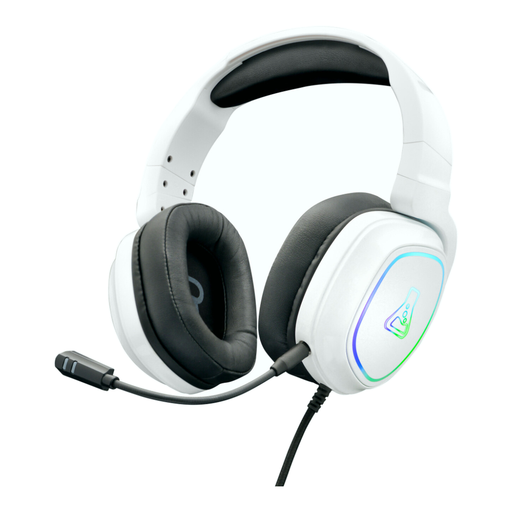
Why we chose it: The Korp Radium combines good immersive sound quality with a sleek design. Its detachable microphone is a major plus: it instantly transforms into a portable headset for listening to music or watching movies.
Key features:
Who is it for? For gamers looking for a versatile headset that remains comfortable even after hours of use and is compatible with all their platforms—all without breaking the bank.
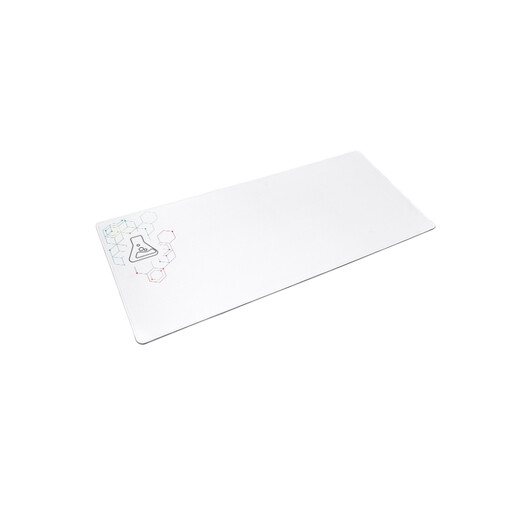
Why we chose it: Its XXL size is its main advantage. This XXL white mousepad covers a large portion of your desk, unifying the space under your keyboard and mouse for a clean look and complete freedom of movement.
Key features:
Who is it for? Essential for low-sensitivity (low-sens) players who need maximum space, or for those simply looking to perfect their desk's aesthetic.
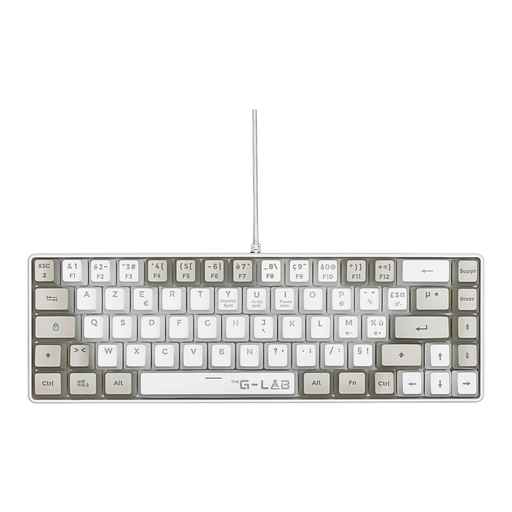
Why we chose it: Its compact 60% form factor is perfect for optimising space. By getting rid of the number pad, it frees up valuable room for wide mouse movements, a decisive advantage in many games.
Key features:
Who is it for? The ideal choice for FPS players and those who play other titles requiring wide mouse movements, as well as for fans of minimalist desks.
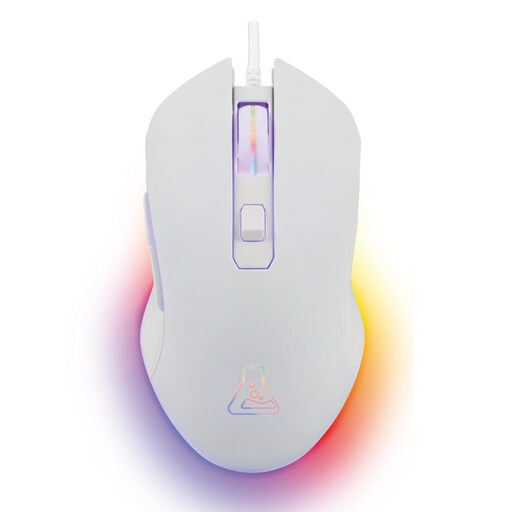
Why we chose it: This mouse combines a precise, adjustable sensor with a very comfortable ambidextrous design. Its dynamic backlighting adds a subtle touch of life to the setup.
Key features:
Who is it for? An excellent entry-level mouse for gamers seeking a reliable, comfortable, and versatile model that is compatible with PC, consoles, and Mac.
Our selection focuses on a cohesive set to get you started, but the world of peripherals is vast. If you want to explore other models of keyboards, mice, or headsets to fine-tune your setup, feel free to browse our full catalogue.
Explore our complete collection of gaming peripherals
White peripherals are naturally more susceptible to smudges and dust. To keep them looking brand new, a simple, slightly damp microfibre cloth is enough for regular surface cleaning. For keyboard keys and hard-to-reach corners, a can of compressed air is your best friend. Above all, avoid harsh cleaning products that could cause the plastic to yellow or damage the coatings.
Buying a bundle or peripherals from the same brand is often an excellent solution for beginners or those who prioritise simplicity. It guarantees perfect aesthetic harmony (colour, design, lighting) and simplifies software configuration. Conversely, more experienced gamers will often prefer to select each component individually to meet very specific performance needs.
Yes, most of the wired The G-Lab peripherals featured in this guide are multi-platform. The Korp Radium headset connects via a 3.5mm jack, making it compatible with PS4/PS5 controllers and the Switch in handheld mode. The Keyz Hydrogen keyboard and Kult-Helium mouse (via USB) are recognised by the PS4 and PS5, but only in games that support a keyboard/mouse combo. Therefore, always remember to check the compatibility of the game itself.