
Livraison le jour même ou le lendemain

Qualité garantie

Débloquez vos offres de bienvenue: Livraison GRATUITE | Jusqu'à -80 % | 30 jours d'essai gratuits à JoyPlus
Téléchargez l'application
A white gaming setup is more than just a trend; it's a true aesthetic statement. The minimalist elegance, sense of space, and visual purity it offers can transform a simple desk into a genuine command centre. At the heart of this ecosystem, the white gaming mouse is the centrepiece. However, choosing the right model can quickly become a headache, caught between marketing jargon and promises that are rarely kept.
As the Head of Product Selection at Joybuy, my mission is to guide you through this jungle to make an informed choice. Let's break down the pitfalls to avoid and the essential criteria for a high-performance, long-lasting investment.
The immaculate aesthetic of a white mouse can easily make you overlook the essentials. Here are the three most common mistakes to avoid:
To avoid falling into these traps, focus on the technical specifications that truly matter.
Weight is a key factor. An ultralight white mouse (often under 80g) facilitates wide, fast movements—an undeniable advantage in FPS games. Conversely, a slightly heavier model will offer better stability for precision-based games (strategy, MOBA). Ergonomics are just as crucial: a shape that perfectly fits your palm reduces fatigue and enhances control.
The modern white wireless gaming mouse offers complete freedom of movement and near-imperceptible latency thanks to 2.4 GHz technologies. It's the ultimate choice for a clean white gaming setup. The only drawback is battery management. On the other hand, wired models guarantee a foolproof connection with no charging constraints, all at a more accessible price point.
Forget max DPI and focus on the quality of the optical sensor instead. There are two key indicators to watch closely:
Because every gamer is unique, here is our selection of models that meet specific needs while avoiding the classic pitfalls.
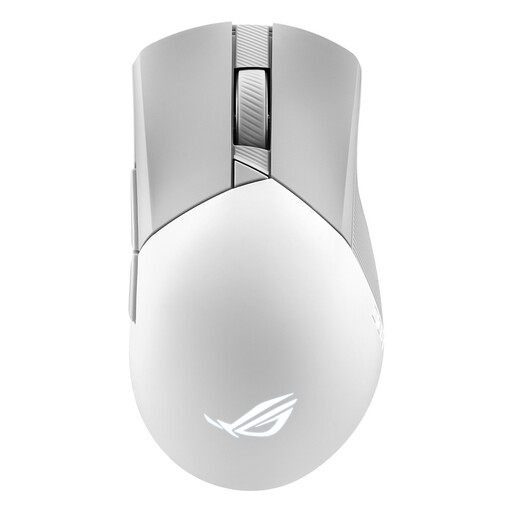
Why it's the right choice: Designed for FPS players who accept no compromise on precision and comfort. Its right-handed asymmetrical shape and 79g weight offer a perfect balance between lightness and control.
Its ROG AimPoint sensor prioritises surgical precision (CPI deviation < 1 %) over a flashy DPI number. Its premium materials and swappable switches are a guarantee of durability.
Triple connectivity (2.4 GHz RF, Bluetooth, wired) and Push-Fit II sockets to hot-swap switches and extend its lifespan.
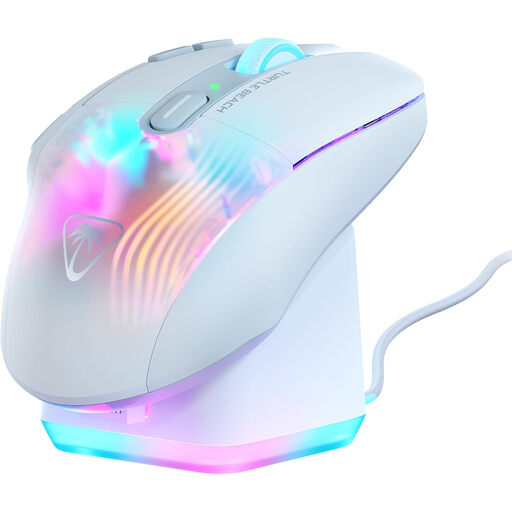
Why it's the right choice: Perfect for MMO/RPG players and content creators looking for an ultra-functional and visually spectacular mouse for their white gaming setup.
Its price is justified by an avalanche of useful features: 29 programmable actions via Easy-Shift[+] technology and a 4D wheel. Its ergonomics were designed for long-term comfort, not just for style.
Included RGB rapid charging dock, dual wireless connectivity (2.4 GHz and Bluetooth), and 5-zone AIMO lighting for extreme customisation.
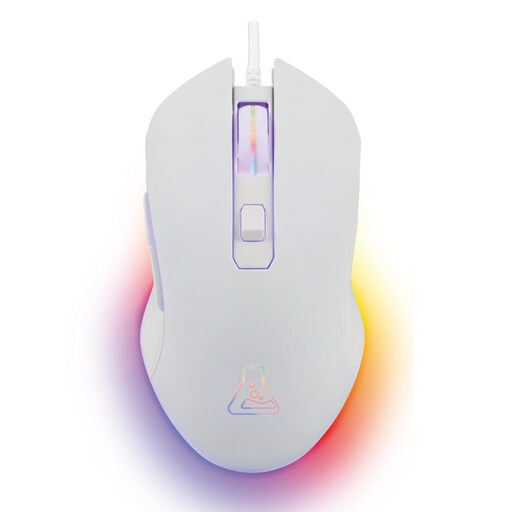
Why it's the right choice: Ideal for beginners or those looking for the best value for money. It delivers the essentials with a reliable gaming experience and a clean white design, without breaking the bank.
It gets straight to the point: a precise optical sensor up to 6400 DPI (more than enough), an ambidextrous design, and a wired connection that avoids the pitfalls of entry-level wireless models (battery life, latency...).
Its unbeatable value for money, its immediate "Plug & Play" setup, and its wide compatibility (PC, PS4, PS5, Xbox, Mac).
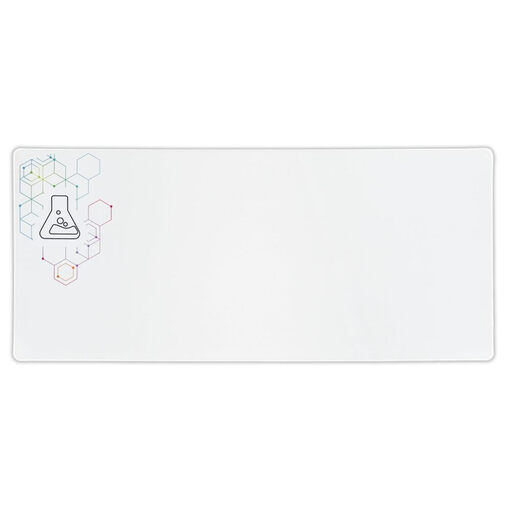
Why it's the right choice: The essential accessory to unify your desk. This XXL white mouse pad accommodates both keyboard and mouse, creating a gaming and work surface that is both aesthetic and cohesive.
Unlike small pads that slip and fray, this XXL model protects the desk, ensures perfect stability with its non-slip base, and resists wear and tear with its stitched edges.
Optimised surface for precise glide, 4 mm thickness for comfort, and generous dimensions (900 x 400 mm).
We have curated a complete selection of products that meet our demanding selection criteria and current safety standards.
For routine maintenance, a simple, slightly damp microfibre cloth is sufficient. For stubborn stains, a little isopropyl alcohol (70%) on the cloth will do the trick. Never spray liquid directly onto the mouse and remember to unplug it before cleaning. Most importantly, do not leave it in direct sunlight.
In certain games like FPS, which require wide and fast arm movements, a lighter mouse can indeed reduce fatigue and improve responsiveness. But performance is subjective. Some players prefer the weight of a heavier mouse for its stability and finer control. It all depends on your personal preferences and your games of choice.
The short answer is no. For the vast majority of gamers, such a high number is purely a marketing tactic. Most players set their mouse sensitivity between 400 and 3200 DPI. A sensitivity that is too high makes the cursor simply uncontrollable for precision movements. Focus on the actual quality of the sensor (tracking accuracy, lack of hardware acceleration) rather than the race for the highest DPI figure.