
Livraison le jour même ou le lendemain

Qualité garantie

Débloquez vos offres de bienvenue: Livraison GRATUITE | Jusqu'à -80 % | 30 jours d'essai gratuits à JoyPlus
Téléchargez l'application
Apple's laptop lineup has never been more extensive, making the choice a tough one. Between the new MacBook Neo, the iconic MacBook Air, and the powerhouse MacBook Pro—all equipped with next-generation chips—it can be hard to know where to start. We're breaking down the 2026 lineup to help you find the perfect MacBook for your needs and budget.
Before diving into the comparison, a few key questions will help guide your decision. Clearly defining your priorities is the best way to ensure you make a purchase you won't regret.
The processor is the engine of your future Mac. The 2026 lineup is built around two new chip families?:
Identifying your primary use case is the key to knowing which MacBook to choose.
Don't overlook the physical aspects of the machine. The weight, thickness, and display quality vary significantly from one model to another. The MacBook Air remains the undisputed champion of lightness, while the MacBook Pro stands out with its superior brightness and contrast, a decisive advantage for visual professionals. Finally, battery life remains a strong point across the entire lineup, though figures vary depending on the model and your usage.
Let's review the three flagship models in the lineup to better understand their respective strengths.

Why It Stands Out?: The MacBook Neo establishes itself as the most balanced entry point into the Apple ecosystem. It packs the A18 Pro chip and recent technologies like Apple Intelligence into a compact, lightweight chassis. With 512GB of SSD storage starting on the base model, it offers ample space for your apps and files.
The Pros?:
Who Is It For?? It's the smart choice for students, mobile professionals with office-based needs, and anyone looking for a reliable and efficient Apple laptop for everyday use.
See the price for the MacBook Neo 13-inch
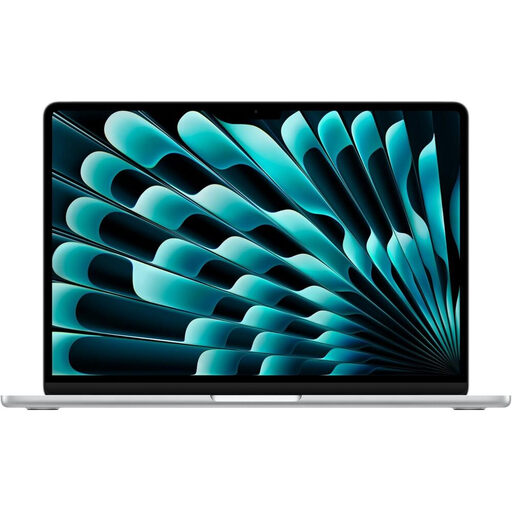
Why It Stands Out?: The new 2026 MacBook Air pairs its iconic design with the raw power of the M5 chip. It can now tackle more demanding tasks like 4K editing or gaming, all in complete silence thanks to its fanless architecture. The connectivity is also impressive, with Wi-Fi 7 and support for two external displays.
The Pros?:
Who Is It For?? It's aimed at demanding users on the go who need more power than the MacBook Neo offers. It's an excellent choice for marketing pros, photographers, developers, and advanced users for whom portability remains the number one priority.
See the price for the MacBook Air 13-inch M5

Why It Stands Out?: The MacBook Pro is the machine for absolute, uncompromising performance. Equipped with the M5 chip (10-core CPU, 10-core GPU), it features an active cooling system that allows it to sustain performance over long periods without faltering. Its Liquid Retina XDR display with ProMotion is simply the industry benchmark for creatives.
The Pros?:
Who Is It For?? The quintessential professional MacBook. It is designed for video editors, 3D animators, developers, engineers, and all creatives who demand a mobile, powerhouse, and reliable workstation.
See the price for the MacBook Pro 14-inch M5
Such a high-performance laptop deserves a workspace to match. To improve your ergonomics and organise your desk, the right stand can make all the difference, especially if you connect it to an external monitor.
To complement your new MacBook, discover our selection of silver stands and other compatible accessories.
Even though they share the same M5 chip, their philosophies are radically different. The MacBook Pro is equipped with an active cooling system (fans) that allows it to sustain peak performance over long work sessions. It also has a far superior Liquid Retina XDR display (brighter, better contrast, 120?Hz ProMotion) and more generous connectivity (HDMI, SD card reader). The MacBook Air, on the other hand, bets on thinness and absolute silence with its fanless design.
Absolutely. The MacBook Neo is an ideal choice for most students. Its A18 Pro chip is more than powerful enough for office tasks, research, video calls, and streaming. Its featherlight design, solid battery life, and more accessible MacBook price make it the perfect tool for lecture halls and the library.
Apple Intelligence is the new suite of artificial intelligence features integrated into macOS. Its goal is to simplify your life, boost your productivity (writing assistance, text summarisation), and unleash your creativity (image generation). The advantage is that these functions run locally on the device—quickly and securely—thanks to the Neural Engine in Apple's chips. If you plan to heavily use these new capabilities or other AI applications, a model with an M5 chip (MacBook Air or Pro) is recommended for the optimal experience.