Who are these solutions for?

Households dealing with frequent everyday mess

Crumbs, dust, pet hair, marks and spills often end up on your hard floors. You’re wondering whether tackling them as part of one routine would be more convenient than getting out a vacuum and cleaning kit one after the other.

Buyers who care about maintenance and product lifespan

You want to know what needs doing after cleaning, identify the consumables, and compare repairability information and parts availability for the model you’re considering.

Users looking to automate routine cleaning

You’d like to leave some of your regular cleaning to a robot. How it moves between rooms, the space needed for its dock and, depending on the model, your home network connection all play a part in your choice.

What sets these solutions apart?

Wet and dry vacuum

Worth considering: if dry and wet messes regularly build up on compatible hard floors and you’d like to tackle them as part of the same routine.

Bear in mind: even with self-cleaning, you’ll need to deal with the dirty water and maintain the parts that get wet, as instructed in the manual.

Separate vacuuming and mopping

Worth considering: if your floors or rugs call for different cleaning methods and you’d rather choose each tool separately.

Bear in mind: vacuuming and then mopping means two steps for areas that need both.

Robot with a mopping function

Worth considering: if you’d like to automate some of your regular cleaning and have room for the dock designed for that model.

Bear in mind: the tasks handled vary by dock; obstacles, rugs and accessory maintenance are also worth considering.

Criteria What to check before you buy Who is it for?
Mixed messes and floor type Check which floors the appliance and exact accessory are suitable for, as well as any exclusions for sensitive surfaces. When crumbs and wet marks keep appearing on my hard floors, I want to avoid going over them twice without risking using the wrong roller. Around 40% of consumers would put this need for combined cleaning first.
Maintenance and product lifespan Check what needs doing after use, which consumables are compatible and, where displayed, the model’s repairability index. Before choosing an appliance that uses water or a dock, I want to know which parts need cleaning and which need replacing. For around 30% of consumers, maintenance and product lifespan would be the main concern.
Automation Check what the dock actually does, how it handles rugs and, if you plan to use connected features, whether it’s compatible with your network. I’d rather leave some of my regular cleaning to a robot, as long as it can move around my home and I have space for its dock. Around 30% of consumers would share this priority.

What not to overlook

  • Assuming “hard floors” means all hard floors

    An accessory may not be suitable for sensitive materials, even if the appliance is described as suitable for hard floors. Kärcher, for example, advises against using its FCV 4 tile roller on sensitive marble and terracotta.

    Make a note of the floor types in your home, then check the instructions for the model and roller you plan to use.

  • Confusing self-cleaning with maintenance-free

    An automatic function doesn’t necessarily mean you can skip emptying the dirty water or cleaning the parts specified in the manual.

    Check what needs doing after use and the reference numbers for consumables before choosing an appliance or its dock.

    Depending on the system, rollers, filters, bags or mop pads may also need replacing periodically.

  • Choosing a robot based on its mopping function alone

    Robot mops can come with different docks and connectivity requirements. Roborock, for example, says the QV 35A supports 2.4 GHz Wi-Fi, but not 5 GHz.

    Check what the dock does, how the robot handles rugs and what connection is needed for the features you want to use.

  • Assuming available accessories mean the appliance is repairable

    Finding compatible filters or mop pads doesn’t, on its own, tell you whether essential parts are available or whether the appliance can be repaired.

    For the exact model, compare accessory availability with information about essential parts and the repairability index, where displayed.

Brands to know

Kärcher

The range includes floor cleaners and wet and dry vacuums for hard floors, with features that vary by model.

  • Kärcher offers systems with separate tanks; its FCV 4 has a washable roller and a self-cleaning function. The brand says essential parts for this model will be available for at least six years.
  • Suitability also depends on the accessory: Kärcher advises against using the FCV 4 tile roller on sensitive marble and terracotta.

Dreame

Dreame offers cordless wet and dry vacuums for hard floors; edge cleaning and self-cleaning features vary by model.

  • The brand lists a filter compatible with the H14, H14 Pro and H14 Dual models.
  • The availability of this filter alone doesn’t tell you whether essential parts are available for a particular model. Check this information for the model you’re considering.

Roborock

The robot vacuum and mop range is designed for households looking to automate some of their cleaning, with dock features varying between models.

  • Roborock says the QV 35A dock washes and dries the mop pads; the brand also lists compatible accessories by model.
  • The QV 35A supports 2.4 GHz Wi-Fi, but not 5 GHz. A list of accessories on its own doesn’t tell you how repairable the appliance is.

Appliances to suit your routine

These appliances are suited to two different uses: tackling dry and wet messes with a manual wet and dry vacuum, or automating some of your cleaning with a robot mop. If you’d rather keep vacuuming and mopping separate, compare your two tools based on each floor type.
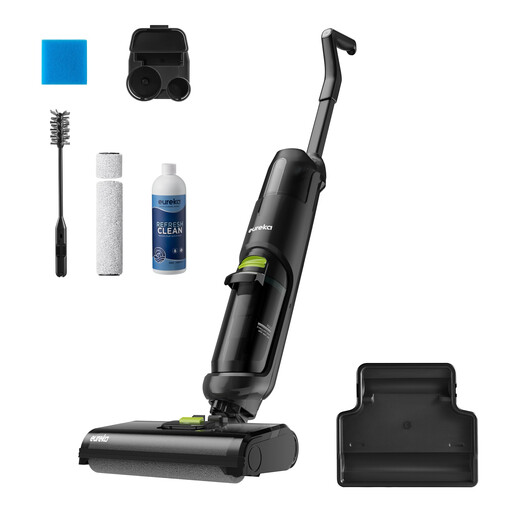
Black Eureka NEW400 cordless wet and dry vacuum

Eureka NEW400, black cordless wet and dry vacuum

Worth considering if you’d like to vacuum up dry mess and mop hard floors as part of the same routine. The model is described as having a self-cleaning system; check the manual to make sure it’s suitable for your floors and to see what needs doing after use.

View on Joybuy
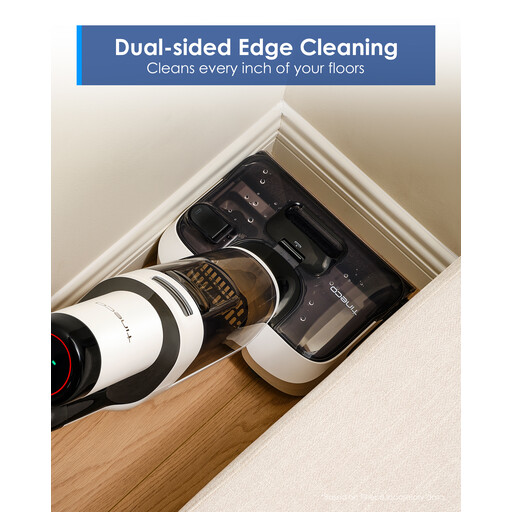
Tineco Floor One Stretch S6 wet and dry vacuum

Tineco Floor One Stretch S6, wet and dry vacuum

Its flat design may appeal to households that need to clean under some furniture while tackling dry and wet messes. The product title specifies a 180° recline, a height of 13 cm and a claimed 40-minute run time. Measure the space under your furniture and check which floor types are suitable.

View on Joybuy
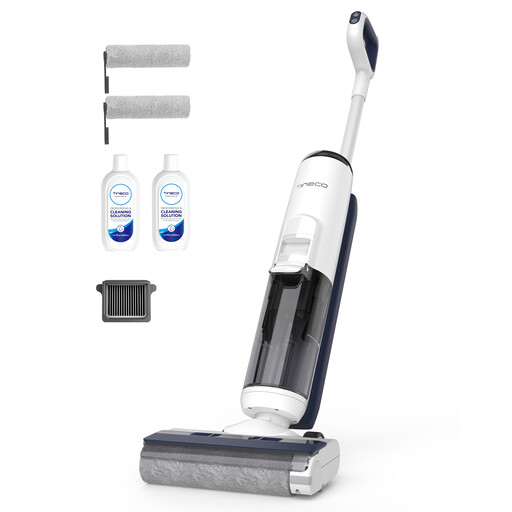
Tineco iFLOOR 5 Breeze Complete floor cleaner

Tineco iFLOOR 5 Breeze Complete, cordless floor cleaner

Worth considering for small dry and wet messes on hard floors, rather than rugs or carpets. The product title mentions edge cleaning, self-cleaning and a claimed 35-minute run time. You’ll still need to deal with the tanks after use.

View on Joybuy

ECOVACS DEEBOT X9 PRO Omni robot vacuum and mop with dock

ECOVACS DEEBOT X9 PRO Omni, robot vacuum and mop

Its dock may appeal to households looking to cut down on some of the manual tasks involved in regular floor cleaning. The model is described as having an OZMO roller and an Omni station; you’ll still need to manage the tanks and maintain the brushes and filters as instructed.

View on Joybuy

Eureka J15 Pro Ultra robot vacuum and mop

Eureka J15 Pro Ultra, robot vacuum and mop

Worth considering if you’d like to automate some of your cleaning of dry and wet messes. The product title mentions liquid detection, brush lifting and self-cleaning. Check the manual to make sure it’s suitable for your floors and rugs, and to find out how to maintain the dock.

View on Joybuy

Frequently asked questions

Is a wet and dry vacuum suitable for all hard floors?

No. Check your floor type in the appliance manual and the instructions for the exact accessory. For example, Kärcher says its FCV 4 tile roller shouldn’t be used on sensitive marble and terracotta.

Does an appliance with self-cleaning still need maintenance?

Yes. Self-cleaning doesn’t mean you can skip all the tasks needed after use. Check the manual to find out how to manage the tanks, roller and filter, and which parts need to dry.

How can you assess repairability before choosing?

For the exact model, check its repairability index where displayed, then look separately at the availability of essential parts and compatible accessories. ADEME describes the index as a way to help shoppers choose appliances that are easier to repair; the availability of consumables alone doesn’t tell you whether the whole appliance can be repaired.

Does a robot mop’s dock eliminate all manual maintenance?

No. A dock may handle some tasks, but its functions and the jobs you still need to do depend on the model. Before choosing a robot, check the consumables, dock maintenance and connectivity requirements. Roborock, for example, specifies that the QV 35A supports 2.4 GHz Wi-Fi, but not 5 GHz.