
Livraison le jour même ou le lendemain

Qualité garantie

Débloquez vos offres de bienvenue: Livraison GRATUITE | Jusqu'à -80 % | 30 jours d'essai gratuits à JoyPlus
Téléchargez l'application
Should you grab an umbrella, air out the house, or bring in the geraniums? While smartphone weather apps are helpful in a pinch, they often lack pinpoint accuracy for your specific neighbourhood. That's where a personal weather station comes in: it delivers reliable, real-time data, captured directly from your garden or balcony. But with an overwhelming number of options on the market, how do you make the right choice?
This guide breaks down the essential criteria for finding the perfect device for your needs. We've selected products that stand out from the crowd, whether you're looking for a simple weather clock or a true personal observatory.
Before you dive in, let's review the key features that make all the difference. Here are three key points to guide you.
The first question is simple: how do you want to access your weather data?
Is the outdoor temperature enough for you? Or do you need to simultaneously monitor the humidity in your wine cellar, the temperature in the baby's room, and the conditions in your greenhouse?
Not all stations are created equal. Beyond the temperature/humidity duo, some devices, often called professional weather stations, offer a suite of advanced measurements:
To move from theory to practice, we've sifted through several models on the market. Here are three stations that come out on top, each in its own category.
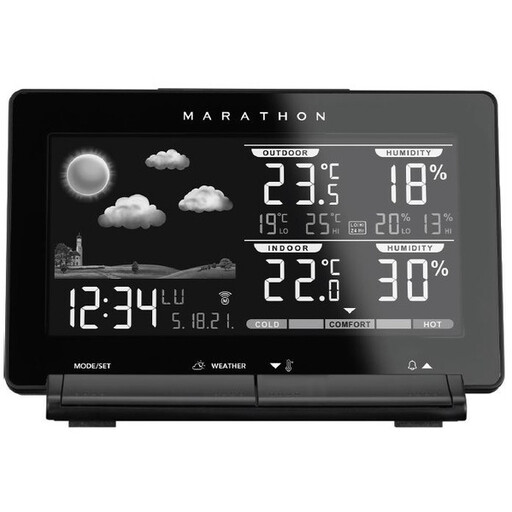
Why it stands out
The Marathon Lisbon station is the perfect option for those who prioritise simplicity and reliability. It gets straight to the point: indoor/outdoor temperature and humidity, clearly displayed on a large LCD screen. Its radio-controlled clock is a real bonus, ensuring the time is always accurate without any adjustments.
Advantages
Who is it for? Perfect for those who want a reliable, no-fuss device to know the basic weather conditions at home and in their garden.
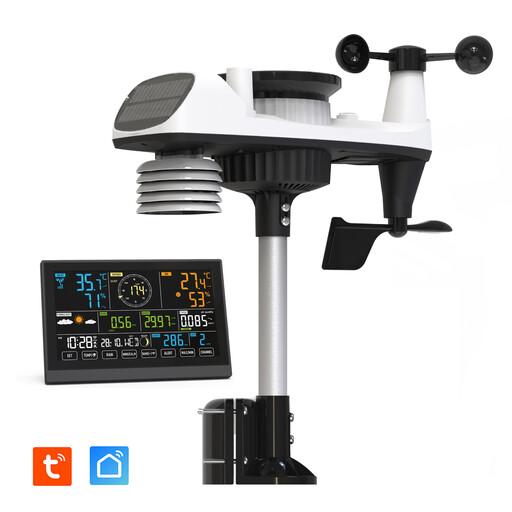
Why it stands out
This Wi-Fi connected weather station is aimed at weather geeks and data enthusiasts. Its 8-in-1 sensor array, powered by a solar panel, measures a full range of data: temperature, humidity, pressure, wind, rain, UV index, and light intensity. The icing on the cake is that the indoor console also monitors air quality (TVOC). All this information is accessible on a large colour touchscreen and on your smartphone.
Advantages
Who is it for? For serious gardeners, weather buffs, and anyone who wants comprehensive tracking, available anytime on their smartphone.
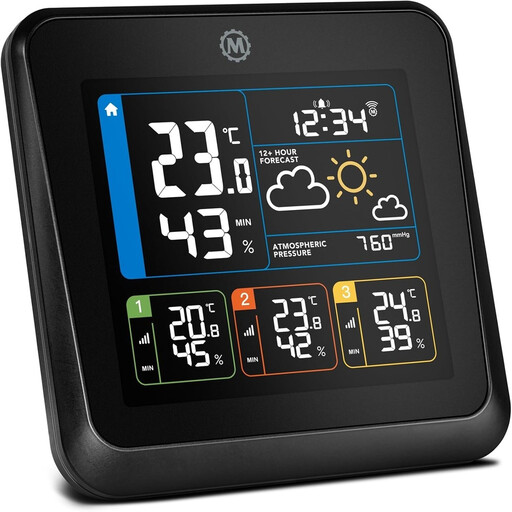
Why it stands out
The key strength of the Marathon London is its ability to monitor up to four zones simultaneously, thanks to its three included wireless sensors (in addition to the one built into the base). Its colour screen clearly displays the data from each zone, making it a true control centre for the whole house.
Advantages
Who is it for? Ideal for families and homeowners who want to monitor the conditions in several rooms (or outdoor areas) from a single screen.
Our selection covers three distinct user profiles, but the world of weather stations is much broader. Many other models exist, with designs, features, and budgets to suit all tastes.
To explore a wider range, from the simplest to the most advanced models, take a look at our complete category.
? Discover All Our Weather Stations
1. Where should I place the outdoor sensor for a weather station? For reliable measurements, the outdoor sensor should be placed in the shade and sheltered from direct rain. The ideal spot? Mount it on a north-facing wall, between 1.5 and 2 metres (5-6.5 feet) off the ground, and away from any heat sources (air conditioner units, vents, etc.).
2. What's the difference between a weather station and a simple thermometer? A thermometer only measures temperature. A weather station is much more comprehensive: at a minimum, it measures both temperature and humidity (making it a thermometer-hygrometer). Most models also add a barometer for basic forecasting, a clock, and can support optional sensors (wind, rain, etc.).
3. Is a Wi-Fi connected weather station difficult to set up? No, setup is generally a breeze. You just need to connect the console to your home Wi-Fi network (usually on the 2.4 GHz band) via the dedicated mobile app. The process is guided step-by-step, just like any other smart device. Syncing with the outdoor sensor is then almost always automatic.