
Livraison le jour même ou le lendemain

Qualité garantie

Débloquez vos offres de bienvenue: Livraison GRATUITE | Jusqu'à -80 % | 30 jours d'essai gratuits à JoyPlus
Téléchargez l'application
Installing a video doorbell is an excellent way to secure your home and never miss a package again. But with the overwhelming array of models available, it's difficult to navigate the options and not get caught out. Behind the slick marketing, some products hide flaws that can quickly turn your daily life into a headache.
As the Head of Product Selection at Joybuy, my mission is to guide you. Let's break down the pitfalls to avoid and the criteria that truly matter, so you can make the right choice with no regrets.
To ensure you make the right choice, here are the technical points where you should make no compromises.
A 1080p resolution is the absolute minimum today. To identify a face without squinting or read a badge on a uniform, you should aim for 2K resolution instead. Also, pay close attention to the quality of the night vision. The best models offer color night vision, which is far more precise and useful than a grainy black-and-white image when light levels drop.
The choice depends on your current setup and whether you're up for a bit of DIY.
This is the key criterion for controlling your budget over the long term. The storage method directly determines whether there will be monthly fees.
A good video intercom or wireless video phone worthy of the name must now offer a reliable local storage option.
Rather than a long list, here are a few models that cater to distinct user profiles, taking into account the criteria we've just discussed.
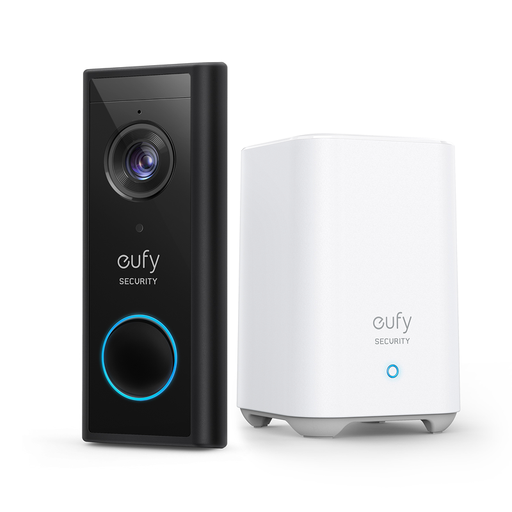
Why we recommend it: Ideal for a hassle-free first setup. It combines excellent 2K image quality with a key selling point: it operates without any subscription thanks to its base station that stores everything locally.
This model ticks the most important box: zero hidden fees. Your videos are stored at your home on the provided base station. You control your budget and your personal data.
2K image quality, completely standalone installation, and no monthly fees.
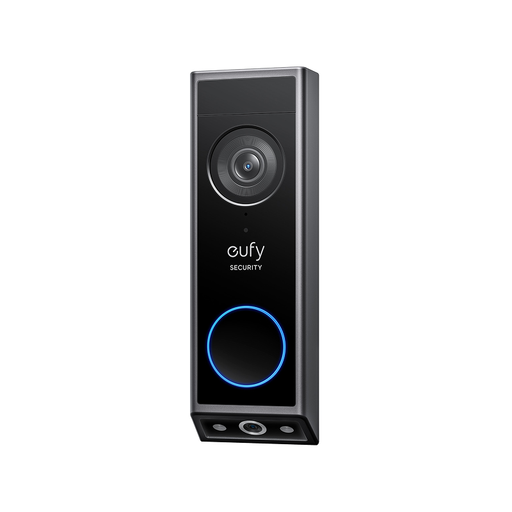
Why we recommend it: This is the model for demanding users who want a perfect view of their entryway. Its dual-camera system is incredibly effective: one camera films visitors, while the other watches over packages left on the ground. No more blind spots!
It tackles the poor night vision trap with a high-performance color mode. And what about subscriptions? No problem—storage is handled locally on a microSD card, leaving you completely independent.
Dual camera (visitors + packages), color night vision, and expandable local storage.
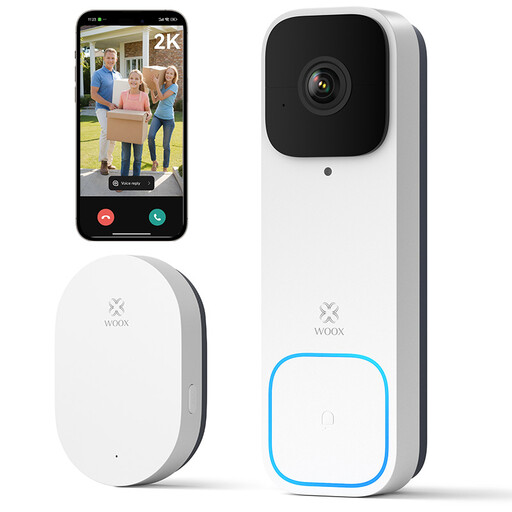
Why we recommend it: The ideal solution for those who can't (or don't want to) drill. Powered by a battery and supplied with its wireless chime, it's up and running in minutes without a single wire to run.
It bypasses the hurdle of a complex installation. As a wireless doorbell with camera, it requires no wiring. Its battery provides several months of peace of mind.
100% wireless installation, chime included, and compatible with voice assistants.
Explore our full selection of video doorbells that meet our selection criteria and operate without a mandatory subscription.
Essentially, no. All the smart features of a video doorbell (smartphone notifications, remote viewing, two-way talk) require a Wi-Fi connection. A few rare models can work in a closed circuit with an indoor monitor, but they lose their main advantage: you can't receive alerts or see who is at the door when you're away.
It depends heavily on its activity. The 6-month battery life advertised by brands corresponds to an ideal scenario with very little foot traffic. If your front door is busy, you should expect to recharge it every 2 to 4 months. For a set-and-forget solution, some hybrid models can run on battery and later be connected to your home's wiring.
Absolutely not, and this is a crucial point. More and more brands like eufy, Woox, or Uniview offer models designed from the ground up to work without monthly fees. The secret? Local video storage on a microSD card or a dedicated base station. This is the best way to choose a video doorbell with no subscription to control your expenses and your data. One piece of advice: always read the product details carefully to check if an advanced feature (like facial recognition) is locked behind a subscription, even an optional one.