Brands worth knowing
These ranges illustrate different features to consider for a specific model. They don’t guarantee how a product will perform on your floors, or mean that it’s among the products listed below.
Rowenta
Rowenta offers cordless stick vacuums, robot vacuums and canister vacuums. Its online shop lets you search for robot vacuum parts and accessories by model number.
- For some X-Plorer robots, the brand’s product pages detail the accessories and app features.
- Check Rowenta’s stated repairability and connected features for the exact model; don’t assume they apply to the whole range.
Roborock
Roborock offers connected robot vacuums. For example, the brand describes the QV 35A as featuring LiDAR navigation, obstacle avoidance and a multifunctional station.
- The station for this model is advertised with automatic dust emptying.
- These features alone don’t show how it performs on every type of flooring, in corners or around obstacles; look for tests relevant to your home.
Dreame
Dreame offers robot vacuums, including some models that can be controlled using a mobile app.
- The D10+ Gen 2 product details state that it’s compatible with a mobile app; check that it suits the way you plan to use it.
- Check the features, available parts and cleaning performance for the specific model you’re considering rather than assuming they apply across the range.
Vacuum cleaners for these uses on Joybuy
These cordless stick vacuums are suited to quick manual clean-ups, while the robot vacuums are designed for people who want to schedule regular cleaning. For each one, compare the stated specifications with your floors and the maintenance you’re happy to take on.
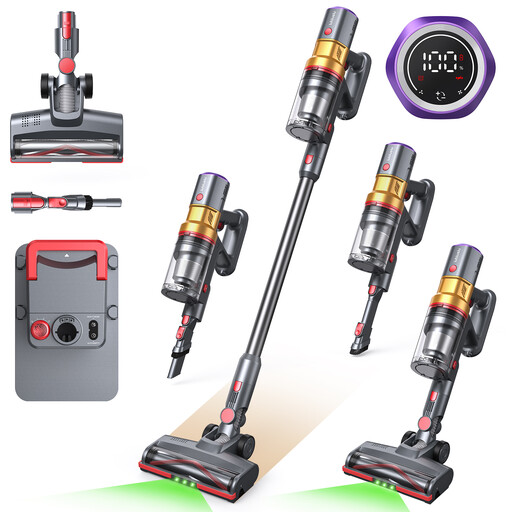 Image unavailable
Lubluelu X1000 with auto-empty station
A cordless stick vacuum for picking up everyday messes by hand. Its product title states 27 kPa suction, an anti-tangle brush and a charging station with automatic emptying. Check the battery life in the mode you plan to use and which consumables the station needs.
View on Joybuy
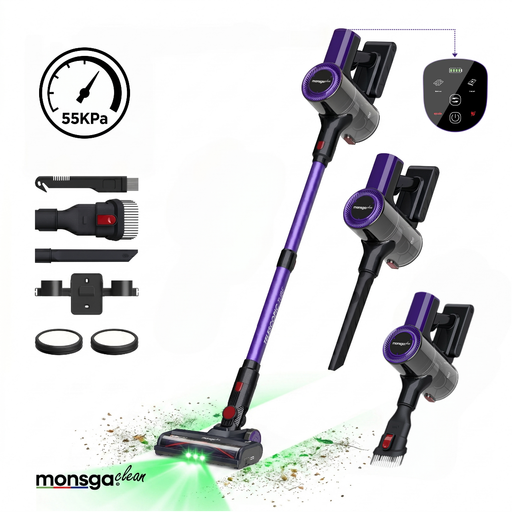 Image unavailable
Monsga M100 freestanding
This cordless stick vacuum is designed for occasional manual clean-ups. Its product title states 55,000 Pa, 45 minutes of battery life, an anti-tangle brush and a freestanding design. Check which mode that run time refers to and look for performance results on your flooring.
View on Joybuy
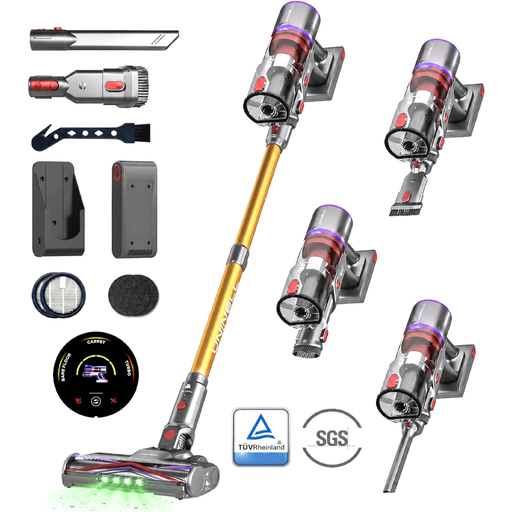 Image unavailable
MONSGA X UNINELLHOME UV5
This cordless stick vacuum lets you clean without a cable. Its product title states up to 65 minutes of battery life, 60,000 Pa, an anti-tangle brush and a freestanding design. Check the run time for the setting you’ll use and how easy it is to handle for frequent clean-ups.
View on Joybuy
 Image unavailable
ECOVACS Deebot T30C OMNI Gen2
This robot vacuum and mop with station is designed for scheduled cleaning rather than manually guided vacuuming. Its product title states 25,000 Pa and mop washing at 75 °C. Check app compatibility, the space needed for the station and how it performs on your floors.
View on Joybuy
 Image unavailable
JONR T5 Pro with station
According to its product title, this robot vacuum and mop features laser navigation, obstacle recognition and an integrated station; stated suction is 8,150 Pa. For scheduled cleaning, check app and network compatibility, where the station will go and how to maintain the accessories.
View on Joybuy
Frequently asked questions
How much battery life do I need for a stick vacuum I use every day?
Look for enough run time to complete your usual clean in the mode you’ll use, rather than aiming for the same figure as every other household. UFC-Que Choisir notes that the maximum battery life stated is generally based on the lowest power setting. In its tests, it records an average of around ten minutes at full power.
Can a robot vacuum do all the cleaning instead of a canister vacuum?
Not necessarily. A robot vacuum can clean regularly, but UFC-Que Choisir says performance varies depending on the floor and the areas to be cleaned. If you also need to vacuum larger areas or do a more thorough clean, compare canister vacuum performance and accessories for those jobs.
What should I check before buying a robot vacuum controlled by an app?
Check which phones are compatible, whether a connection is required, what features are available on the model you’re considering and how updates work. UFC-Que Choisir recommends checking app compatibility and ongoing support; a feature advertised for one robot doesn’t necessarily apply to the whole range.
What is a vacuum cleaner’s repairability index for?
In France, vacuum cleaners are among the product categories covered by this index. According to the ministry responsible for ecological transition, its score from 0 to 10 indicates how easy or difficult a product is to repair. Check the score for the model you’re considering, then separately check which parts and consumables are available.


